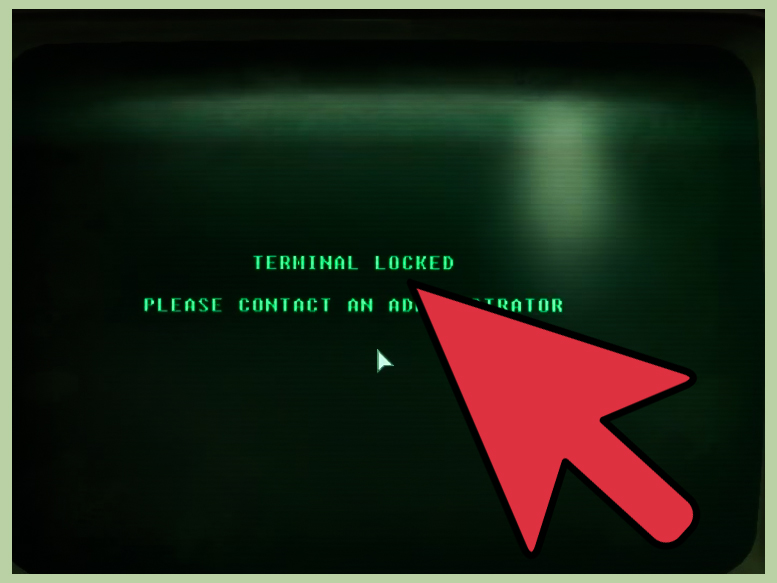
Note: This guide is about the in-game terminal hacking mini-game in Fallout 3. It is not about real-world computer hacking, cracking passwords, or accessing systems you do not own. In other words, keep the chaos in the Capital Wasteland, where it belongs.
In Fallout 3, hacking a computer terminal is one of those little systems that looks intimidating for about five minutes, then suddenly clicks so hard you feel like a Vault-Tec-certified genius. The screen fills with nonsense symbols, odd words, brackets, and green text that screams, “Congratulations, you are now inside a 1950s supercomputer having a nervous breakdown.” But behind the retro-futuristic drama is a simple logic puzzle.
Learning how to hack a computer terminal in Fallout 3 matters because terminals are everywhere. They unlock doors, disable security systems, reveal story details, open safes, control robots, and occasionally make you feel smarter than the average raider, which admittedly is not a high bar. Whether you are exploring Vault 101, sneaking through office ruins, or digging through forgotten labs, terminal hacking can turn a dangerous room into a profitable one.
This guide breaks the process into eight clear steps, with practical examples, beginner-friendly explanations, and enough wasteland wisdom to help you stop guessing randomly like a mole rat with a keyboard.
Step 1: Understand What Terminal Hacking Actually Is
When you activate a locked terminal in Fallout 3, the game presents a list of possible passwords mixed into lines of random symbols. Every possible password on that screen has the same number of letters. One of those words is correct. Your job is to select the right one before your attempts run out.
The important thing to understand is that terminal hacking is not random. It is a word-matching puzzle. Each wrong guess gives you a clue called “likeness,” which tells you how many letters in your chosen word match the correct password in the exact same position. Not the same letters anywhere. Not “close enough.” The exact same position. The terminal is picky, like a robot librarian with a grudge.
For example, imagine the correct password is TRAIN. If you guess TRAIL, the letters T, R, A, and I are in the same positions, so the likeness would be 4 out of 5. If you guess PAINT, it may share some letters, but fewer are in the correct slots. That distinction is the heart of the hacking mini-game.
Step 2: Check Your Science Skill Before You Start
In Fallout 3, your Science skill controls which terminals you can attempt. Terminals come in difficulty levels, and harder terminals require higher Science. If your Science skill is too low, the game simply will not let you try. No amount of staring at the screen dramatically will help. The terminal has standards.
The basic difficulty ladder works in blocks. Easier terminals are available at lower Science levels, while more advanced ones require stronger investment. A Science-focused character can hack more terminals, access extra information, and open more paths through quests and locations. If you enjoy exploring every corner of the Capital Wasteland, Science is one of the most useful non-combat skills in the game.
Why Science Is Worth Raising
Science is not just a “nerd stat” for people who want to role-play as a walking calculator. It affects exploration, rewards, shortcuts, security controls, and quest options. Many terminals are tied to locked doors, safes, turrets, robots, logs, and environmental storytelling. Even if you are playing a tough wasteland survivor, knowing how to push buttons correctly can save ammo, time, and dignity.
A higher Science skill can also reduce the frustration of hacking by improving your options. You still need to solve the puzzle, but a better Science build makes the system feel less like blind luck and more like detective work.
Step 3: Read the Word List Before Clicking Anything
The biggest mistake new players make is clicking the first word that looks cool. This is understandable. Some terminal words sound like rejected superhero names. But rushing can waste attempts fast.
Before choosing a word, scan the full screen. Look for patterns among the options. Are many words ending in -ING? Do several words share the same first two letters? Are there words with similar structures, like MARKED, MANNED, and MASHED? These patterns matter because they help you compare likeness clues after your first guess.
Your first guess should ideally be a word that shares useful similarities with other words on the list. Picking a word with common letter positions gives you more information. Picking a lonely word with no obvious overlap can still work, but it may give you a clue that is harder to use.
Step 4: Make a Smart First Guess
Once you have scanned the list, choose a first word that helps you eliminate possibilities. You do not need to be perfect. You just need information. Think of the first guess as asking the terminal a question: “How close is this word?” The terminal answers with a number, and then you start narrowing the field.
Suppose your list includes these possible passwords:
- RATING
- RACING
- RAVING
- SAVING
- MAKING
- HAVING
If you guess RACING and the terminal says 4 out of 6 correct, you can compare the other words position by position. RATING shares R, A, I, N, and G in the same general structure, while SAVING shares fewer matching positions depending on the exact letters. Suddenly the puzzle becomes manageable.
The goal is not to magically know the password on the first try. The goal is to use every guess to learn something. Guessing randomly is possible, but so is eating a can of 200-year-old beans in a ruined subway. Neither is the best plan.
Step 5: Use the Likeness Number Like a Detective
The likeness number is the key to terminal hacking in Fallout 3. If the terminal says your guess has 2 out of 7 correct, that means exactly two letters are correct and in the correct positions. Not three. Not “two-ish.” Exactly two.
Here is a simple example. Imagine the possible password is seven letters long, and you guess:
HUNTERS
The terminal returns:
2/7 correct
Now compare every remaining seven-letter word to HUNTERS. A candidate word should share exactly two letters in the same positions. If it shares zero, eliminate it. If it shares four, eliminate it. If it shares exactly two, keep it on your mental shortlist.
This is where the mini-game starts to feel less like guessing and more like playing post-apocalyptic Wordle, except the reward is sometimes a turret control system and sometimes an email from a dead office worker complaining about coffee. Truly, civilization had layers.
Step 6: Search for Bracket Tricks Before You Run Out of Attempts
One of the best terminal hacking tips in Fallout 3 is to look for bracketed symbol groups. These are hidden among the random characters on the screen. They usually appear between matching bracket types, such as:
- (…)
- […]
- {…}
- <…>
When you select a valid bracketed group, the terminal may remove a wrong password from the list or replenish your attempts. This is a huge advantage. It can turn a scary hack into a clean little puzzle where the computer basically starts throwing away bad answers for you. Very polite, considering it was trying to lock you out thirty seconds earlier.
A smart method is to make one or two informed guesses first, then hunt for bracket groups. This way, you get clues from the likeness system and then use brackets to clear out extra wrong answers. However, some players prefer to find brackets before guessing at all. Both methods can work. The important part is not forgetting that brackets exist.
How to Spot Bracket Groups
Move your cursor slowly across the symbol-filled lines. When you pass over a valid bracketed set, the whole group should highlight as a selectable chunk. If only one symbol highlights, keep moving. Valid groups can be short or long, and they may hide in messy-looking strings of punctuation. Once you train your eyes, they become much easier to notice.
Step 7: Exit Before the Final Failed Attempt
In Fallout 3, you usually get four attempts to choose the correct password. If you use them all and fail, the terminal can lock you out. That is bad, especially if the terminal controls something useful. Nothing says “hero of the wasteland” like being defeated by office equipment.
The classic safety trick is simple: if you are down to one attempt and still do not know the answer, back out of the terminal before making another wrong guess. Exiting and re-entering can refresh the hacking screen and give you another chance without triggering a lockout. This tactic is especially useful on harder terminals where the word list is longer and the clues feel less obvious.
There is also a perk called Computer Whiz, which can help with locked terminals by giving you another opportunity. Still, relying on a perk is less efficient than learning the core strategy. Good hacking habits save you perk choices, stress, and that special feeling of shame when a rusty terminal wins.
Step 8: Practice on Easy Terminals and Build Confidence
The best way to get better at hacking terminals in Fallout 3 is to practice on lower-difficulty terminals first. Easy terminals have shorter words and fewer intimidating possibilities. They let you learn the rhythm: scan the list, make a smart guess, read the likeness number, eliminate mismatches, use brackets, and exit safely if needed.
Once you understand the pattern, average and hard terminals become less frightening. Very hard terminals can still be tricky, but they are not impossible. You just need patience and a willingness to compare words carefully. Yes, this means your heroic wasteland adventure may briefly become a spelling exam. War never changes, but vocabulary apparently does.
Common Mistakes Players Make When Hacking Terminals
Guessing Too Fast
Random guessing burns attempts and teaches you almost nothing. A wrong guess is useful only if you use the likeness clue afterward. Take a few seconds to compare words before clicking again.
Ignoring Brackets
Bracket groups are not decorative garbage. They are one of the most powerful tools in the mini-game. If you are stuck, hunt for them before risking your final attempt.
Misreading Likeness
Likeness counts letters in the exact same position. A shared letter in a different position does not count. This one rule causes most beginner confusion.
Forgetting to Back Out
If you have one attempt left and no strong candidate, exit. Pride is not worth a permanent lockout. The wasteland already has enough locked doors.
Why Terminal Hacking Makes Fallout 3 Better
Terminal hacking is more than a small puzzle. It supports the atmosphere of Fallout 3. The Capital Wasteland is full of abandoned buildings, ruined government offices, vault systems, medical labs, military facilities, and old corporate spaces. Terminals make those places feel lived-in. They tell stories, hide jokes, explain disasters, and sometimes reveal that pre-war management was somehow worse than super mutants.
Mechanically, terminals reward players who invest in Science and pay attention. They offer alternate routes, extra loot, safer rooms, and more context. Instead of solving every problem by force, you can outthink the environment. That choice is a major part of what makes Fallout 3 feel like an RPG rather than a simple action game.
Extra Experience: What It Feels Like to Master Terminal Hacking
The first few times you hack a terminal in Fallout 3, the screen can feel like it was designed by a typewriter that fell into a blender. There are brackets, slashes, words, numbers, and enough punctuation to make an English teacher move to a cave. Most players begin by clicking a random word, getting a disappointing likeness score, and thinking, “Well, that was educational in the same way stepping on a landmine is educational.”
But after a while, the system becomes strangely satisfying. You start seeing patterns. You notice word endings. You compare letter positions automatically. A list that once looked like green soup suddenly becomes a solvable grid. That moment is one of the quiet joys of Fallout 3. You are not just leveling up your character; you are leveling up your own patience.
One useful habit is to treat every terminal like a mini investigation. Before clicking anything, pause and look at the whole screen. Pick out words that seem related. If several options end in the same three letters, your first guess can test that pattern. If the likeness number is high, you know the answer probably shares that structure. If the likeness number is low, you can remove a surprising number of candidates. The terminal is giving you evidence. You just have to stop treating it like a slot machine.
Another experience many players share is discovering the bracket trick much later than they wish they had. It feels like finding out your Pip-Boy had a snack drawer the entire time. Once you realize bracketed symbols can remove duds or reset attempts, hacking becomes far less stressful. You begin sweeping the screen for parentheses and angle brackets like a wasteland accountant searching for tax deductions.
Terminal hacking also changes how you explore. A locked room is no longer just a barrier. It becomes an invitation. A security terminal is not just a prop. It may control turrets, open doors, or expose some wonderful little piece of environmental storytelling. Sometimes the reward is practical. Sometimes it is just a dark joke buried in an office memo. Either way, the Science skill starts to feel like a key that opens the personality of the world.
The best part is that hacking does not require twitch reflexes. It rewards calm thinking. You can be surrounded by danger, low on supplies, and wearing armor that looks like it lost a fight with a shopping cart, but once you enter that terminal screen, the challenge slows down. It is you versus the puzzle. No rushing. No panic. Just letters, logic, and the faint glow of a machine that clearly has not had a software update since before the bombs fell.
For new players, the advice is simple: do not be afraid of terminals. Respect them, study them, and back out before the last failed attempt. After enough practice, you will go from “I have no idea what this means” to “obviously the password is MENTAL, because the likeness rules eliminated everything else.” At that point, congratulations. You are officially the kind of person Vault-Tec would hire, which is both an achievement and a warning sign.
Final Thoughts
Learning how to hack a computer terminal in Fallout 3 is one of the most useful skills a player can develop. The mini-game may look confusing at first, but it follows clear rules. Read the word list, use likeness clues, search for bracketed symbols, protect your final attempt, and invest in Science if you want access to tougher terminals. Once you understand the logic, hacking becomes less of a gamble and more of a satisfying puzzle.
And honestly, in a world full of raiders, radiation, broken robots, and suspicious canned food, it is nice to solve a problem with your brain once in a while.