Los Santos has traffic jams, helicopters with suspicious timing, mountain lions with personal issues, and an entire ocean waiting to swallow new players who press the wrong button. If you have ever jumped off Vespucci Pier in Grand Theft Auto V, panicked, mashed every button, and watched your character sink like a designer brick, you are not alone. Swimming and diving in GTA V are simple once you understand the controls, but the game does not exactly hold up a polite sign saying, “Press this before you drown.”
This guide explains how to dive and swim underwater in GTA V on PlayStation, Xbox, and PC, including GTA Online basics, oxygen management, scuba gear, rebreathers, common mistakes, and practical tips for exploring the ocean without becoming shark-flavored confetti. The controls below are based on the default layouts, so if you have customized your buttons or keys, check your in-game control settings first.
Quick Answer: How Do You Dive Underwater in GTA V?
To dive underwater in GTA V, enter deep water until your character begins swimming on the surface. Then press the platform-specific dive button:
- PlayStation: Press R1 to dive underwater.
- Xbox: Press RB to dive underwater.
- PC: Press the Spacebar to dive underwater.
Once underwater, use the movement controls to steer, and use the swim-forward button to move through the water. The trick is that underwater movement feels slightly inverted, similar to flying a plane. Push or aim downward to go deeper, and pull or aim upward to return to the surface.
GTA V Swimming and Diving Controls for All Platforms
Here is the easiest way to understand the default GTA V underwater controls across all major platforms. These apply to story mode and generally work the same way in GTA Online, although equipment such as rebreathers and scuba outfits may vary depending on what you own or what mission you are playing.
| Action | PlayStation | Xbox | PC |
|---|---|---|---|
| Enter water | Walk, jump, or fall into deep water | Walk, jump, or fall into deep water | Walk, jump, or fall into deep water |
| Dive underwater | R1 | RB | Spacebar |
| Swim forward underwater | Hold or tap X | Hold or tap A | Hold Left Shift |
| Swim deeper | Left stick up + X | Left stick up + A | W + Left Shift |
| Swim toward the surface | Left stick down + X | Left stick down + A | S + Left Shift |
| Turn left or right | Left stick left/right | Left stick left/right | A/D or mouse direction |
| Change camera | Touchpad | View button | V |
How to Swim on the Surface in GTA V
Before you dive, you need to know how surface swimming works. When your character enters water deep enough to swim, they automatically float. You can move around using the left stick on consoles or the WASD keys on PC. To swim faster, use the same button you normally use for sprinting while on foot.
Surface Swimming on PlayStation
Use the left stick to point your character in the direction you want to go. Press or hold X to swim faster. If you simply drift around without pressing X, your character moves slowly, which is fine for sightseeing but not ideal if a police helicopter is above you and your wanted level is making poor life choices.
Surface Swimming on Xbox
Use the left stick for direction and press or hold A to swim faster. Xbox swimming feels almost identical to PlayStation swimming, just with different button names. Once you are comfortable on the surface, press RB to dive.
Surface Swimming on PC
Use WASD to move while floating on the surface. Hold Left Shift to swim faster. On PC, the camera and mouse direction can make swimming feel more natural once you get used to it, but underwater controls can still feel odd at first because your keys begin acting more like direction controls than normal walking controls.
How to Dive Underwater Step by Step
Diving is easiest when you follow a simple rhythm: get into deep water, press the dive button, move forward, then manage your direction. Here is the full process.
- Find deep water. The ocean, Alamo Sea, docks, and deeper lakes work well. Some pools or shallow areas may not let you dive properly.
- Start swimming on the surface. Your character should be floating, not standing or walking.
- Press the dive button. Use R1 on PlayStation, RB on Xbox, or Spacebar on PC.
- Swim forward underwater. Use X on PlayStation, A on Xbox, or Left Shift on PC.
- Control depth. Push the left stick up to go deeper on consoles, or use W + Left Shift on PC. Pull the stick down or press S + Left Shift to rise.
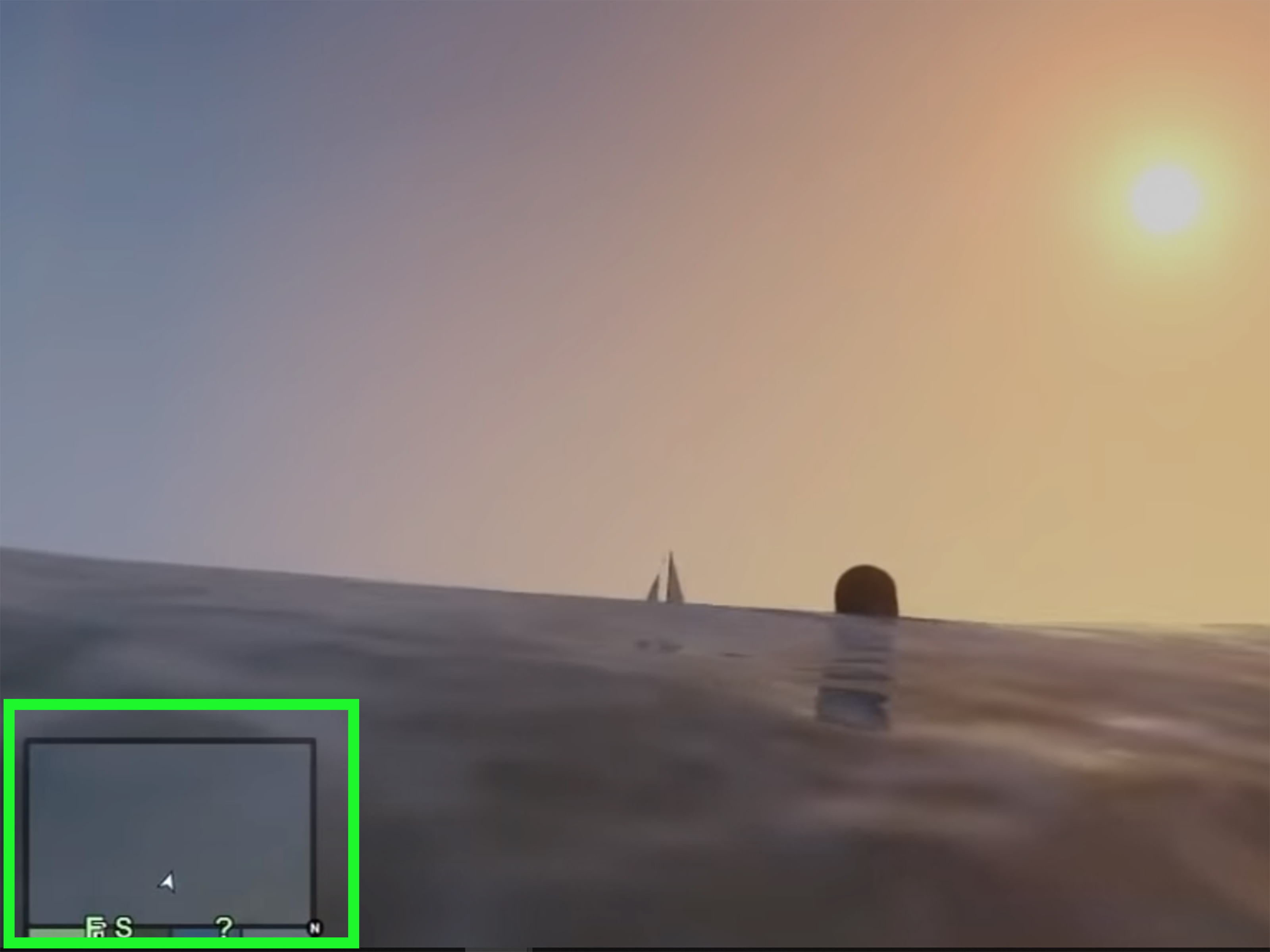
- Watch your oxygen meter. When the blue breath bar gets low, head back to the surface before your health starts dropping.
Why GTA V Underwater Controls Feel Backward
The most confusing part of diving in GTA V is not the dive button itself. It is what happens after you are already underwater. Many players expect the same logic as running: press forward to go forward, look up to go up, and everything behaves like a polite video game. GTA V has other plans.
Underwater movement works more like aircraft control. On consoles, pushing the left stick up points your character downward, helping you dive deeper. Pulling the stick down points your character upward, helping you surface. On PC, W generally helps you descend while S helps you rise when combined with forward swimming. It is not broken; it is just Rockstar asking your thumbs to think like pilots wearing swim trunks.
How to Swim Up and Avoid Drowning
If you are underwater and your oxygen bar is almost empty, do not panic. Panic is how controllers get squeezed, keyboards get punished, and Franklin gets sent to the great aquarium in the sky. Instead, use the correct resurface controls.
On PlayStation
Hold the left stick down and press or hold X. Your character should angle upward and swim toward the surface. Once your head breaks the water, the oxygen bar refills.
On Xbox
Hold the left stick down and press or hold A. Keep the camera steady and avoid pushing the stick up by mistake, because that sends you deeper.
On PC
Hold S and Left Shift to swim upward. You can also aim your camera toward the surface and keep swimming forward. If you feel stuck, stop fighting every key at once and calmly use S + Left Shift until your character rises.
Understanding the Oxygen Bar and Lung Capacity
When your character dives underwater, a blue oxygen meter appears near the health bar. This meter shows how much breath you have left. Once the oxygen bar runs out, your health begins to drop. If you stay underwater too long, your character drowns. Yes, even Trevor. Apparently chaos does not count as a respiratory system.
The Lung Capacity stat helps your character stay underwater longer. You can improve it by spending time underwater and, in story mode, by doing activities that contribute to the skill. The higher the stat, the longer Michael, Franklin, or Trevor can explore before needing air. In GTA Online, increasing Lung Capacity is useful for stealth, underwater escapes, and missions where swimming is more than just an accidental detour off a bridge.
How to Get Scuba Gear in GTA V
Scuba gear is the best way to explore underwater without constantly racing back to the surface. In GTA V story mode, you can get scuba gear by using certain water vehicles. The simplest method is to enter a Dinghy, Submersible, or, in enhanced versions, the Kraken, then exit the vehicle while in the water. Your character equips scuba gear automatically.
Scuba gear lets you remain underwater without using the normal oxygen meter, making it ideal for searching wrecks, collecting submarine parts, finding hidden packages, or simply pretending Los Santos has a marine biology program. However, scuba gear does not make you invincible. If you go too deep, pressure damage can still kill your character. The ocean has boundaries, and the game is not shy about enforcing them.
How to Use Rebreathers in GTA Online
In GTA Online, rebreathers allow players to stay underwater longer. They are commonly used in heists and underwater approaches, especially when stealth matters. Depending on the situation, you may be able to equip a rebreather through the Interaction Menu under your inventory or gear options. During certain heist sequences, the game may also prompt or allow a quick equip action.
Rebreathers are not the same as a full scuba suit. They provide limited underwater breathing time through air canisters, while scuba gear offers a more complete diving setup. For casual ocean exploration, a scuba outfit is more convenient. For missions, heists, and quick underwater routes, rebreathers can be perfectly practical.
Best Places to Practice Diving in GTA V
If you are learning underwater controls, do not start by diving beside a helicopter crash, a shark spawn, or a mission timer that is yelling at you. Pick a calm spot and practice the basics.
- Vespucci Beach: Easy access, open water, and plenty of room to practice surface swimming.
- Del Perro Pier: Good for jumping in and learning how to resurface quickly.
- Alamo Sea: Useful for learning direction and depth without feeling lost in the open ocean.
- Paleto Bay coastline: Great for practicing longer swims and exploring underwater terrain.
- Sonar Collections Dock area: Helpful once you are ready to combine diving with collectibles and underwater exploration.
Useful Things You Can Do Underwater
Underwater swimming is not just a novelty. GTA V includes several reasons to learn diving properly. You can search for collectibles, explore wrecks, escape enemies, hide from police, approach mission objectives quietly, and recover items from the ocean floor. Some story missions and side activities also push you into underwater gameplay, so knowing the controls can save time and frustration.
Collectibles and Exploration
Several underwater collectibles and mission-related items require diving. Submarine pieces, nuclear waste barrels, hidden packages, and wreckage areas all reward players who know how to control depth and conserve breath. A submersible or scuba gear makes these tasks much easier.
Escaping Wanted Levels
Water can help you escape law enforcement, especially if you dive under bridges, move away from shore, or use underwater routes to break line of sight. It is not always a magic trick, but it can work surprisingly well. Just remember that escaping the police by drowning is not exactly a strategic masterpiece.
Surviving Sharks
Yes, sharks exist in GTA V, and yes, they are rude. If you are attacked underwater, your options are limited. The knife is one of the few weapons that can be used while swimming underwater. The smarter move is usually to get back to a boat, shore, or the surface quickly, because underwater knife fighting a shark is less “action hero” and more “bad vacation review.”
Common Diving Problems and How to Fix Them
You Press the Dive Button, But Nothing Happens
You may be in water that is too shallow. Move to deeper water and try again. Some swimming pools and shoreline areas do not provide enough depth for a proper dive.
You Keep Going Deeper Instead of Surfacing
You are probably pushing the stick or keys in the wrong direction. Remember: underwater controls are inverted. On consoles, pull the left stick down to angle upward. On PC, use S + Left Shift to rise.
Your Character Swims Too Slowly
Use the swim-forward or sprint button. On PlayStation, press X. On Xbox, press A. On PC, hold Left Shift. Without these inputs, your character moves slowly, which is fine for calm exploration but terrible for emergency oxygen situations.
You Run Out of Air Too Fast
Improve Lung Capacity, use scuba gear, or equip rebreathers in GTA Online when available. Also avoid diving straight down without a plan. Going deep is fun until the surface looks like a rumor.
Pro Tips for Better Underwater Movement
- Practice in third-person first. Third-person view makes it easier to see your angle and direction.
- Use short adjustments. Do not overcorrect with the stick or keys. Small movements help you stay in control.
- Watch the minimap and oxygen bar. Do not focus only on the scenery, especially during long dives.
- Surface before you are desperate. Start swimming upward while you still have oxygen left.
- Use scuba gear for collectibles. It saves time and makes deep searches far less annoying.
- Remember the depth limit. Scuba gear helps with air, not crushing pressure.
Experience Notes: What It Actually Feels Like to Learn Diving in GTA V
The first time many players try to dive in GTA V, the experience goes something like this: you confidently leap into the ocean, swim around for five seconds, press a button that seems reasonable, disappear underwater, and suddenly realize you have no idea which way is up. The blue oxygen bar starts shrinking. The camera is pointing at bubbles. Your character is kicking bravely in the wrong direction. Somewhere in Los Santos, a lifeguard is probably updating his résumé.
The biggest lesson is that GTA V underwater movement rewards calm inputs. When players panic, they usually press every button at once, which makes the character twist, sink, or swim in a weird diagonal direction. The better approach is to separate the actions in your mind. First, decide whether you want to go deeper or surface. Second, point your character in that direction. Third, press the swim-forward button. That small mental checklist turns diving from a button-mashing emergency into a smooth routine.
On PlayStation and Xbox, the “airplane logic” becomes natural after a few minutes. Push up to dive deeper. Pull down to rise. Keep pressing X or A to move. At first, it feels backward, especially if you are used to games where the camera alone controls swimming direction. But after practicing near Vespucci Beach or the pier, the muscle memory starts to click. Once it does, underwater exploration becomes much more enjoyable.
On PC, the learning curve can be a little sharper because WASD behaves differently underwater than it does on land. The key that saves most beginners is S + Left Shift. If you remember nothing else, remember that combination when you need to surface. Many PC players drown because they keep pressing W, assuming it means forward toward the surface. Underwater, W often sends you deeper when paired with swimming movement. It is the kind of lesson GTA teaches with absolutely zero sympathy.
Scuba gear changes the entire experience. Without scuba gear, every dive has a timer. You are always balancing curiosity against oxygen. With scuba gear, the ocean becomes a real exploration zone. You can inspect wrecks, swim around rock formations, search collectible locations, and enjoy the surprisingly detailed underwater world without constantly rushing up for air. It makes GTA V feel bigger, quieter, and stranger in the best possible way.
Another practical experience is that underwater travel can be useful in GTA Online, but it is not always the fastest option. Boats, helicopters, and aircraft usually beat swimming for distance. Diving shines when you need stealth, survival, or access to a specific underwater objective. It is a specialty skill, not your daily commute. Nobody is swimming from Paleto Bay to Los Santos unless they are role-playing as an extremely committed tuna.
Finally, diving is more fun when you stop treating it as a control problem and start treating it as a small system to master. Learn the buttons, respect the oxygen meter, practice surfacing, and keep scuba gear in mind for serious exploration. Once those basics are comfortable, the ocean stops being the place where your character goes to panic and becomes one of GTA V’s most underrated playgrounds.
Conclusion
Learning how to dive and swim underwater in GTA V is mostly about understanding the default controls and remembering that underwater movement is inverted. On PlayStation, press R1 to dive and X to swim. On Xbox, press RB to dive and A to swim. On PC, press Spacebar to dive and use Left Shift to swim forward. To go deeper, angle downward. To surface, angle upward and keep swimming.
Once you master the basics, underwater gameplay becomes useful for missions, collectibles, stealth, exploration, and the occasional dramatic escape from trouble. Add scuba gear or rebreathers, and you can spend much longer below the waves without treating every dive like a timed panic exam. GTA V’s ocean is bigger and more interesting than many players realize, and with the right controls, you can explore it without donating another character to the fish.
Note: This article uses default GTA V and GTA Online control layouts. If your controls have been remapped, check the in-game settings menu and adjust the button instructions accordingly before publishing or using this guide.