If you learned C from an old textbook, a Turbo C tutorial, or a classroom lab that looked suspiciously like it had survived the floppy disk era, you may have seen this mysterious little function: clrscr(). It appears simple enough. Add #include <conio.h>, call clrscr();, and boomthe console screen is clean, fresh, and ready for your next line of output.
But then you try the same code in GCC, Clang, Visual Studio, Code::Blocks, an online compiler, or a modern Linux terminal, and suddenly your cheerful program throws an error. The compiler does not recognize clrscr(). The header file conio.h is missing. Your screen remains cluttered. Your confidence briefly leaves the room.
So, what is clrscr() in C? Is it part of the C language? Should you use it today? And what is the best way to clear the console screen in modern C programming? Let’s clean up the confusionwithout sweeping portability under the rug.
What Is clrscr() in C?
clrscr() stands for “clear screen.” In C programming, it is commonly described as a function used to clear the console window before displaying new output. Its typical use looks like this:
The goal is straightforward: remove previous text from the console so the program can display fresh information. This can be useful in menu-driven programs, beginner games, simulations, and old-style text interfaces where the same screen area is reused again and again.
However, the most important thing to understand is this: clrscr() is not part of standard C. It is not defined by the ISO C standard, and it is not included in the standard C library. That means a strictly standard C compiler has no obligation to provide it.
Where Does clrscr() Come From?
The clrscr() function is usually associated with the non-standard header file conio.h, short for console input/output. This header was popular in DOS-based compilers, especially Borland Turbo C and Turbo C++. It offered functions for direct console control, including getch(), kbhit(), gotoxy(), and clrscr().
In older DOS environments, these functions made sense because programs often interacted directly with a text-mode screen. A C program could behave almost like a tiny command-line application with its own interface. Clearing the screen was not just decoration; it helped organize input prompts, menu choices, and output screens.
Modern computing environments are different. Today, C programs may run in a terminal emulator, an IDE output panel, a redirected output stream, a Windows console, a Linux terminal, a macOS Terminal window, or even a browser-based compiler. In some of those places, there may not be a “screen” in the traditional sense at all. Standard C focuses on streams such as stdin, stdout, and stderr, not on controlling the physical or virtual display.
Syntax of clrscr()
The classic syntax is simple:
It takes no arguments and returns no value. In older documentation and tutorials, its conceptual prototype is often represented like this:
That simplicity is part of why it became so popular in beginner C examples. Unfortunately, simple does not always mean portable. A chocolate teapot is also simple. That does not make it a good engineering decision.
Why clrscr() Does Not Work in Modern C Compilers
If your compiler says clrscr() is undeclared or cannot find conio.h, the most likely reason is that your compiler does not support that non-standard library. This is common with GCC, Clang, and many Unix-like development environments.
Even on Windows, modern Microsoft C runtime documentation supports some conio.h functions such as _getch() and _kbhit(), but that does not mean old Turbo C functions like clrscr() are universally available. In other words, conio.h is not one single guaranteed library across all compilers. It is more like a neighborhood where every house has a different floor plan.
Common Error Messages
When beginners use clrscr() in a modern compiler, they may see errors such as:
These errors do not necessarily mean your C installation is broken. They usually mean the code was written for a compiler environment that provided clrscr(), while your current environment does not.
Is clrscr() Good Practice?
For modern C programming, clrscr() is generally not considered good practice. It is fine to understand it, especially if you are reading older code, but relying on it makes your program less portable.
Good C code should make a clear distinction between standard language features and platform-specific features. Standard C can print text, read input, allocate memory, handle files, and perform calculations. It does not define a universal way to clear a console window. Console control belongs to the operating system, terminal, or external library.
That does not mean you can never clear the screen. It simply means you should choose the method based on your target platform and explain that dependency clearly in your code.
How to Clear the Console in C Without clrscr()
There are several common alternatives to clrscr(). Each has advantages and trade-offs. The best option depends on whether your program is for Windows, Linux/macOS, a modern terminal, an IDE, or a serious text user interface.
Method 1: Use system(“cls”) on Windows
On Windows, the command prompt uses the cls command to clear the console. In C, you can call it through system() from stdlib.h:
This can work for small personal programs, classroom demos, and quick experiments. The downside is that system() launches the operating system command processor. That can be slower than writing directly to the terminal, and it can introduce security concerns if user-controlled text is ever passed into the command string.
For example, system("cls") is usually harmless because the command is fixed. But building a system command from user input is a very different story. That is where trouble puts on sunglasses and walks confidently into your codebase.
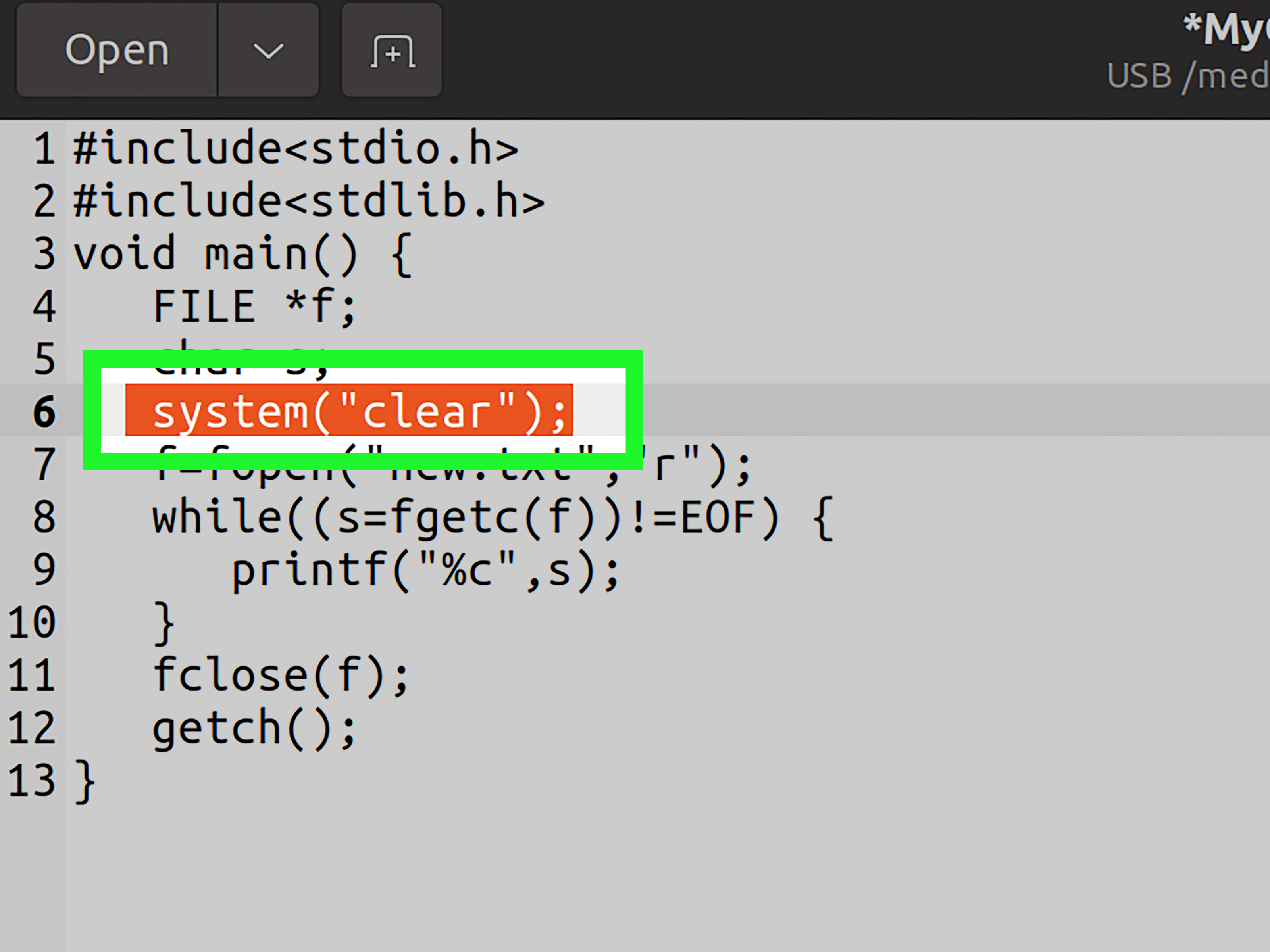
Method 2: Use system(“clear”) on Linux and macOS
On Unix-like systems such as Linux and macOS, the equivalent command is usually clear:
Again, this is easy to read and easy to remember. It is also not pure standard C behavior because it depends on the host system having a command processor and a clear command available.
Method 3: Use Conditional Compilation
If you want one small function that works differently on Windows and Unix-like systems, you can use preprocessor checks:
This is a practical beginner-friendly solution. It is not perfect, but it is clearer than scattering system("cls") and system("clear") throughout your program. By wrapping the behavior in clear_screen(), you isolate the platform-specific part of the code.
Method 4: Use ANSI Escape Sequences
Many modern terminals understand ANSI or virtual terminal escape sequences. These are special character sequences that tell the terminal to move the cursor, change colors, erase text, or clear the screen.
A common sequence for clearing the screen and moving the cursor to the top-left corner is:
Here, \033 represents the escape character. The sequence [2J clears the display, and [H moves the cursor to the home position. This approach is often faster than calling system() because it writes directly to the terminal instead of launching a shell command.
The catch is that ANSI escape support depends on the terminal. Most Linux and macOS terminals support these sequences well. Modern Windows Terminal and newer Windows consoles can support virtual terminal sequences too, but older Windows consoles may require extra setup with Windows API functions such as SetConsoleMode().
Method 5: Use a Terminal Library Such as ncurses
For serious text-based interfaces, use a dedicated library. On Unix-like systems, ncurses is a classic choice. It provides functions for clearing windows, moving the cursor, reading keyboard input, drawing menus, and managing terminal layout.
A simplified ncurses-style program may look like this:
This is not the right tool for every beginner exercise, but it is much better for full-screen terminal applications. If you are building a text editor, dashboard, terminal game, or interactive console UI, a library is more reliable than repeatedly throwing escape codes around like confetti.
Comparing clrscr(), system(), ANSI Codes, and ncurses
| Method | Portability | Ease of Use | Best For |
|---|---|---|---|
clrscr() |
Low | Very easy | Old Turbo C or legacy DOS-style programs |
system("cls") |
Windows only | Easy | Simple Windows console demos |
system("clear") |
Linux/macOS mostly | Easy | Simple Unix-like terminal demos |
| ANSI escape sequences | Medium to high in modern terminals | Moderate | Fast terminal clearing and cursor control |
ncurses |
High on Unix-like systems | Moderate to advanced | Full-screen terminal applications |
Should You Teach Beginners to Use clrscr()?
In most modern programming courses, no. Beginners should learn standard C first: variables, control flow, functions, arrays, pointers, strings, files, and memory. Console-clearing tricks can be introduced later as platform-specific behavior.
The danger of teaching clrscr() too early is that students may believe it is part of the C language. Then they move to another compiler and feel like C itself has betrayed them. C has many sharp edges, but this one is usually not C’s fault. It is a compiler-extension issue.
A better teaching approach is to say: “C does not provide a standard screen-clearing function. Some old compilers offered clrscr(), but modern programs should use platform-aware alternatives.” That explanation is slightly longer, but it saves students from a great deal of future keyboard-smashing.
Best Practice: Write Your Own clear_screen() Wrapper
One clean approach is to define your own function and keep the implementation separate. For example:
This function is not magically universal, but it is organized. If you later decide to replace system("cls") with Windows API calls or replace ANSI sequences with a terminal library, you only change one function.
When Not to Clear the Screen
Clearing the screen can improve readability in interactive programs, but it can also annoy users. Console output is often useful because it creates a visible history. When you erase everything, users may lose error messages, previous results, or clues about what happened.
For command-line tools, it is usually better to print clear output and let the user decide whether to clear the terminal. For example, compilers, formatters, file tools, and scripts should rarely wipe the console automatically. Nobody wants a program that hides evidence like a raccoon cleaning up after a snack heist.
Use screen clearing when the interface truly benefits from it: menus, simple games, dashboards, repeated status screens, and teaching examples where old output would confuse the learner.
Practical Examples of Clearing the Screen in C
Example: Simple Menu Refresh
This example uses a wrapper function so the main program remains readable. The logic says what it means: clear the screen, show the menu, read the choice, clear again, and display the result.
Example: ANSI-Only Clear Function
This version is compact and fast in terminals that support ANSI escape sequences. It is a good fit for Linux/macOS terminals and many modern terminal emulators.
Experience Notes: What Developers Learn After Using clrscr()
Most programmers meet clrscr() during the early “make the console look neat” stage of learning C. That stage is charming. You write a menu, ask for a number, print a result, and suddenly want the program to feel like a real application instead of a grocery receipt with semicolons. Calling clrscr() feels like discovering a secret button. The screen clears, the cursor jumps back to the top, and your tiny program seems much more professional.
The first lesson comes when the same code fails outside the original environment. A student writes a program in Turbo C, then copies it into GCC or an online compiler. The code breaks. At first, this feels unfair. After all, the function worked yesterday. But this moment teaches one of the most valuable lessons in C programming: not everything that compiles in one environment belongs to the C language itself. Some features come from the compiler, some from the operating system, some from libraries, and some from history wearing a dusty hat.
The second lesson is that clearing the console is a user-interface decision, not a core programming requirement. Many beginner programs use clrscr() at the start of main() almost by habit. In reality, a program often does not need to clear anything. If the output is short and readable, clearing the screen adds no real value. Worse, it may remove information the user wanted to keep. Good console programs respect the user’s terminal history.
The third lesson is that portability matters more as projects grow. In a five-line classroom exercise, clrscr() is a tiny convenience. In a larger program shared with other people, it becomes a compatibility problem. Someone on Linux cannot compile it. Someone in Visual Studio gets a missing function error. Someone using an IDE output window sees no visible effect. A small shortcut becomes a support question with legs.
The fourth lesson is that wrappers make code easier to maintain. Instead of calling clrscr(), system("cls"), or escape sequences directly throughout a program, experienced developers create a function such as clear_screen(). The rest of the program does not need to know how clearing works. If the implementation changes later, the program structure stays clean. This is a small example of abstraction, one of the habits that separates quick code from maintainable code.
The fifth lesson is humility. Console behavior seems simple until you realize terminals, shells, operating systems, IDEs, and output streams all behave differently. C gives you powerful tools, but it does not promise that every display is a controllable screen. Once you understand that, clrscr() stops being a magic spell and becomes a historical clue. It tells you where C programming came from, why old tutorials look the way they do, and why modern code needs clearer assumptions.
In practical terms, the best experience-based advice is this: learn what clrscr() means, recognize it in legacy code, but do not depend on it for modern C projects. Use ANSI escape sequences for simple terminal control, system() only for quick experiments, and a real terminal library when building a serious text interface. Your future selfand anyone trying to compile your code at midnightwill appreciate the courtesy.
Conclusion
clrscr() in C is a classic console-clearing function from older, non-standard environments such as Turbo C and DOS-style compilers. It clears the screen and gives programs a cleaner display, but it is not part of ISO C and should not be treated as a portable feature.
Modern C programmers have better options. For quick demos, system("cls") on Windows or system("clear") on Linux/macOS may be enough. For faster terminal control, ANSI escape sequences are often a better fit. For serious full-screen text interfaces, libraries such as ncurses provide a more complete solution.
The key takeaway is simple: clrscr() is useful to understand, but risky to rely on. If you want clean, maintainable C code, create your own clear_screen() wrapper, document the platform behavior, and avoid assuming that every output stream is a screen waiting to be wiped clean.