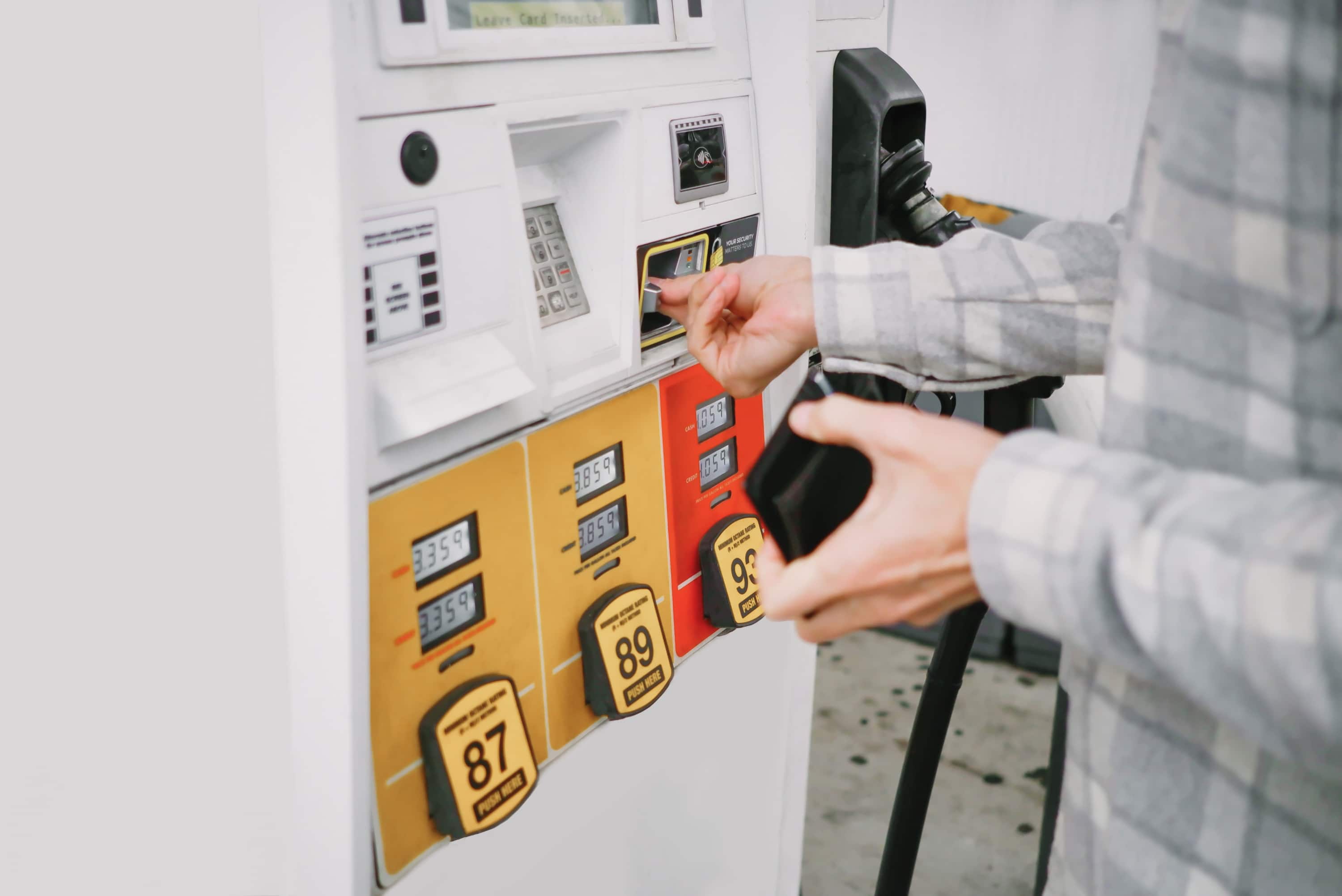
Gas prices have a special talent for rising exactly when your tank hits “E.” One minute you are calmly driving home, and the next you are staring at a pump total that looks like a small car payment. The good news is that you do not have to accept the first price you see glowing on a roadside sign. Today’s best gas apps can help you compare nearby fuel prices, stack cash-back offers, plan cheaper road-trip stops, and avoid the classic mistake of driving ten miles to save three cents.
This guide breaks down the best apps to find cheap gas stations and save money on fuel, including GasBuddy, Upside, Waze, Google Maps, AAA Mobile, GEICO Explore, MapQuest, and Fuelio. Some apps are built for price comparison. Others shine at navigation, fuel rewards, mileage tracking, or road-trip planning. The smartest approach is not choosing one app forever like it is a marriage vow. It is knowing which app to open in the right situation.
Fuel prices can vary widely by neighborhood, highway exit, state taxes, refinery access, and even the side of town you happen to be on. AAA’s fuel price data regularly shows large regional differences across the United States, while apps like GasBuddy and Waze rely on large networks of drivers and price reports to keep local information fresh. That means a few seconds of checking your phone before filling up can turn into real savings over a year of commuting, errands, and weekend trips.
Why Gas Price Apps Are Worth Using
A gas station app saves money in two main ways: it helps you avoid overpriced stations, and it helps you earn rewards or cash back on purchases you already planned to make. That second part matters. If you drive far out of your way for a lower price, your “savings” can evaporate faster than your patience in a drive-thru line.
For example, imagine two stations are nearby. One is $4.59 per gallon and two blocks away. Another is $4.45 per gallon but four miles across town. If you are buying 12 gallons, the lower price saves $1.68 before considering extra fuel burned, time spent, and traffic. In that case, the closer station might be the smarter financial choice. But if the cheaper station is on your route anyway, congratulations: you just beat the pump at its own game.
The best cheap gas apps help you compare more than the headline price. You can factor in distance, route convenience, payment discounts, loyalty programs, cash-back offers, fuel type, station ratings, and whether the price looks recently updated. Used correctly, these apps become a tiny financial co-pilot that does not judge your snack choices at the convenience store.
Quick Comparison: Best Apps to Find Cheap Gas
GasBuddy: Best Overall Gas Price Finder
GasBuddy remains one of the most recognized names for finding cheap gas stations in the United States. Its biggest advantage is simple: it was built specifically around fuel prices. The app lets you search nearby stations, compare prices by fuel type, view prices on a map, plan road-trip fuel stops, and use payment or rewards features for additional savings. GasBuddy’s official app listing also highlights route-based gas price planning, fuel usage tracking, vehicle recall alerts, and Flash Deals for extra pump savings.
GasBuddy is especially useful for commuters and road-trippers who want a dedicated gas station price comparison app rather than a general navigation tool. It is also handy when you are in an unfamiliar city and have no idea which station is reasonably priced and which one is charging “tourist panic mode” prices.
Best for: frequent drivers, road trips, price comparison, and people who want a dedicated cheap gas app.
Watch out for: prices can depend on user updates, so check when a price was last reported before making a detour.
Upside: Best for Cash Back on Gas
Upside is different from a pure gas price app because its main appeal is cash back. The app shows offers at participating gas stations, grocery stores, and restaurants. To use it, you typically claim an offer, buy from the participating business, pay with an eligible card or payment method, and wait for the cash back to process. Upside says users can cash out through options such as bank transfer or gift cards.
The beauty of Upside is that it can stack nicely with smart route planning. If a station already has a competitive price and Upside offers cash back there, you may get a stronger deal than simply choosing the lowest posted pump price. That is the kind of math that makes frugal people quietly fist-pump in their driver’s seat.
Best for: drivers who want cash-back rewards and do not mind a few extra taps before filling up.
Watch out for: cash back is not the same as an instant pump discount. Read the offer terms, check eligible payment methods, and confirm the station before you buy.
Waze: Best for Finding Cheap Gas Along Your Route
Waze is famous for traffic alerts, police reports, hazards, and rerouting around congestion, but it also includes gas price features. Drivers can search for gas stations nearby or along a route, compare prices, and update prices for other users. Waze’s official help materials explain that users can report and edit prices for available fuel types at specific stations.
Waze is best when you are already navigating. You do not have to leave your trip-planning mindset to hunt for fuel. It can show stations that fit your drive instead of tempting you with a cheap station that requires a scenic tour of every red light in town.
Best for: commuters, rideshare drivers, and road-trippers who want fuel prices integrated with live navigation.
Watch out for: Waze prices are community-driven, so verify recent updates when possible.
Google Maps: Best App You Already Have
Google Maps is not a dedicated fuel savings app, but it is one of the easiest ways to find gas stations quickly. Search for “gas near me” or tap the gas category, and you can often see nearby stations, directions, business hours, ratings, and sometimes fuel prices. It is especially useful when you care about convenience as much as price.
Google Maps also helps you avoid a sneaky fuel-waster: inefficient routing. If you can choose a route with fewer delays, fewer backtracks, and a more direct path, you save more than just time. You save fuel, patience, and possibly one dramatic sigh at a left-turn lane.
Best for: casual drivers who want quick local gas station information without downloading another app.
Watch out for: not every station displays prices, and sorting by the cheapest fuel is not always as powerful as in dedicated gas apps.
AAA Mobile and AAA Gas Prices: Best for Trip Planning and Trusted Averages
AAA is a trusted resource for national and state fuel price averages, and the AAA Mobile app includes features for finding nearby gas prices, roadside assistance, approved repair facilities, travel planning, hotels, and member discounts. This makes it especially useful for drivers who already belong to AAA or who want fuel tools bundled with broader car and travel support.
AAA’s gas price data is also helpful for understanding whether your local price is reasonable. If you are crossing state lines, a quick look at state averages can tell you whether to fill up before or after the border. Sometimes the best fuel-saving move is not an app trick; it is filling up before entering a more expensive state.
Best for: AAA members, road trips, state price comparison, and drivers who value trusted fuel-price context.
Watch out for: the app is broader than gas prices, so dedicated bargain hunters may still prefer GasBuddy or Upside for daily use.
GEICO Explore: Best Bonus Tool Inside an Insurance App
GEICO Explore is built into the GEICO Mobile app and includes a feature to find gas stations nearby and compare prices. It also lets users set a preferred fuel type, which is useful if your vehicle needs premium, diesel, or another specific grade. For GEICO customers, this can be a convenient bonus because it lives inside an app they may already use for insurance cards, claims, payments, or roadside help.
This is not the first app most people think of for cheap gas, but that is exactly why it belongs on the list. Sometimes the best savings tool is hiding inside an app you already installed and then forgot about, like a $20 bill in a winter coat.
Best for: GEICO users who want gas price comparison without adding another app.
Watch out for: non-GEICO users may find more value in standalone gas apps.
MapQuest: Best Old-School Navigation App With Gas Price Comparison
MapQuest may sound like something your uncle used to print before family vacations, but the modern app still offers useful navigation features. Its app listing notes turn-by-turn directions, real-time traffic updates, route options, nearby points of interest, and the ability to compare prices at nearby gas stations. It can be especially helpful if you like simple route planning and want to include fuel stops in your trip.
MapQuest is not as trendy as Waze or Google Maps, but it still deserves attention for drivers who want multipoint routes, gas station searches, and straightforward navigation.
Best for: drivers who like classic navigation tools with built-in gas price comparison.
Watch out for: price coverage and freshness may vary depending on location.
Fuelio: Best for Tracking Fuel Economy and Real Savings
Fuelio is less about finding the cheapest station right this second and more about understanding what your car actually costs to drive. The app helps track fill-ups, mileage, fuel consumption, car expenses, service history, routes, and gas costs. That is valuable because the cheapest gas station does not matter much if your tires are underinflated, your roof rack is acting like a sail, and your driving style says “auditioning for a chase scene.”
Fuelio helps you spot trends. Maybe your miles per gallon dropped after switching tires. Maybe your commute became more expensive after a schedule change. Maybe you discover that premium fuel is not needed for your vehicle and regular is perfectly fine according to the owner’s manual. Those insights can save more over time than a one-time ten-cent discount.
Best for: detail-oriented drivers, families with multiple vehicles, gig workers, and anyone tracking long-term fuel costs.
Watch out for: it is a tracking app first, not the fastest tool for finding a cheap station in an emergency.
How to Choose the Best Cheap Gas App for Your Driving Style
The best app depends on how you drive. A daily commuter needs something fast and reliable. A road-tripper needs route planning. A gig driver needs a mix of price comparison, rewards, and mileage tracking. A parent doing school pickup, groceries, sports practice, and a mystery errand involving poster board needs whatever saves money without adding mental gymnastics.
If you want the simplest setup, use Google Maps or Waze for navigation and GasBuddy for dedicated price comparison. If you want rewards, add Upside. If you are already a AAA member, keep AAA Mobile for road trips and state fuel averages. If you track expenses for work or taxes, add Fuelio. That combination covers nearly every normal driving situation without turning your phone into a gas-price stock trading terminal.
Smart Fuel-Saving Strategies Beyond Apps
Do Not Drive Across Town for Tiny Savings
Before chasing a lower price, do quick math. Multiply the per-gallon difference by the gallons you plan to buy. If the savings are less than the value of your time and extra fuel, skip the detour. Cheap gas is only cheap when the route makes sense.
Stack Rewards When Possible
The strongest savings often come from stacking. You might combine a competitive station price, a grocery fuel rewards program, a warehouse club membership, a cash-back credit card, or an Upside offer. Just be careful with credit cards: savings disappear if you carry a balance and pay interest.
Use the Right Fuel Grade
If your owner’s manual says regular gasoline is acceptable, buying premium usually does not magically transform your car into a luxury rocket. Use the grade recommended by the manufacturer. Paying extra for premium when your car does not require it is like buying a tuxedo for a lawn mower.
Drive Smoothly
The U.S. Department of Energy notes that aggressive driving, including speeding, rapid acceleration, and hard braking, can significantly lower fuel economy. Sensible driving, steady speeds, and fewer sudden stops can stretch every gallon further. This is one of the least glamorous fuel-saving tips, but it works.
Maintain Tire Pressure and Reduce Extra Weight
Underinflated tires increase rolling resistance, and unnecessary cargo adds weight. Remove junk from the trunk, take off unused roof racks, and check tire pressure regularly. Your car does not need to haul three folding chairs, old sports equipment, and a box of “maybe useful someday” cables everywhere you go.
Best App Combinations for Different Drivers
For Daily Commuters
Use Waze for navigation and traffic-aware gas stops, then check GasBuddy when you are not in a rush. Add Upside if participating stations are already along your route. The goal is to make saving automatic, not to add a new chore to every commute.
For Road Trips
Use GasBuddy for route-based fuel planning, Google Maps or Waze for navigation, and AAA for state averages, roadside support, and trip tools. Fill up strategically before entering high-price areas, especially around major tourist corridors, remote highways, and states with higher fuel taxes.
For Gig Workers and Delivery Drivers
Combine GasBuddy, Upside, and Fuelio. GasBuddy helps with nearby prices, Upside can provide cash back, and Fuelio tracks your actual cost per mile. For gig drivers, knowing cost per mile is not nerdy; it is survival math.
For Families
Use Google Maps for convenience, AAA Mobile if you are a member, and a grocery store fuel rewards program when available. Families often save most by planning errands in one loop instead of making several cold-start trips throughout the day.
Common Mistakes to Avoid When Using Gas Apps
The first mistake is trusting an old price report without checking the timestamp. Fuel prices move, and crowdsourced data is only as good as its last update. The second mistake is ignoring distance. Saving twelve cents per gallon sounds great until you burn half of it getting there. The third mistake is forgetting payment rules. Some stations show a cash price that is lower than the credit price, and some app rewards require specific payment methods or offer activation before purchase.
Another common mistake is comparing only the pump price while ignoring your car’s fuel economy. A driver who improves gas mileage by driving smoothly and maintaining tires can save more than someone who chases discounts but drives like every stoplight is a starting pistol.
Real-World Experience: How to Actually Save Money With Gas Apps
The best way to use gas apps is to build a simple habit around moments when you already stop. For example, check prices before leaving work, before grocery shopping, or before starting a weekend drive. You do not need to refresh five apps every hour like you are monitoring the stock market. A quick check at the right time is enough.
One practical routine is the “three-minute fuel check.” First, open your navigation app and see which stations are already near your route. Second, open GasBuddy or another dedicated gas price app to compare nearby prices. Third, check Upside for cash-back offers at stations that are not out of your way. If a station is cheap, close, and eligible for cash back, that is your winner. If not, choose the best station on your route and move on with your life.
On road trips, the experience is different. Highway stations near busy exits can be expensive because convenience is their superpower. Before you hit half a tank, search ahead 30 to 80 miles. Look for towns slightly off the interstate, warehouse clubs if you are a member, and areas before major cities where prices often rise. Planning early keeps you from filling up at the first station after the fuel light appears, which is how your wallet ends up paying emergency-room prices for gasoline.
For commuters, patterns matter. After a few weeks, you will notice which stations are consistently cheaper and which ones only look good once in a while. You may find that Tuesday morning on your side of town is usually better than Friday evening near the highway. Apps help you discover those patterns faster, but your own routine is the secret ingredient.
Another lesson: rewards are only useful when they fit your real life. If an app offers cash back at a station you never pass, skip it. If a grocery program gives fuel points but the store’s prices are higher than your normal supermarket, do the full math. The goal is not to collect programs like trading cards. The goal is to reduce total transportation cost.
Finally, do not underestimate boring savings. Keeping tires properly inflated, removing extra weight, combining errands, avoiding hard acceleration, and using the correct fuel grade can quietly save money every week. Apps help you buy cheaper gas. Better driving helps you need less gas. Put both together, and you have the kind of fuel strategy that makes high pump prices slightly less rude.
Final Verdict: Which Gas App Should You Download First?
If you only want one dedicated cheap gas app, start with GasBuddy. It offers strong price comparison features, broad recognition, and useful tools for both local driving and road trips. If you want cash back, add Upside. If you want cheap fuel without leaving your navigation screen, use Waze. If you want quick convenience, Google Maps is already in your pocket. AAA Mobile is excellent for members and travelers, GEICO Explore is a useful bonus for GEICO users, MapQuest still works well for route planning, and Fuelio is the best choice for tracking long-term fuel costs.
The smartest drivers do not obsess over every penny. They use apps to make better decisions quickly. Compare prices, avoid silly detours, stack rewards when convenient, and drive efficiently. That is how you save money on fuel without turning every fill-up into a research project.