There are few modern tragedies more dramatic than reaching into your pocket for your headphones and pulling out what appears to be a tiny electronic plate of spaghetti. One minute your earbuds are neatly tucked away; the next, they have formed a mysterious knot that looks like it was designed by a bored octopus with a grudge.
The good news? Tangled headphones are not destiny. With a few simple habits, the right wrapping method, and a little respect for your cable, you can keep your wired headphones, earbuds, and charging cords neat, protected, and ready to use. This guide breaks down how to keep your headphones from tangling in six quick steps, while also explaining why cords tangle in the first place and how to make your headphones last longer.
Note: This article is based on practical cable-care guidance, headphone storage recommendations, and real-world organization methods commonly used by audio users, tech reviewers, and professional organizers.
Why Do Headphones Tangle So Easily?
Headphone cords tangle because they are long, flexible, and often stored in moving spaces like pockets, backpacks, gym bags, desk drawers, and laptop sleeves. When a cord is loose, the ends can slip through loops, twist around the cable, and tighten into knots as the bag moves. That is why a pair of earbuds can look innocent at breakfast and become a puzzle worthy of a detective by lunch.
Longer, softer cables are more likely to knot than shorter or slightly stiffer ones. Movement also matters. A cord sitting calmly on a desk is usually fine. A cord bouncing around in a backpack beside keys, lip balm, receipts, and that snack wrapper you definitely meant to throw away? That is where chaos gets its driver’s license.
The trick is not to fight knots after they happen. The trick is to prevent the cord from having enough freedom to create them. That means using a smart wrap, securing the ends, choosing a good storage spot, and avoiding tight bends that can damage the tiny wires inside.
How to Keep Your Headphones from Tangling: 6 Quick Steps
Step 1: Start with a Clean, Untwisted Cable
Before wrapping your headphones, untangle them fully and let the cable relax. Hold the earbuds or headphone cups in one hand and gently run your fingers down the cable to the plug. Do not yank, snap, or pull the cord like you are starting a lawn mower. Headphone wires are delicate, and repeated stress near the plug, splitter, or earbud stems can lead to crackling audio, one-sided sound, or complete failure.
A clean starting point matters because wrapping a twisted cable only traps the twist inside the coil. The next time you unwrap it, the cable may spring back into loops and knots. Think of this step as brushing your hair before styling it. You could skip it, but future you may have some words.
Also check for weak points. If the outer jacket is cracked, the plug bends too sharply, or the cable has a permanent kink, be extra gentle. Anti-tangle methods help, but they cannot magically repair a cable that has been folded, crushed, and emotionally abandoned at the bottom of a backpack.
Step 2: Use the Figure-Eight Wrap
The figure-eight wrap is one of the best ways to keep earbuds from tangling because it prevents the cable from forming one tight circular coil. Circular wrapping can twist the cord in the same direction over and over. A figure-eight pattern balances the bends and makes the cable easier to release.
Here is the simple version:
- Hold out your index finger and pinky finger, like a loose “rock on” sign.
- Place the plug end against your palm and hold it lightly with your middle fingers.
- Wrap the cable around your index finger, cross through the center, then wrap around your pinky.
- Keep making a relaxed figure-eight pattern until only a few inches of cable remain.
- Slide the bundle off your fingers carefully.
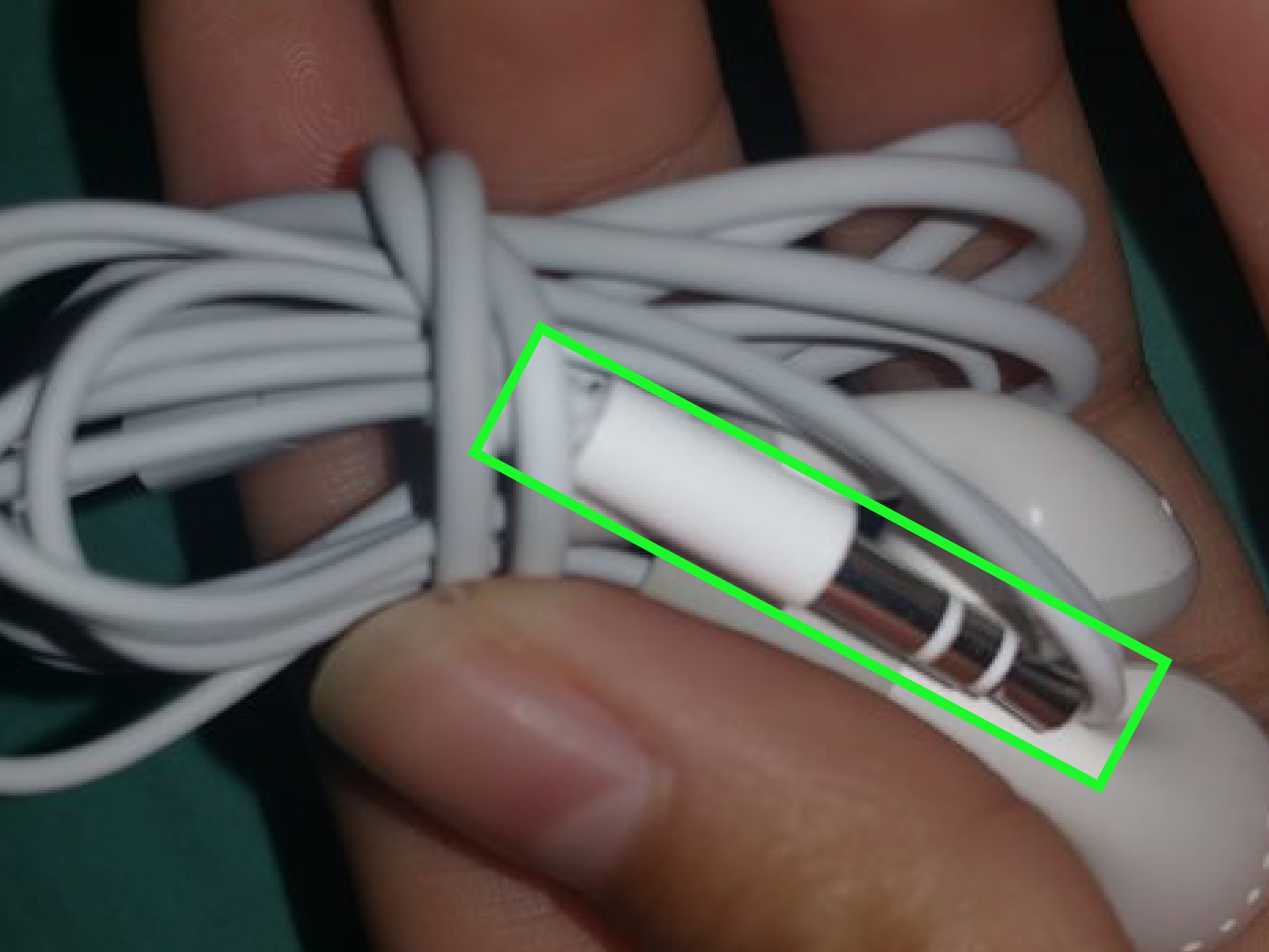
- Use the remaining cable to wrap once around the center, then tuck the plug gently through the middle.
The key word is gently. Do not create a cable burrito so tight it needs a rescue team. A loose figure-eight wrap keeps the cable organized without crushing the internal wires. When you want to use your headphones, pull the plug free, hold the earbuds, and let the cable unwind naturally.
Step 3: Secure the Middle, Not the Weak Points
After wrapping your headphones, secure the bundle in the middle. You can use a small Velcro strap, reusable cable tie, soft silicone cord holder, twist tie, or even a clean hair tie. The goal is to stop the cord from exploding open inside your bag.
Avoid securing the cable tightly around the plug, earbud stems, microphone module, or Y-split section. These spots are common failure points because they already experience bending during normal use. If you wrap or tie them too tightly, you add extra strain where the cable is most vulnerable.
For wired earbuds, the safest spot to secure is usually the center of the figure-eight bundle. For over-ear wired headphones, coil the cable in a loose oval and fasten the middle with a soft strap. If the cable is detachable, remove it before storage and wrap it separately. Detachable cables are a gift from the audio gods; treat them with gratitude.
Step 4: Store Headphones in a Small Case or Pouch
A proper case is one of the easiest anti-tangle headphone solutions. It does not need to be fancy. A small zippered pouch, hard-shell earbud case, drawstring bag, mint tin, or dedicated cable organizer can make a huge difference. The case limits movement, protects the cable from other objects, and keeps the plug from snagging on random items.
Soft pouches are lightweight and easy to carry. Hard cases provide better protection if your headphones travel with keys, chargers, books, or gym gear. If you use wired in-ear monitors, a hard case is especially useful because it protects both the cable and the ear tips.
One important tip: do not throw loose headphones into a large bag and expect them to behave. A backpack is basically a dance club for cables. Every step you take gives the cord another chance to loop around itself. A small pouch turns that dance club into a quiet reading room.
Step 5: Keep Cables Short When Possible
Extra cable length increases the chance of tangling. If your headphones have a very long cord, use a cord adjuster, cable slider, or small wrap to shorten the unused length while you are wearing them. This is especially helpful when walking, commuting, studying, gaming on a laptop, or working at a desk.
Do not wrap the extra cable tightly around your phone, music player, or laptop. That can create sharp bends near the plug and may put pressure on the device’s port. Instead, bundle the extra length loosely and secure it with a soft strap. If your headphones came with a cord adjuster, use it as intended and avoid winding more cable than the adjuster can safely hold.
For everyday use, consider where your device sits. If your phone is in your front pocket, you do not need three feet of cable swinging around like a jump rope. Shortening the active length prevents snags, reduces knots, and makes the whole setup feel cleaner.
Step 6: Build a 10-Second Storage Habit
The best method is the one you will actually use. You do not need a complicated ritual involving moonlight, velvet gloves, and a tiny cable altar. You need a storage habit that takes about 10 seconds.
Try this routine every time you finish listening:
- Unplug by holding the plug, not by pulling the cable.
- Straighten the cord quickly with your fingers.
- Wrap it in a loose figure-eight or oval coil.
- Secure the center with a strap or tie.
- Put it in the same pouch or pocket every time.
Consistency matters more than perfection. If you do this once, you have neat headphones once. If you do it every day, you become the kind of person whose headphones are always ready. People may not throw a parade, but they should.
Extra Tips to Prevent Headphone Cable Damage
Do Not Wrap Headphones Too Tightly
Tight wrapping can crimp the cable and stress the small conductors inside. A cable can look normal on the outside while the internal wires are slowly weakening. Use smooth, relaxed loops instead of sharp folds. If the cable resists a shape, do not force it.
Keep Headphones Away from Keys and Sharp Objects
Keys, pens, metal zippers, and pocket tools can scratch or pinch headphone cables. If you store earbuds in a bag, give them their own pouch. This also keeps ear tips cleaner, which is a nice bonus for anyone who prefers not to put backpack dust directly into their ears.
Avoid Heat and Moisture
Heat can soften cable materials, and moisture can affect connectors or earbud components. Do not leave headphones in a hot car, damp gym bag, or bathroom for long periods. After workouts, wipe them dry before wrapping and storing them.
Use Right-Angle Adapters Carefully
A right-angle plug can reduce strain in some situations, especially when a device is in a pocket. However, any adapter adds another connection point. Make sure it fits securely and does not create awkward pressure on your device’s port.
Consider Tangle-Resistant Cables
Flat cables, braided cables, fabric-sleeved cords, and detachable headphone cables may tangle less than thin rubbery wires. They are not magic, but they can help. If you are buying new wired headphones, look for cable design as well as sound quality, comfort, microphone performance, and durability.
Best Storage Options for Different Headphone Types
Wired Earbuds
Use a figure-eight wrap and a small pouch or hard case. Earbuds are lightweight, so they are easy to store neatly. The biggest risk is tossing them loose into a pocket. That is how knots are born, raised, and sent to college.
In-Ear Monitors
For in-ear monitors, remove the cable if it is detachable, coil it loosely, and store everything in a protective case. Avoid pressing ear tips against sharp edges or heavy objects. If the cable has memory wire near the ears, do not flatten it.
Over-Ear Headphones with Attached Cable
Fold the headphones according to the manufacturer’s design, then coil the cable loosely beside the ear cups. Use a soft tie to secure the cable, but do not wrap it tightly around the headband. A carrying case is ideal for travel.
Gaming Headsets
Gaming headsets often have longer cables, inline controls, and microphone arms. Keep the cable loosely bundled with a Velcro strap when not in use. At a desk, use a headphone stand or hook so the cable does not slide behind the computer and join the legendary cave of forgotten cords.
Common Mistakes That Make Headphones Tangle
Mistake 1: Stuffing Them Straight into a Pocket
This is the classic move. It is fast, convenient, and almost guaranteed to create a knot. Even a quick wrap is better than no wrap at all.
Mistake 2: Wrapping Around Your Phone
Wrapping earbuds around your phone seems tidy, but it can bend the plug and strain the cable. It also forces the cord into tight corners. Use a separate wrap instead.
Mistake 3: Pulling Knots Apart Aggressively
When a knot happens, loosen it from the outside first. Do not pull both ends until the knot tightens. A few seconds of patience can save the cable from permanent damage.
Mistake 4: Ignoring Cable Memory
Some cables develop a natural curve from repeated wrapping. If you always wrap in the same direction, that curve can become more noticeable. Alternate your wrapping direction occasionally or use a figure-eight method to reduce repeated twist.
Quick Comparison: Which Anti-Tangle Method Works Best?
| Method | Best For | Main Benefit |
|---|---|---|
| Figure-eight wrap | Wired earbuds and thin cables | Reduces twisting and releases easily |
| Velcro cable strap | Daily use and desk setups | Fast, reusable, and gentle |
| Hard-shell case | Travel and backpacks | Protects from crushing and snags |
| Soft pouch | Light carry and school bags | Simple, affordable, and compact |
| Cord adjuster | Long headphone cables | Shortens loose cable while in use |
Real-Life Experiences: What Actually Works Day After Day
After trying several headphone storage habits, the biggest lesson is that the simplest method usually wins. A beautiful cable organizer is useless if it takes too long to use. The figure-eight wrap works well because it is quick, does not require a special tool, and becomes automatic after a little practice. At first, it may feel awkward, like trying to fold a fitted sheet while it fights back. After a week, it becomes muscle memory.
One common experience is that headphones tangle most often during “temporary” storage. You tell yourself, “I’ll just put them in my pocket for two minutes.” Then two minutes becomes three errands, a bus ride, a snack break, and a full archaeological dig through your bag. By the time you pull them out, the cable has tied itself into a knot that looks legally binding. The fix is to treat every storage moment like it counts. Even a loose loop and a quick tuck into a pouch can prevent the worst tangles.
Another practical lesson: the storage location matters almost as much as the wrapping method. A perfectly wrapped cable can still become messy if it is thrown into a large backpack compartment with books, chargers, keys, and a water bottle. A small dedicated pocket works better. A pouch works even better. The pouch does not need to be expensive. Many people reuse a small sunglasses pouch, a zippered coin bag, or the case that came with another gadget. The point is to reduce movement.
For students, commuters, and people who work from coffee shops, the best system is usually a “grab-and-go” setup. Keep a small case in the same bag pocket every day. Wrap the headphones before putting them away. Store the plug facing inward so it does not catch on fabric. When you need the headphones, open the case, pull the plug loose, and let the cable fall open. This saves time and avoids that awkward public performance where you stand at the bus stop untangling earbuds like you are defusing a tiny bomb.
At a desk, cable clips and headphone stands help more than expected. If your headphones live beside a laptop, do not let the cord drape across the floor or disappear behind the desk. Use a small clip to guide the cable or hang the headphones from a hook. For gaming headsets, a stand keeps the ear cups safe and prevents the cable from becoming one with your chair wheels. Chair wheels are not cable-friendly. They are tiny office predators.
For travel, a hard case is worth it. Airplane bags, luggage, and backpacks are rough places for headphones. A hard case protects the cable from pressure and keeps ear tips from collecting lint. It also makes headphones easier to find. Instead of digging through a bag and discovering three receipts, a pen cap, and a mysterious crumb, you reach for one case and move on with your life.
The final experience-based tip is to be gentle when untangling. Everyone gets a knot eventually. When it happens, do not pull harder. Pulling tightens the knot and stresses the wire. Lay the headphones on a flat surface, find the largest loop, and loosen the knot slowly. Work backward from the plug or earbuds. It takes less time than fighting the cable in midair, and it is much better for the headphones.
In the end, keeping headphones from tangling is not about being perfectly organized. It is about removing the conditions that allow knots to form. Shorten extra cable, wrap loosely, secure the bundle, and store it in a small space. Do that consistently, and your headphones will spend less time as a pocket monster and more time doing their actual job: playing music, podcasts, calls, games, and whatever motivational playlist gets you through Monday.
Conclusion
Learning how to keep your headphones from tangling is mostly about building small habits. Start with an untwisted cable, use the figure-eight wrap, secure the center, store your headphones in a pouch or case, shorten extra cable, and repeat the same quick routine every time. These six steps protect your headphones, save time, and reduce the daily frustration of dealing with knots.
Wired headphones may never be completely drama-free, but they do not have to behave like rebellious noodles. With a little care, your earbuds can stay neat, your cable can last longer, and your future self can enjoy the rare luxury of pulling headphones from a bag without sighing deeply into the universe.