When a SHEIN order disappears into the shipping wilderness, a refund seems stuck in slow motion, or the dress you received looks nothing like the glamorous product photo, you need more than a cheerful chatbot saying, “How may I help you today?” You need an actual solution.
Fortunately, SHEIN gives U.S. shoppers several ways to request assistance. The challenge is choosing the right contact method, reaching a human representative, and providing enough information to prevent the conversation from becoming a frustrating game of digital ping-pong.
The three best ways to contact SHEIN customer service are live chat, a support ticket through the Customer Service Center, and the official U.S. contact number. Live chat is usually best for immediate assistance, tickets are ideal for complicated cases requiring documentation, and phone support can help when an unresolved problem needs another level of attention.
This guide explains how each method works, what information to prepare, how to reach a live agent, and what to do when the first response does not solve your problem.
Current contact information verified through SHEIN’s U.S. Help Center, U.S. Imprint, Apple App Store listing, and Google Play listing.
Quick Answer: How Do You Contact SHEIN Customer Service?
For customers in the United States, start with one of these three channels:
- Live chat: Use the SHEIN app or the Customer Service page on the U.S. website for fast questions about orders, returns, tracking, promotions, and refunds.
- Customer service ticket: Submit a written request from your account when you need to attach screenshots, photos, tracking details, or other evidence.
- Official U.S. contact number: Call +1 833-853-8668 when chat and ticket support have not resolved the issue or when you need to pursue another official contact route.
SHEIN’s current app listings advertise 24/7 customer service and live chat. Availability of a human agent may still depend on demand, region, account status, and the type of request. The automated assistant may appear first, so you may need to describe the problem before the system offers access to an agent.
SHEIN advertises 24/7 customer service and live chat through its official U.S. app listings. The U.S. Imprint lists the official contact number.
1. Use SHEIN Live Chat for the Fastest Assistance
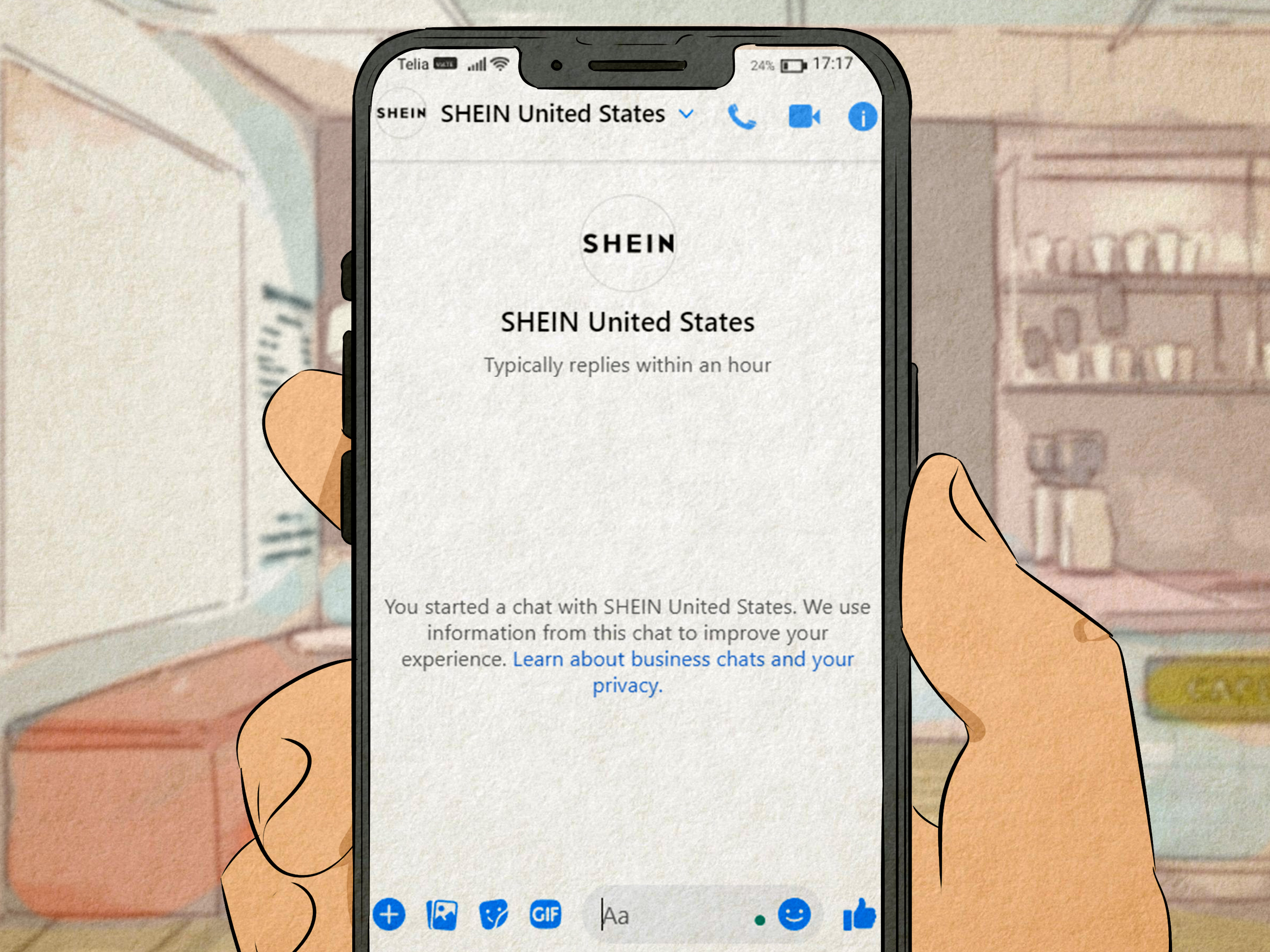
Live chat is generally the best first choice when you need help quickly. It keeps the discussion connected to your account, allows the representative to review your order, and creates a written record of what was discussed. That last benefit matters when a simple question turns into a refund saga worthy of its own television miniseries.
How to access live chat in the SHEIN app
- Open the SHEIN app and sign in to the account used for the purchase.
- Tap Me at the bottom of the screen.
- Open the Customer Service or Customer Service Center section.
- Select the order or category connected to your problem.
- Choose the chat option and follow the automated prompts.
- Ask to speak with a live agent when the automated answers do not address the issue.
Menu names may change slightly after an app update. If you cannot immediately find the chat button, search the Help Center for your issue first. SHEIN’s system may require you to choose a topic such as “Tracking and Delivery,” “Return and Refund,” “Payment,” or “Account Issues” before showing the available contact options.
How to access SHEIN live chat on the website
- Visit the official SHEIN U.S. website.
- Sign in to your customer account.
- Open the Customer Service, Help Center, or Contact Us page.
- Select the relevant order and issue.
- Use the chat function to begin the conversation.
Signing in before starting the chat is important. A representative can help more efficiently when the system already displays your order number, payment status, return request, and tracking history. Otherwise, the first several minutes may be spent proving that you and your missing package have, in fact, met before.
When live chat works best
Use SHEIN live chat for:
- An order that has not shipped
- A tracking number that has stopped updating
- A package marked delivered but not received
- A missing, damaged, or incorrect item
- A canceled order or refund question
- A return-label problem
- A coupon, points, or promotional issue
- A payment that appears duplicated
Keep your first message direct. Instead of writing a ten-paragraph history of your emotional relationship with the order, summarize the issue in two or three sentences:
“Order ABC123 was marked delivered on June 28, but it was not received. I checked the delivery photo, front and side doors, mailbox area, building office, and neighbors. Please open a missing-delivery investigation and confirm the case number.”
This format tells the agent what happened, what you already checked, and what outcome you want.
SHEIN’s U.S. FAQ organizes assistance around tracking, delivery, returns, refunds, payments, accounts, disputes, and related support topics.
2. Submit a SHEIN Customer Service Ticket
A support ticket is often better than live chat when the problem is complicated, requires attachments, or cannot be solved during one conversation. The ticket gives you space to explain the situation carefully and upload supporting material.
It is especially useful for damaged products, incorrect refunds, incomplete packages, repeated delivery problems, or cases in which several representatives have provided conflicting information.
How to submit a ticket
- Sign in to the SHEIN app or U.S. website.
- Open the Customer Service Center.
- Select the order connected to the issue.
- Choose the closest problem category.
- Select the option to submit a ticket or written request when available.
- Describe the issue, state the requested resolution, and attach your evidence.
- Save the ticket number and check your account for replies.
Do not open five tickets for the same problem unless a representative specifically tells you to do so. Multiple tickets can divide the evidence across separate conversations and make the situation harder to follow. One organized case is usually more useful than a small army of duplicate complaints.
What to include in your ticket
A strong customer service ticket should contain:
- Your SHEIN order number
- The affected item name or SKU
- The tracking number, when relevant
- The delivery or purchase date
- A concise description of the problem
- Photos of damaged, incorrect, or missing contents
- Screenshots of tracking records or previous conversations
- The exact resolution you are requesting
For example, do not end your message with “Please help.” Ask for a specific result, such as a refund to the original payment method, a replacement, a corrected refund amount, a new return label, or an investigation into a missing package.
Why documentation matters
Customer complaints often become difficult when the shopper and retailer are working with different information. A carrier may show a delivery scan while the customer has no package. A warehouse may record that all items were packed while one product was missing from the parcel. Clear documentation gives the support team something concrete to investigate.
Take photographs before discarding damaged packaging. Save your tracking page, delivery photograph, return receipt, drop-off receipt, chat transcript, and refund confirmation. If the problem later reaches your payment provider or a consumer-protection organization, those records can become essential.
Consumer guidance recommends contacting the merchant first and preserving records. Carrier claim processes also rely on tracking numbers, packaging, receipts, and delivery evidence.
3. Call the Official SHEIN U.S. Contact Number
SHEIN’s current U.S. Imprint lists +1 833-853-8668 as a contact number for SHEIN US Services, LLC. Phone support may not function like a traditional retail call center in every situation, and automated menus or limited routing may apply. Still, it provides an official contact route when online support has not produced a satisfactory answer.
Before calling, gather your order number, tracking number, ticket number, account email address, and a short timeline of the problem. Write down the result you are seeking so the conversation does not drift into vague promises and hold music.
What to say during the call
Use a short opening statement:
“I am calling about order ABC123 and support ticket 456789. The package was returned, but the refund has not been completed. I submitted the carrier record and return receipt on June 24. I need the case reviewed and the refund status confirmed.”
Ask for a reference number for the call or escalation. Record the date, approximate time, and outcome in your notes. Never share your full card number, online banking password, one-time security code, or SHEIN account password with anyone claiming to be a support representative.
Official email contacts and special inquiries
SHEIN’s U.S. Imprint also lists [email protected]. The company’s U.S. app listings identify [email protected] as a dispute contact. These addresses may be useful as backup channels, but general order assistance should normally begin through the authenticated Customer Service Center so the request is connected to your account.
Privacy questions should be directed to the privacy contact identified by SHEIN, while legal addresses should be reserved for legal matters. Sending an ordinary “Where is my shirt?” message to the legal department is unlikely to create the dramatic courtroom resolution one might imagine.
Official SHEIN materials list the U.S. contact number, a U.S. customer-service email, a dispute email, and separate privacy or legal contacts.
What Information Should You Prepare Before Contacting SHEIN?
A well-prepared request can reduce delays and repetitive questions. Before contacting SHEIN customer support, collect the following:
- Order number: Find it under My Orders in your SHEIN account.
- Account email or phone number: Use the information associated with the purchase.
- Tracking number: Include the carrier’s complete tracking code.
- Item details: Identify the exact product affected.
- Relevant dates: Note the order, delivery, return, or refund dates.
- Evidence: Attach photographs, screenshots, receipts, labels, and carrier records.
- Preferred solution: Clearly request a refund, replacement, account correction, or investigation.
Remove unrelated personal information from screenshots. The support team may need your order details, but it does not need to see every notification, private conversation, and low-battery warning on your phone.
How to Handle Common SHEIN Customer Service Problems
Your package is marked delivered but is missing
Check all entrances, the mailbox area, building reception desk, parcel locker, garage, and nearby safe locations. Ask household members and neighbors whether they accepted it. Review any delivery photograph and confirm that the address or doorway matches your home.
Then contact the carrier and SHEIN. USPS recommends allowing one postal business day after certain tracking scans before submitting a service request. UPS and FedEx provide claim or missing-package procedures for shipments that show delivered but cannot be located. Save any carrier case number and send it to SHEIN through chat or your support ticket.
USPS, UPS, and FedEx publish specific procedures for delayed, missing, or delivered-but-not-found packages.
Your refund has not appeared
First confirm whether SHEIN issued the refund to your original payment method or to your SHEIN Wallet. Check the refund confirmation date and compare it with your bank or payment provider’s processing history.
Send customer service the return tracking number, return receipt, refund confirmation, and a screenshot showing that the expected credit is missing. Ask the representative to confirm the refund method, amount, processing date, and reference information.
You received the wrong or damaged item
Photograph the mailing label, outer package, inner packaging, item tag, product, and damaged area. If the parcel contained several items, take one photograph showing everything that arrived. This can help establish whether the issue involves one product or the entire shipment.
Do not wash, alter, repair, or discard the item until customer service confirms the next step. Follow the current return instructions shown in your account, since eligibility and procedures may differ by product category.
You cannot access your SHEIN account
Use the password-reset option and confirm that you are signing in with the same method used when placing the order. Customers sometimes create separate accounts by using email, Google, Apple, or a phone number at different times.
If you still cannot access the account, contact support with the order number, purchase date, approximate total, shipping name, and the email addresses or phone numbers that may be associated with the order. Do not send payment-card security codes or passwords.
How to Escalate an Unresolved SHEIN Complaint
If the first response does not solve the problem, reply within the original ticket and request escalation. Include a short timeline and list the documents already provided. Avoid starting over with a completely different explanation each time.
A useful escalation message might say:
“Please escalate this ticket for review. I reported the missing package on June 25, provided the carrier case number on June 26, and uploaded the delivery photograph showing a different doorway. I am requesting a refund to the original payment method.”
If the merchant cannot resolve a legitimate billing or non-delivery dispute, contact the company that processed your payment. The Federal Trade Commission advises consumers to contact the seller first and then review their card-dispute rights when merchandise never arrives or billing is incorrect. Credit-card protections and deadlines differ from debit-card rules, so act promptly.
PayPal also offers a Resolution Center for eligible item-not-received and significantly-not-as-described cases. Its current U.S. guidance states that qualifying disputes generally must be opened within 180 days of payment, although exclusions and evidence requirements apply.
For unresolved online-purchase complaints, consumers may also consider the Better Business Bureau, their state consumer-protection office, the Federal Trade Commission, or the appropriate financial regulator. These organizations are escalation options, not substitutes for first giving the merchant a reasonable opportunity to fix the problem.
Escalation guidance is based on current FTC, USA.gov, PayPal, CFPB, BBB, and Consumer Action resources.
How to Avoid Fake SHEIN Customer Service Numbers
Search results and social posts sometimes display unofficial phone numbers or email addresses. Some may belong to third-party directories, while others may be misleading or fraudulent. Verify contact information through the official SHEIN app, the U.S. website, or SHEIN’s published company pages before calling or sending account details.
A genuine support representative should not ask you to purchase gift cards, install remote-access software, transfer cryptocurrency, reveal a one-time banking code, or send money to unlock a refund. Those are major warning signs.
When using social media, contact only SHEIN’s verified account and avoid posting your order number, home address, phone number, or payment information publicly. Social platforms may help point you toward the Customer Service Center, but they are not the safest place to discuss sensitive order details.
Customer-Service Experiences: What Usually Works in Real Situations
The following examples are composite scenarios based on common online-shopping support patterns and publicly reported customer concerns. They are not presented as the writer’s personal transactions. Their purpose is to show how different communication strategies can affect the outcome.
Experience 1: The missing package with useful evidence
A shopper sees that her order was delivered at 2:14 p.m., but nothing is outside her home. Instead of immediately accusing the carrier of launching her package into another dimension, she checks the delivery image. The photograph shows a gray apartment door, while her door is blue.
She contacts the carrier, receives a case number, and opens SHEIN live chat. Her message includes the order number, tracking number, carrier case number, and screenshots of the incorrect delivery location. The agent creates an investigation without asking her to repeat the entire story several times.
The lesson is simple: evidence moves a case forward. “I did not receive it” explains the problem. “The delivery photograph shows a different building, and here is the carrier case number” gives the support team something to verify.
Experience 2: The refund that appears to be missing
Another shopper returns several items and receives a message saying the refund has been processed. Ten days later, he cannot find the money in his checking account. He contacts customer service and says only, “Where is my refund?” The first response tells him to wait, which is not particularly satisfying.
During the second conversation, he provides the return tracking number, refund date, refunded amount, and a screenshot of the confirmation. The representative explains that part of the refund went to the original card while another portion was credited to the SHEIN Wallet because that balance had been used during checkout.
The experience shows why shoppers should ask four specific questions: What amount was refunded? When was it processed? Where was it sent? Was the refund divided among payment methods? A “missing” refund sometimes exists but is hiding in a different financial corner.
Experience 3: The ticket that became too complicated
A customer receives a damaged household item and opens three separate chats, two tickets, and a social-media message. Each conversation contains different photographs and slightly different descriptions. One says the item arrived broken, another says pieces were missing, and a third asks for a replacement rather than a refund.
The customer is understandably frustrated, but the support history now resembles a detective’s corkboard. The more effective approach would be to keep one primary ticket, attach all evidence there, and state one requested resolution.
When the customer eventually consolidates the information, the case becomes easier to review. The lesson is not that shoppers should remain silent. It is that organized persistence usually works better than creating duplicate cases in every available channel.
Experience 4: The calm escalation
A final shopper has already contacted live chat twice about an incorrect refund amount. Rather than sending an angry all-caps message, she replies to the existing ticket with a five-line timeline. She lists the original charge, returned items, expected refund, actual refund, and the difference.
She asks for the ticket to be escalated and requests a written explanation of the calculation. This gives the next reviewer a clear mathematical problem instead of a general complaint. The issue may still take time, but the conversation is now focused on a measurable discrepancy.
Customer service works best when the shopper is concise, specific, persistent, and documented. Politeness does not mean accepting an incorrect result. It means presenting the case in a way that makes the requested resolution difficult to misunderstand.
Final Thoughts
The best way to contact SHEIN customer service is to begin with live chat through the app or website. Use a support ticket when the case requires photographs, receipts, tracking records, or a detailed timeline. If online assistance does not resolve the issue, use the official U.S. contact number and request escalation.
Whichever method you choose, prepare your order number, evidence, relevant dates, and desired solution before contacting support. Save every ticket number and conversation. A clear request such as “Please refund $24.50 to the original Visa card” is far more actionable than “This whole situation is ridiculous,” even when the situation is, objectively, rather ridiculous.
Note: Customer-service menus, contact details, availability, return rules, and refund procedures may change. Verify the latest information in the official SHEIN U.S. app or website before submitting personal or payment-related information.