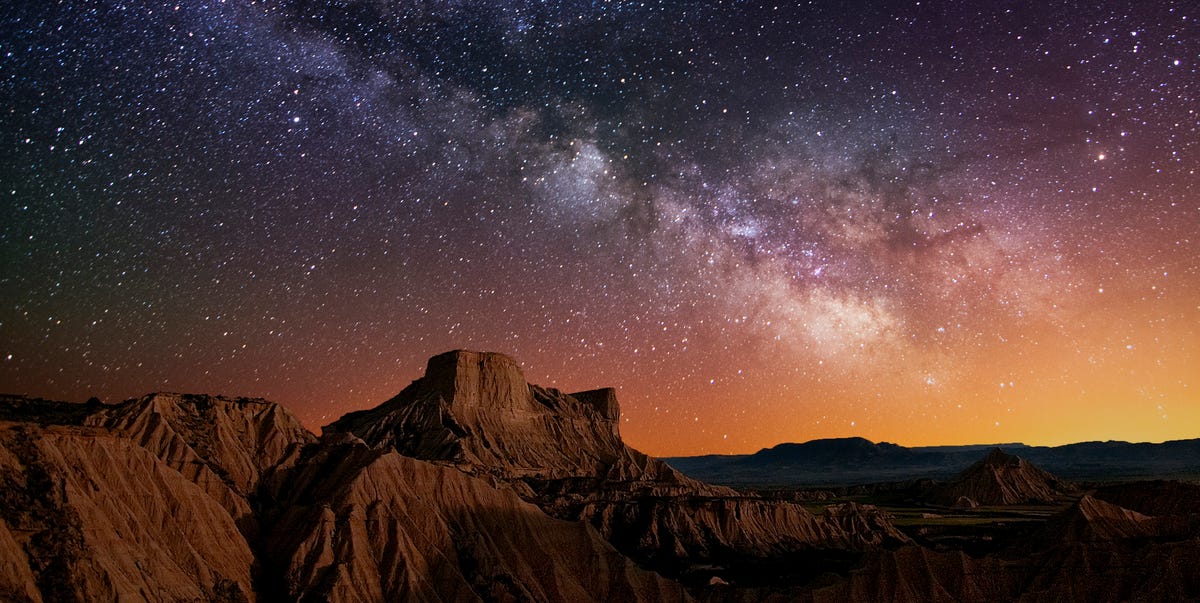
Stargazing used to require a telescope, a paper star chart, a red flashlight, and at least one person in the group confidently pointing at Venus while calling it “probably the North Star.” Thankfully, modern stargazing apps have made the night sky far less mysterious and far more fun. With the right astronomy app on your iPhone or Android device, you can identify stars, track planets, locate the International Space Station, plan Milky Way photos, check cloud cover, and even find a darker sky when your neighborhood streetlights are behaving like tiny suns.
This guide to the 15 best stargazing apps 2022 focuses on practical astronomy apps for beginners, families, casual skywatchers, photographers, and telescope owners. Some apps are simple “point your phone at the sky” tools. Others are deep planetarium apps packed with catalogs, observing lists, satellite tracking, or astrophotography planning features. The best choice depends on how you like to explore: quick constellation spotting, serious telescope sessions, or dramatic moonrise photos that make your friends wonder when you joined NASA.
How to Choose the Best Stargazing App
Before downloading half the App Store in a burst of cosmic enthusiasm, consider what you actually need. If you are new to astronomy, choose an app with augmented reality, simple labels, and a clean interface. If you already know your way around Orion, Saturn, and the Pleiades, look for advanced search tools, observing lists, telescope control, and detailed object data. For astrophotography, weather, moon phase, Milky Way position, and light pollution matter just as much as a pretty star map.
Also remember that phone sensors are not magic. Compass calibration, location permissions, and nearby metal objects can affect accuracy. If your app thinks Jupiter is hiding in your shoe, recalibrate your device and step away from cars, railings, and suspiciously magnetic picnic tables.
15 Best Stargazing Apps for iPhone and Android
1. Stellarium Mobile
Best for: realistic sky simulation and all-around astronomy learning.
Stellarium Mobile is one of the most trusted names in digital astronomy because it feels like a pocket planetarium. Open the app, point your phone at the sky, and it identifies stars, planets, constellations, comets, satellites, and deep-sky objects in real time. The design is clean enough for beginners but detailed enough for people who know that “M31” is not a secret highway exit.
Its biggest strength is realism. The sky view closely matches what you see above your location, which makes it excellent for learning seasonal constellations. The free version is useful, while paid versions unlock deeper catalogs and advanced tools. For users who want one astronomy app that can grow with them, Stellarium is a safe first download.
2. SkyView
Best for: simple augmented reality stargazing.
SkyView is a favorite among casual stargazers because it removes almost all friction. You open the app, hold your phone up, and the camera view overlays stars, constellations, planets, satellites, and other celestial objects. It works during the day or night, so yes, you can technically stargaze at lunchtime like a very futuristic raccoon.
The app is especially good for families, kids, and beginners who want quick answers. If someone asks, “What bright thing is that?” SkyView usually gives you a fast answer without making you scroll through an encyclopedia. SkyView Lite offers a free entry point, while the paid version adds more features and a fuller experience.
3. Star Walk 2
Best for: beautiful visuals and beginner-friendly learning.
Star Walk 2 is one of the most visually polished stargazing apps for iPhone and Android. It combines a real-time sky map with augmented reality, 3D constellation artwork, information about celestial objects, satellite tracking, and a “time machine” feature that lets you explore the sky in the past or future.
This app shines when you want astronomy to feel exciting, not like homework wearing a lab coat. Its graphics make constellations easier to remember, and its “Visible Tonight” style features help users decide what to look for right now. Some advanced tools may require upgrades, but for beginners who want a fun astronomy app with strong educational value, Star Walk 2 is an excellent choice.
4. SkySafari
Best for: serious observers and telescope users.
SkySafari is the app you download when casual skywatching turns into a hobby with accessories. It offers a powerful planetarium, huge object databases, observing tools, and versions designed for different levels of experience. Higher-tier versions include massive star and galaxy catalogs, telescope control support, observing lists, and advanced planning features.
For beginners, SkySafari may feel like opening a spaceship dashboard. For committed amateur astronomers, that is exactly the appeal. If you use a telescope, attend star parties, or want to plan detailed observing sessions, SkySafari belongs near the top of your list. It is not the simplest app here, but it is one of the most capable.
5. Sky Guide
Best for: iPhone users who want elegance and ease.
Sky Guide is a beautifully designed astronomy app for Apple devices. Hold your iPhone or iPad overhead and it identifies stars, planets, constellations, and satellites. Its augmented reality mode makes the sky easier to understand, and its interface is smooth enough that even non-astronomy people may suddenly start saying things like, “Actually, that is Vega.”
Sky Guide is especially strong for users who value design, polish, and quick discovery. It includes sky events, educational content, and upgrade options for deeper catalogs and extra features. The main limitation is platform availability: it is best suited to iPhone and iPad users, not Android users.
6. Night Sky
Best for: Apple ecosystem users and AR sky exploration.
Night Sky is another excellent option for iPhone, iPad, and Apple Watch users. It can identify stars, planets, constellations, and satellites by simply pointing your device at the sky. The app leans heavily into augmented reality and modern Apple features, making it feel immersive and polished.
Night Sky is ideal for users who want a personal planetarium that works across Apple devices. It is helpful for quick identification, event reminders, and educational browsing. If you already use an Apple Watch, the integration can make stargazing feel even more convenient. Android users, however, will need to choose a different astronomy app.
7. Sky Map
Best for: Android users who want a free, classic star map.
Sky Map began life as Google Sky Map and remains a familiar Android astronomy app. It uses your phone’s GPS, compass, and motion sensors to show stars, planets, constellations, and deep-sky objects based on where you point your device. The interface is not the flashiest, but it is straightforward and useful.
This is a great choice for Android users who want a lightweight, no-nonsense sky map. It is not available for iPhone, and it may require sensor calibration if the display seems inaccurate. Still, for quick sky identification without unnecessary decoration, Sky Map continues to be a practical option.
8. Star Chart
Best for: free AR stargazing with broad appeal.
Star Chart is a popular augmented reality astronomy app that lets users point their phone at the sky and identify celestial objects. It includes stars, constellations, planets, and deep-sky objects, making it useful for casual learning and quick exploration.
The app’s biggest advantage is accessibility. It is easy to use, visually engaging, and friendly for beginners who want an astronomy app without a steep learning curve. Some advanced content may involve in-app purchases, so check what is included before expecting the entire universe for free. The universe is generous, but app stores are app stores.
9. Heavens-Above
Best for: satellite and ISS tracking.
Heavens-Above is perfect for anyone who has ever looked up and asked, “Was that a plane, a satellite, or my imagination doing cardio?” The app provides pass predictions for the International Space Station and visible satellites, along with a live sky chart and location-based observing data.
This app is especially valuable for satellite watchers, radio hobbyists, and families who want to catch an ISS flyover. It is more practical than decorative, but that is part of its charm. Use it alongside a star map app for a stronger all-around stargazing setup.
10. NASA App
Best for: space news, images, videos, and NASA content.
The NASA App is not a traditional stargazing app, but it absolutely belongs on an astronomy lover’s phone. It offers NASA images, videos, news, podcasts, mission updates, and access to official space content. If star map apps tell you what you are seeing, the NASA App helps explain why space is so fascinating in the first place.
It is excellent for students, teachers, families, and curious adults who want reliable space information. Pair it with Stellarium, SkyView, or Star Walk 2 and you have both sky identification and deeper context. Also, NASA photos make excellent reminders that your phone wallpaper could be more inspiring than a blurry sandwich.
11. PhotoPills
Best for: Milky Way, moon, and night photography planning.
PhotoPills is the photographer’s secret weapon. It helps plan shots involving the Sun, Moon, Milky Way, golden hour, blue hour, shadows, and celestial alignments. Its augmented reality tools allow users to visualize where the Moon or Milky Way will appear from a specific location at a specific time.
This is not the simplest app for casual constellation spotting. Instead, it is for people who want to plan a dramatic moonrise over a bridge, capture the Milky Way above a desert road, or avoid arriving at a location two hours late with a tripod and regret. For astrophotography planning, PhotoPills is one of the best apps available.
12. Clear Outside
Best for: astronomy weather and cloud forecasts.
Clear Outside answers the least romantic but most important stargazing question: will the sky actually be clear? Designed with astronomers in mind, it provides seven-day hourly forecasts with low, medium, high, and total cloud cover, plus moon phase, darkness times, sunrise and sunset, and other observing conditions.
Every stargazer eventually learns that weather apps saying “partly cloudy” are not specific enough. A thin layer of high cloud can ruin a telescope session or Milky Way photo. Clear Outside helps you decide whether to pack the gear or stay home and pretend your ceiling fan is a galaxy.
13. Light Pollution Map
Best for: finding dark-sky locations.
Light Pollution Map helps users locate darker skies for better stargazing and night photography. It is especially useful for people living near cities, where light pollution can wash out faint stars, nebulae, and the Milky Way.
The app is helpful for scouting road-trip locations, comparing observing sites, and understanding why your backyard view looks less like a cosmic ocean and more like a gray soup. For the best results, use it with a weather app and a moon phase app. Dark skies, clear weather, and a low moon are the holy trinity of happy stargazing.
14. GoSkyWatch Planetarium
Best for: iPhone and iPad users who like a classic planetarium feel.
GoSkyWatch Planetarium is a long-running astronomy app for Apple devices. It helps users identify stars, planets, comets, constellations, galaxies, and other objects by pointing the device at the sky. It includes visible stars, Messier and Caldwell deep-sky objects, object information, and time-lapse tools.
The app is especially nice on iPad, where the larger screen makes the planetarium view easier to explore. It may not feel as trendy as newer AR-heavy apps, but it remains a strong choice for users who want a capable sky guide with a traditional observing style.
15. Deluxe Moon
Best for: moon phases, moonrise, and lunar planning.
Deluxe Moon is focused on lunar information, including moon phases, moonrise and moonset, lunar calendars, and visual moon data. While it is not a complete star map, it is extremely useful because the Moon has a huge impact on stargazing conditions.
A bright full Moon can make faint stars and deep-sky objects much harder to see. A crescent Moon or moonless night is better for Milky Way viewing. Deluxe Moon helps you plan around those conditions. It is also useful for photographers, educators, and anyone who simply enjoys watching the Moon change shape like the sky’s slowest mood ring.
Best Stargazing Apps by User Type
Best for Beginners
If you are new to astronomy, start with SkyView, Star Walk 2, Stellarium Mobile, or Star Chart. These apps are easy to understand and let you identify objects by pointing your phone at the sky. They are ideal for learning constellations, recognizing planets, and finally proving that the “really bright star” is probably Venus.
Best for Serious Amateur Astronomers
SkySafari and Stellarium Mobile are the strongest picks for deeper observing. They offer more detailed catalogs, better planning tools, and more room to grow. If you use a telescope or want to build observing lists, SkySafari is especially powerful.
Best for Astrophotography
PhotoPills, Clear Outside, Light Pollution Map, and Deluxe Moon form a practical astrophotography toolkit. PhotoPills helps plan the shot, Clear Outside checks cloud conditions, Light Pollution Map finds darker skies, and Deluxe Moon helps avoid moonlight surprises. Add a sturdy tripod and patience, and you are officially dangerous in the best possible way.
Best for Families and Kids
SkyView, Star Walk 2, Night Sky, and the NASA App are excellent for families. They combine simple visuals with educational content and make astronomy feel less intimidating. Kids love pointing a phone at the sky and seeing constellation artwork appear. Adults love pretending they knew all of it already.
Practical Tips for Using Astronomy Apps
First, enable location access. Stargazing apps need your location to show the correct sky. Second, calibrate your compass if objects appear in the wrong place. Third, reduce screen brightness or use night mode so your eyes stay adjusted to darkness. Bright white phone screens are the natural enemy of night vision.
Fourth, check the Moon before planning a deep-sky session. A full Moon is beautiful, but it can drown out faint stars. Fifth, use more than one app. A star map, a weather app, and a light pollution app together are far more useful than one app trying to do everything. Finally, give your eyes at least 15 to 20 minutes to adapt to the dark. The sky improves when you stop treating your phone like a tiny campfire.
My Stargazing App Experience: What Actually Works Under the Night Sky
The first time I used a stargazing app seriously, I made the classic beginner mistake: I downloaded one app, walked outside, pointed my phone at the sky, and expected instant cosmic enlightenment. Instead, I got confused by compass drift, a streetlight, and a neighbor’s porch lamp bright enough to guide ships safely into harbor. Lesson one: astronomy apps are powerful, but they work best when you give them decent conditions.
For casual nights, augmented reality apps like SkyView, Star Walk 2, and Night Sky are the most fun. They create that magical “aha” moment when a random dot becomes Jupiter, Saturn, Vega, or the International Space Station. These apps are perfect for backyard skywatching because they answer questions quickly. You do not need to memorize star charts before dinner. You just open the app and start exploring.
For longer observing sessions, I prefer combining tools. A planetarium app such as Stellarium or SkySafari helps me plan what to see. Clear Outside tells me whether the clouds are going to behave. Light Pollution Map helps me decide whether it is worth driving away from city lights. Deluxe Moon tells me whether the Moon will help the evening or ruin my faint-object dreams with its giant glowing face.
The biggest real-world tip is to plan before you leave. Do not wait until you are standing in a dark field with cold hands to figure out which app does what. Save your location, check the forecast, look up moonrise and moonset, and make a short observing list. Even a simple list like “Moon, Jupiter, Orion Nebula, Pleiades” makes the night feel more successful.
For astrophotography, PhotoPills is worth learning. It can feel overwhelming at first, but its planning tools are incredibly useful once you understand them. Knowing where the Milky Way will rise, when the Moon will set, and how your composition will line up can save hours of guessing. Night photography already includes enough chaos: batteries die, tripods wobble, and someone always forgets snacks.
Another experience-based tip: do not trust your phone screen more than your eyes. Apps are guides, not replacements for looking carefully. Once an app identifies a constellation, lower the phone and trace it yourself. Over time, you will recognize patterns without help. That is when stargazing becomes deeply satisfying. The app gets you started, but the real reward is looking up and knowing the sky on your own.
Finally, remember that the best stargazing app is the one that makes you go outside. A simple free app used often is better than an expensive advanced app ignored in a folder called “Space Stuff.” Start with one or two tools, learn the sky gradually, and let curiosity do the rest. The stars are not going anywhere fast, which is considerate of them.
Conclusion
The best stargazing apps for iPhone and Android make astronomy easier, smarter, and more enjoyable. For beginners, SkyView, Star Walk 2, Star Chart, and Stellarium Mobile are friendly places to start. For advanced users, SkySafari offers serious observing power. For photographers, PhotoPills, Clear Outside, Light Pollution Map, and Deluxe Moon can turn a random night outside into a carefully planned sky session.
Whether you want to identify constellations, track satellites, photograph the Milky Way, teach kids about planets, or simply stop calling every bright object “that star thing,” these astronomy apps can help. Download one, step outside, look up, and enjoy the oldest show in the universe with the newest tools in your pocket.