Note: This guide is written for U.S. readers and is based on current Audible, Amazon, Apple App Store, and Google Play subscription-management information. Menus can change slightly, but the billing logic remains the same: cancel where you subscribed.
Canceling an Audible membership should be simple, but like many subscription tasks, it can feel like trying to find the last chapter of an audiobook that somehow vanished into another dimension. The good news: you can cancel Audible quickly once you know where your membership is billed. The not-so-fun news: if you signed up through Apple or Google Play, the Audible website may not be the magic button you are looking for.
This guide explains how to cancel an Audible membership in five quick ways: through the Audible desktop website, a mobile browser, Apple subscriptions, Google Play subscriptions, and Audible customer support. You will also learn what happens to your audiobooks, unused credits, billing date, free trial, and Amazon account after cancellation.
Before you cancel, take one minute to check your account. If you have unused Audible credits, redeem them first. Credits may disappear when the membership ends, while titles purchased with credits, a credit card, or a debit card generally stay in your Audible library. Think of credits like bananas: useful today, not guaranteed to be charming tomorrow.
Before You Cancel Audible: Check These 4 Things
1. Find out who bills you
The most important step is identifying where your Audible membership was created. If you signed up on Audible.com, you usually cancel through Audible’s account details page. If you subscribed inside the Audible app on an iPhone or iPad, you may need to cancel through Apple subscriptions. If you subscribed through the Android app and Google Play handled the payment, cancel through Google Play.
2. Use any remaining credits
If you are an Audible Premium Plus member, you may have credits sitting in your account. Use them before canceling. Purchased titles normally remain in your library, but unused membership benefits can end when cancellation takes effect. A smart move is to pick the audiobook you have been “saving for later,” because later has a bad habit of turning into never.
3. Check your next billing date
Cancel before your renewal date if your goal is to avoid another charge. Audible memberships and app store subscriptions are recurring payments, so waiting until the last minute can be risky. If your renewal is tomorrow, cancel today. If your renewal is in five minutes, stop reading dramatically and go cancel first.
4. Decide whether pausing is better than canceling
Some Audible Premium members may be eligible to pause their membership instead of canceling. A pause can be useful if your audiobook backlog has become a small literary mountain, but you plan to return soon. Canceling is better if you want to stop recurring charges completely.
Quick Answer: The 5 Ways to Cancel Audible
Here are the five fastest cancellation paths:
- Cancel on the Audible desktop website if you subscribed directly through Audible.
- Cancel through a mobile browser by using Audible.com instead of the app.
- Cancel on iPhone or iPad through Apple subscriptions if Apple bills you.
- Cancel on Android through Google Play if Google bills you.
- Contact Audible customer support if your account is confusing, inaccessible, or still being charged.
Way 1: Cancel Audible on the Desktop Website
This is the most common method for people who joined Audible directly through the Audible website. It works best on a laptop or desktop browser because the full account menu is easier to see.
Steps to cancel Audible on desktop
- Go to Audible.com and sign in with the Amazon account connected to your Audible membership.
- Hover over or select your name at the top of the page.
- Choose Account Details.
- Look for your membership information.
- Select Cancel membership.
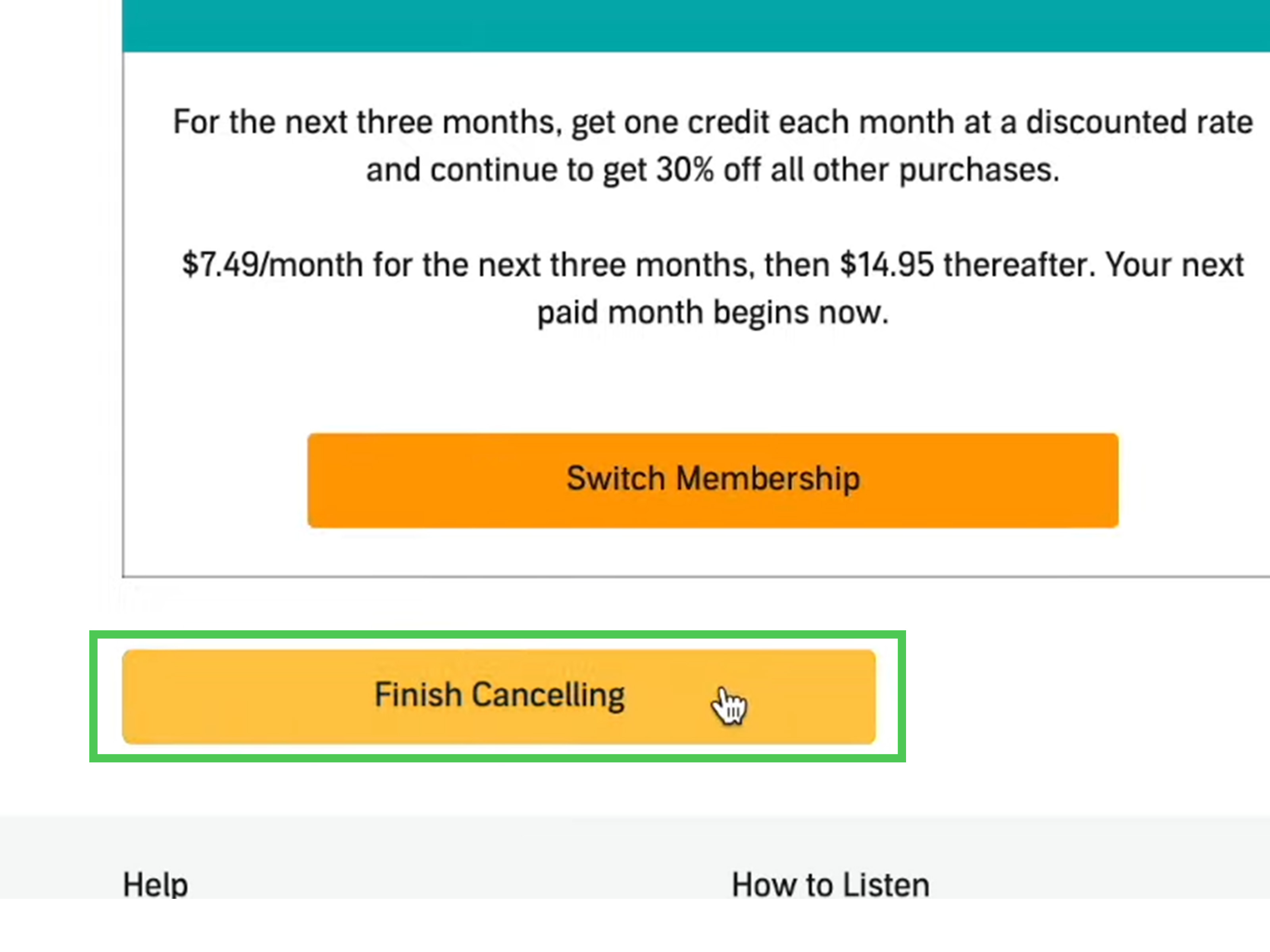
- Follow the prompts until you reach the final confirmation page.
- Check your email for a cancellation confirmation.
Do not stop at the first “Are you sure?” screen. Subscription cancellation pages often include offers, reminders, or alternate plan suggestions before the final cancellation button. Keep going until Audible confirms that your membership has been canceled. If you leave halfway through, your account may remain active, which is a fancy way of saying your wallet may continue its audiobook fitness routine.
Best for
This method is best if your membership was started on Audible.com or through Amazon-related web billing. It is also the easiest method if you want to review your plan, billing date, credits, and membership benefits before leaving.
Way 2: Cancel Audible Using a Mobile Browser
Many people search for how to cancel Audible on the app and then wonder why the app does not behave like a helpful adult. In many cases, deleting the Audible app or signing out of it will not cancel the membership. The app is mainly for listening and account access; cancellation often requires the website or your app store subscription settings.
Steps to cancel Audible on mobile web
- Open a browser on your phone, such as Safari or Chrome.
- Go to Audible.com and sign in.
- Open the menu and find Account Details.
- If the mobile layout is limited, request the desktop site from your browser menu.
- Select Cancel membership.
- Follow every confirmation prompt until cancellation is complete.
The desktop-site trick is helpful because some account tools are easier to find in the full web version. On Safari, look for the page settings menu. On Chrome, use the three-dot menu and select the desktop site option. It is not glamorous, but neither is being billed for a subscription you meant to cancel three months ago.
Best for
This method is best when you do not have access to a computer but originally subscribed through Audible’s website. It is also useful if you are traveling, using a tablet, or trying to cancel quickly before your next billing date.
Way 3: Cancel Audible on iPhone or iPad Through Apple
If you subscribed to Audible through the iOS app and Apple handles the billing, you need to cancel through your Apple subscriptions. In that case, canceling on Audible.com may not work because Audible is not directly controlling the payment. The billing relationship belongs to Apple, and Apple is the gatekeeper.
Steps to cancel Audible through Apple subscriptions
- Open the Settings app on your iPhone or iPad.
- Tap your name at the top of the screen.
- Tap Subscriptions.
- Find and select Audible.
- Tap Cancel Subscription.
- Confirm the cancellation.
If you do not see Audible listed, check that you are signed in with the same Apple ID used to subscribe. You can also search your email for Apple receipts. The receipt usually shows which Apple account was billed. If there is no cancel button and the subscription shows an expiration date, it may already be canceled.
Best for
This method is best for iPhone and iPad users who started Audible inside the app and see Apple listed on their bank or card statement. It is also useful if your Audible account page sends you in circles and politely refuses to provide a cancellation button.
Way 4: Cancel Audible on Android Through Google Play
If Google Play bills your Audible membership, cancel it through your Google Play subscriptions. As with Apple, Audible may not be able to cancel a subscription that is controlled by Google’s billing system.
Steps to cancel Audible through Google Play
- Open the Google Play Store app.
- Make sure you are signed in to the correct Google account.
- Tap your profile icon.
- Select Payments & subscriptions.
- Tap Subscriptions.
- Select Audible.
- Tap Cancel subscription.
- Follow the on-screen instructions.
If Audible does not appear, you may have subscribed with a different Google account, directly through Audible.com, or through Apple instead. Google Play subscriptions are tied to the Google account used at signup, so switching accounts can solve the mystery faster than blaming the app, the moon, or your Wi-Fi router.
Best for
This method is best for Android users who subscribed through Google Play. It is especially important if your payment statement mentions Google, Google Play, or an app-store-related charge.
Way 5: Contact Audible Customer Support
If none of the self-service options work, contact Audible customer support. This is the best route if you cannot sign in, you are unsure who bills you, your account page is missing the cancellation option, or you canceled but still see charges.
When support is the smartest option
- You forgot which Amazon account is connected to Audible.
- You canceled but did not receive a confirmation email.
- You are still being billed after cancellation.
- You subscribed through a third party and cannot identify the billing source.
- You want to ask about pausing, switching plans, or account-specific options.
Before contacting support, gather helpful details: the email address on your Audible account, the last four digits of the payment method if available, the billing date, and any charge description from your bank statement. If the charge includes a reference code, keep that handy. Customer support can usually help faster when you arrive with clues instead of the traditional “something is happening somewhere” approach.
What Happens After You Cancel Audible?
You keep purchased audiobooks
In most cases, audiobooks you purchased with money or Audible credits remain in your library after cancellation. You can still sign in and listen to those purchased titles. Canceling a membership is not the same as deleting your Amazon account. Do not close your Amazon account unless you understand the consequences, because that can affect access to digital purchases.
You may lose unused credits
Unused credits are membership benefits, so redeem them before you cancel. If you have one or more credits, use them on titles you genuinely want. A long audiobook, a popular new release, or an expensive nonfiction title can be a smart use of a credit. Your future self will thank you while folding laundry to chapter 43.
You lose access to member benefits
After cancellation takes effect, you generally lose membership benefits such as monthly credits, member discounts, and access to included catalog listening that requires an active plan. If you downloaded included titles from the Plus catalog, those are not the same as purchased titles. Once membership access ends, included catalog titles may no longer play.
You can usually use the service until the end of the billing period
For many recurring subscriptions, cancellation stops future renewal but does not instantly erase the paid time you already have. Your exact end date depends on your plan and billing provider. Check your confirmation page or subscription settings so you know when access ends.
How to Cancel an Audible Free Trial
Canceling an Audible free trial is similar to canceling a paid membership. The key is to cancel before the trial converts into a paid plan. If you signed up on Audible.com, use the Audible website. If you signed up through Apple or Google Play, use the subscription settings for that store.
Set a reminder at least 24 hours before the trial ends. Better yet, set two reminders: one labeled “Cancel Audible if not using it” and another labeled “Seriously, future me, do the thing.” Free trials are helpful, but automatic renewals are very good at arriving quietly.
Common Problems When Canceling Audible
Problem: I deleted the app, but I was still charged
Deleting the app does not cancel your membership. You must cancel through Audible, Apple, or Google Play, depending on where the subscription is billed.
Problem: I cannot find the cancel button
Try using a desktop browser or requesting the desktop version of Audible.com on mobile. If you subscribed through Apple or Google Play, the cancel button may not appear on Audible’s website because billing is handled elsewhere.
Problem: Audible is not listed under Apple or Google subscriptions
You may be signed into the wrong Apple ID or Google account. Check your email for receipts and compare the billing name on your bank statement. If the charge comes directly from Audible or Amazon, use Audible.com instead.
Problem: I canceled but did not get confirmation
Go back to your account details or app store subscription page and confirm the status. If you do not see a cancellation date or confirmation email, contact support. A cancellation is not something you want to assume, like “I probably turned off the oven.”
Should You Cancel, Pause, or Switch Plans?
Canceling is best if you do not use Audible enough to justify the monthly fee. Pausing may be better if you like Audible but need time to catch up. Switching plans can make sense if you want fewer benefits, a lower monthly cost, or a different listening style.
Ask yourself three questions:
- Did I listen to at least one audiobook this month?
- Do I have unused credits piling up?
- Would I restart the membership within the next few months?
If the answer to the first question is no and the second is yes, canceling or pausing is probably smart. If you love audiobooks but simply chose a plan that does not fit your habits, switching may be better than leaving completely.
5 Real-Life Examples of the Best Cancellation Method
Example 1: You joined on Audible.com
Use the desktop website. Sign in, open Account Details, choose Cancel membership, and finish every prompt.
Example 2: You joined on your iPhone
Open Settings, tap your Apple ID, go to Subscriptions, select Audible, and cancel there.
Example 3: You joined on Android
Open Google Play, go to Payments & subscriptions, select Subscriptions, choose Audible, and cancel.
Example 4: You forgot your login
Recover your Amazon account first. If that fails, contact Audible support with your billing information.
Example 5: You want to keep your books
Cancel the membership, not your Amazon account. Purchased Audible titles typically remain available in your library after membership cancellation.
Extra Experience: What Canceling Audible Actually Feels Like
Canceling Audible is not hard once you understand the billing path, but the experience can feel confusing because people expect one universal cancel button. In real life, there are several doors. One door says Audible. Another says Apple. Another says Google Play. Naturally, the correct door is the one you least remember using when you signed up six months ago at 11:47 p.m. after seeing a “free trial” offer and thinking, “I will absolutely remember to cancel this.”
The most common experience is this: you open the Audible app, tap around for a few minutes, and find plenty of ways to browse thrillers, memoirs, celebrity-narrated novels, sleep stories, and podcasts. But the cancellation button? Suddenly it has the camouflage skills of a woodland creature. That is because the app is not always the place where membership billing is managed. For many users, the fastest route is not the app at all. It is the desktop website or the subscription settings attached to Apple or Google.
A good practical habit is to treat Audible like any other recurring subscription: always check the billing source first. Look at your email receipts and bank statement. If the charge says Apple, go to Apple. If it says Google, go to Google Play. If it says Audible or Amazon, go to Audible.com. This one habit can save twenty minutes of frustrated tapping and at least one dramatic sigh.
Another lesson from real-world cancellation attempts is to use credits before canceling. People often collect credits because they are waiting for the “perfect” book. Then they cancel and realize those credits were not the same as purchased titles. A better approach is to spend credits on books with lasting value: a long business book, a favorite novel, a language-learning title, a major biography, or a comfort listen you know you will replay. If you paid for the membership, do not leave value sitting on the table like the last slice of pizza at a party where everyone is pretending to be polite.
It also helps to take screenshots during cancellation. Screenshot the final confirmation page, the cancellation date, and any email confirmation. This is especially useful if you are canceling close to your renewal date. Most cancellations go smoothly, but documentation is your best friend if another charge appears. Screenshots are boring until you need them; then they become tiny superheroes in your photo gallery.
Finally, canceling Audible does not mean you hate audiobooks. It may simply mean your listening habits changed. Maybe you discovered library apps, podcasts, physical books, Kindle deals, or the peaceful sound of not having another subscription. You can always return later if Audible fits your routine again. The best subscription is the one you actually use. The second-best subscription is the one you cancel before it becomes a monthly donation to your own forgetfulness.
Final Thoughts: Cancel Audible the Smart Way
The fastest way to cancel Audible depends on where your membership is billed. Direct Audible subscribers should cancel through Audible.com. iPhone and iPad users billed by Apple should cancel through Apple subscriptions. Android users billed by Google should cancel through Google Play. If you are stuck, contact Audible support and bring your account and billing details.
Before you cancel, redeem unused credits, confirm your billing date, and save proof of cancellation. You can usually keep purchased audiobooks, but member-only benefits and included catalog access may end. In short: keep the books, stop the bill, and let your budget breathe.