There are gadgets that become obsolete because time leaves them behind. Then there is the graphing calculator, a strangely immortal plastic brick that refuses to retire. It sits in backpacks, survives locker falls, crunches trigonometry, draws lumpy parabolas, and somehow still costs enough to make a parent briefly consider homeschooling with an abacus.
The phrase “hacking an obsolete yet modern calculator” sounds like a contradiction, but it perfectly describes the world of calculator hacking. Devices like the Texas Instruments TI-83, TI-84 Plus, TI-84 Plus CE, Casio graphing calculators, HP classics, and newer Python-friendly models are old-fashioned in form but surprisingly modern in cultural importance. They are closed enough to be challenging, common enough to be worth exploring, and limited enough to make every successful trick feel like teaching a toaster to play chess.
This article explores why calculator hacking became such a lasting hobby, how students and engineers turned school tools into tiny computers, and why these devices still matter in an age where a smartphone can solve calculus, order lunch, and distract you from both.
Why Calculators Became a Hacker Playground
Calculator hacking exists because graphing calculators occupy a rare technological sweet spot. They are powerful enough to run programs, weak enough to force cleverness, and standardized enough that millions of people own nearly identical hardware. That combination creates a perfect laboratory for experimentation.
Unlike phones or laptops, calculators are intentionally narrow devices. A graphing calculator usually has a modest processor, limited memory, a small screen, and a keyboard designed around math rather than typing. On paper, that sounds boring. In practice, constraints make hacking more interesting. When a system gives you very little, every byte becomes a tiny apartment where the furniture must fold into the walls.
For many students, the first taste of programming did not come from a computer science class. It came from typing a short TI-BASIC program into a calculator during lunch, then realizing the same device that solved quadratic equations could also run a guessing game, a physics helper, or a suspiciously familiar version of Snake.
The TI-84: Old Bones, Long Life
The Texas Instruments TI-84 family is central to calculator hacking because it became a classroom standard in the United States. Standardized testing, teacher familiarity, and long product continuity helped keep the TI-83 and TI-84 lines alive for decades. While other gadgets sprinted from floppy disks to cloud AI, the graphing calculator quietly stayed in its lane, waving politely from the shoulder.
That stability made it attractive to hobbyists. When hardware changes slowly, documentation accumulates. Communities learn the quirks. Tools improve. Archives fill with games, utilities, shells, math programs, emulators, and development guides. The result is a scene where a student can pick up an old calculator and discover decades of experiments waiting inside.
Many classic TI calculators used Z80-family processors or related architectures. The Z80 has a legendary place in computing history because it powered early home computers, embedded systems, and game-related hardware. For hackers, this mattered because the chip was simple enough to understand deeply. A modern laptop is a skyscraper full of locked rooms; a Z80 calculator is more like a small workshop where you can eventually find every drawer.
What “Hacking” a Calculator Really Means
In this context, hacking does not mean stealing answers, breaking into networks, or doing anything shady during an exam. Ethical calculator hacking means exploring a device you own, writing software for it, understanding its hardware, or modifying its behavior for learning and creativity.
Calculator hacking can include:
- Writing programs in TI-BASIC, Casio BASIC, MicroPython, or another supported language.
- Creating games that run within extreme memory and display limits.
- Using emulators to test calculator software on a computer.
- Studying hardware behavior, memory maps, display timing, and input systems.
- Building custom shells, tools, or educational utilities.
- Restoring, documenting, or reverse engineering older calculator models.
In other words, it is less “movie hacker in a hoodie” and more “curious person discovering that their math brick has a secret life.” The hoodie is optional. The patience is not.
From TI-BASIC to Assembly: The Skill Ladder
TI-BASIC: The Friendly Front Door
TI-BASIC became popular because it was accessible. You could write programs directly on the calculator without a computer. The language is not elegant by modern standards, but it is approachable. It allows loops, conditionals, variables, lists, menus, and screen output. That is enough to build formula solvers, classroom utilities, text adventures, and simple games.
The limitations are obvious. TI-BASIC can be slow, especially for graphics-heavy projects. But its slowness also teaches optimization. A beginner quickly learns that drawing too much on the screen is expensive, loops should be lean, and clever shortcuts can turn a clunky program into something usable.
Assembly: The Trapdoor Beneath the Rug
Assembly programming takes calculator hacking deeper. Instead of asking the operating system politely, assembly code talks closer to the hardware. This allows faster graphics, smoother games, custom interfaces, and more ambitious projects. It also increases the risk of crashes. One bad assumption and the calculator may respond with the dreaded equivalent of, “Congratulations, your RAM has left the building.”
That danger is part of the appeal. Assembly teaches how computers really work: registers, memory addresses, stack behavior, interrupts, and hardware calls. It turns programming from recipe-following into mechanical understanding. You stop seeing the calculator as a sealed appliance and start seeing it as a tiny computer with opinions.
The Calculator Game Scene: Tiny Screens, Big Ambition
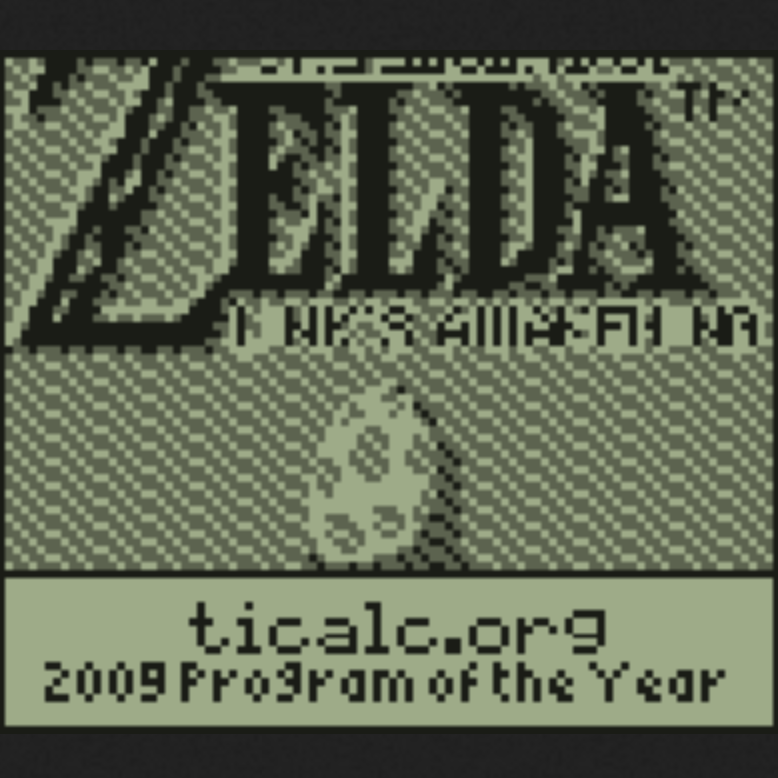
One of the most delightful outcomes of calculator hacking is the game scene. Hobbyists have created puzzle games, platformers, shooters, role-playing games, chess engines, clones of arcade classics, and even experiments that push monochrome displays beyond their intended limits.
Some developers created grayscale effects on black-and-white calculator screens by rapidly flickering pixels. The screen technically did not support gray, but persistence of vision helped create the illusion. It is the kind of trick that feels like cheating physics with good timing and a straight face.
Others explored emulation. Because early calculators and older game systems shared related processor ideas, ambitious programmers experimented with running game-like software or emulated environments on calculators. These projects were rarely practical in the normal sense, but practicality is not the point. Nobody climbs a mountain because the summit has better Wi-Fi.
Why Standardized Testing Preserved an Old Platform
The graphing calculator survived partly because education systems value predictability. A classroom calculator must be durable, familiar, exam-approved, and limited enough to reduce distractions. That is why many testing policies allow certain graphing calculators while restricting devices with communication features, full keyboards, or computer algebra systems.
This created a fascinating side effect. The same rules that kept calculators boring also kept them hackable. Because models stayed similar for long periods, hobbyists had time to learn them thoroughly. Because students kept buying them, the community remained large. Because the devices were limited, programmers had to be inventive.
In a world where consumer electronics often become unsupported after a few years, the calculator became a strangely stable platform. It is not flashy. It is not fast. But it is still there, clicking away like a tiny plastic survivor from a timeline where smartphones never happened.
The Python Era: Modern Features in an Old Shape
Modern calculators have tried to meet students halfway by adding Python or MicroPython support. The TI-84 Plus CE Python Edition lets students write and run Python programs directly on the calculator. NumWorks includes a Python app based on MicroPython, giving users a friendlier programming environment with a more modern interface.
This is where the “obsolete yet modern” idea becomes especially clear. A calculator can look like a traditional exam tool while supporting a language used in data science, automation, education, and software development. The hardware is not a laptop replacement, but it can introduce programming concepts in a controlled, classroom-friendly package.
However, Python on calculators does not replace native code for every purpose. Python is easier to read and teach, but it usually cannot match the raw speed and hardware control of assembly or C. For educational scripts, simulations, and math experiments, Python is excellent. For squeezing a fast game into a tiny device, lower-level programming still has its charm.
Emulators, Archives, and the Community Memory
Calculator hacking would not have lasted without community archives. Sites and forums dedicated to TI, Casio, HP, and other calculator families preserve programs, documentation, tools, and discussions. These communities turned isolated experiments into shared knowledge.
Emulators also changed the workflow. Instead of transferring every test build to a physical calculator, developers can run programs on a computer, debug behavior, inspect memory, and iterate faster. Developer-focused emulators for calculators such as the TI-84 Plus CE make it easier to build serious projects without wearing out the calculator’s transfer cable or the developer’s patience.
This preservation matters because calculator projects are part of computing history. They show how much can be done with limited resources. They also capture the creativity of students and hobbyists who treated a school requirement as an invitation.
Safe and Ethical Calculator Hacking
There is an important boundary: never use calculator hacking to cheat, bypass exam rules, or store prohibited material for tests. That is not clever; it is just a bad plan wearing a fake mustache. Ethical hacking is about learning, ownership, creativity, and responsible experimentation.
If you are exploring calculator programming, follow these principles:
- Use your own device or get permission before modifying one.
- Back up important programs and data before experimenting.
- Understand your school or exam rules before test day.
- Do not install tools or programs intended to hide prohibited content.
- Use emulators and documentation when testing risky ideas.
- Share projects in ways that help others learn responsibly.
Calculator hacking is at its best when it teaches computer science, electronics, optimization, and problem-solving. It is not about sneaking around rules. The real fun is making a small machine do something wonderful that it was never expected to do.
Specific Examples of Calculator Creativity
Formula Solvers
The simplest useful calculator programs are formula solvers. A student can write a menu-driven script for projectile motion, compound interest, statistics, or geometry. These programs are not glamorous, but they teach input handling, variables, and structured thinking.
Games and Graphics
Games push the hardware harder. A calculator game must handle input, timing, display refresh, collision detection, and memory limits. Even a simple puzzle game can become a master class in efficient design.
Alternative Interfaces
Some projects create shells or launchers that organize programs in a friendlier way. These tools often include icons, menus, file management, or shortcuts. They turn the calculator from a plain tool into a tiny operating environment.
Hardware Documentation
Reverse engineering calculator hardware is another valuable branch of the hobby. Enthusiasts document ports, processors, memory layouts, display controllers, and circuit boards. This work helps preserve devices that manufacturers may no longer explain in detail.
Why This Hobby Still Feels Fresh
Calculator hacking remains interesting because it gives people a manageable system to understand completely. Modern computers are enormous ecosystems. A calculator is smaller, quieter, and less intimidating. You can learn its limits. You can break things without destroying your digital life. You can write a program and watch it run on a physical device that fits in your hand.
There is also nostalgia, of course. Many people remember the classmate who could install games before math class. Others remember writing their first program and feeling like they had discovered a secret door in the wall. But nostalgia alone does not explain the hobby’s endurance. Calculator hacking survives because it remains genuinely educational.
It teaches that hardware matters. It teaches that limitations can inspire better design. It teaches that communities preserve knowledge better than product brochures. Most importantly, it teaches that curiosity can turn an ordinary object into a playground.
Experience Notes: What Hacking an Obsolete Yet Modern Calculator Feels Like
The first experience most people have with calculator hacking is not dramatic. There is no thunder, no glowing terminal, no dramatic zoom-in on a blinking cursor. Usually, there is just a calculator, a confusing menu, and the sudden realization that this thing has a programming editor hiding behind a button combination you previously ignored.
At first, the process feels awkward. Typing code on a calculator keyboard is not like typing on a laptop. Every command is tucked behind menus. Symbols require patience. A simple line of code can feel like assembling furniture with chopsticks. But that awkwardness quickly becomes part of the charm. You slow down. You think before typing. You learn the machine’s rhythm.
A beginner project might be a quadratic formula solver. You enter values for a, b, and c, then the calculator returns the roots. It is basic, but it feels powerful because you built it yourself. The next step might be a menu for physics formulas, then a random number game, then a small animation. Before long, you are thinking about screen coordinates, input loops, and how to make text appear without making the display look like it lost a fight with a spreadsheet.
The most memorable part is the feedback loop. You write something, run it, watch it fail, fix one line, run it again, and suddenly it works. The calculator does not flatter you. It does not autocomplete your dreams. It simply obeys exactly what you typed, including the mistakes. That makes every success feel earned.
There is also a special joy in discovering community-made programs. You download a game or utility and realize someone squeezed a surprising amount of design into a tiny device. A smooth menu, a clever sprite, or a fast routine can feel more impressive than a bloated modern app because the developer had so little room to waste. The calculator becomes a museum of clever compromises.
Working with an old calculator also teaches humility. Modern devices hide complexity behind polished interfaces. Calculators expose the rough edges. Memory is limited. Speed matters. Files have strange formats. A crash can wipe your work if you were careless. These frustrations are not bugs in the learning experience; they are the learning experience.
For hobbyists, the best approach is to treat calculator hacking like restoring a vintage motorcycle, not like unlocking a vending machine. Respect the device. Learn its history. Use documentation. Back up your work. Start small. Celebrate tiny wins. A blinking pixel moving across the screen may not impress the internet, but when you made it happen on hardware designed mostly for homework, it feels like a parade.
The biggest takeaway is that calculator hacking makes computing feel personal again. It strips away the cloud, the app store, the subscription plan, and the endless notifications. What remains is a small machine, a limited set of tools, and your ability to think creatively. That is why an obsolete yet modern calculator is still worth hacking: it reminds us that technology is not only something we consume. It is something we can understand, reshape, and occasionally convince to run a tiny game when it was clearly expecting algebra.
Conclusion: The Little Machine That Refuses to Be Boring
Hacking an obsolete yet modern calculator is really about rediscovering the joy of small computing. These devices may look outdated beside phones and laptops, but they remain powerful teaching tools. Their limits are not weaknesses; they are invitations. They challenge programmers to be efficient, curious, and inventive.
The graphing calculator survived because schools needed stable tools, but hobbyists gave it a second life as a creative platform. From TI-BASIC scripts to assembly games, from Python experiments to emulators and archives, calculator hacking proves that innovation does not always require the newest hardware. Sometimes it only requires an old device, a stubborn mind, and enough curiosity to press the buttons everyone else ignores.