The iPhone is basically a Swiss Army knife that also texts your mom back. But out of the box, it’s more like a Swiss Army knife
with the safety cap still on. The right apps turn it into a pocket studio, personal trainer, travel buddy, finance coach, and
“please don’t let me forget my dentist appointment” assistantall while making you feel wildly organized for about 12 minutes.
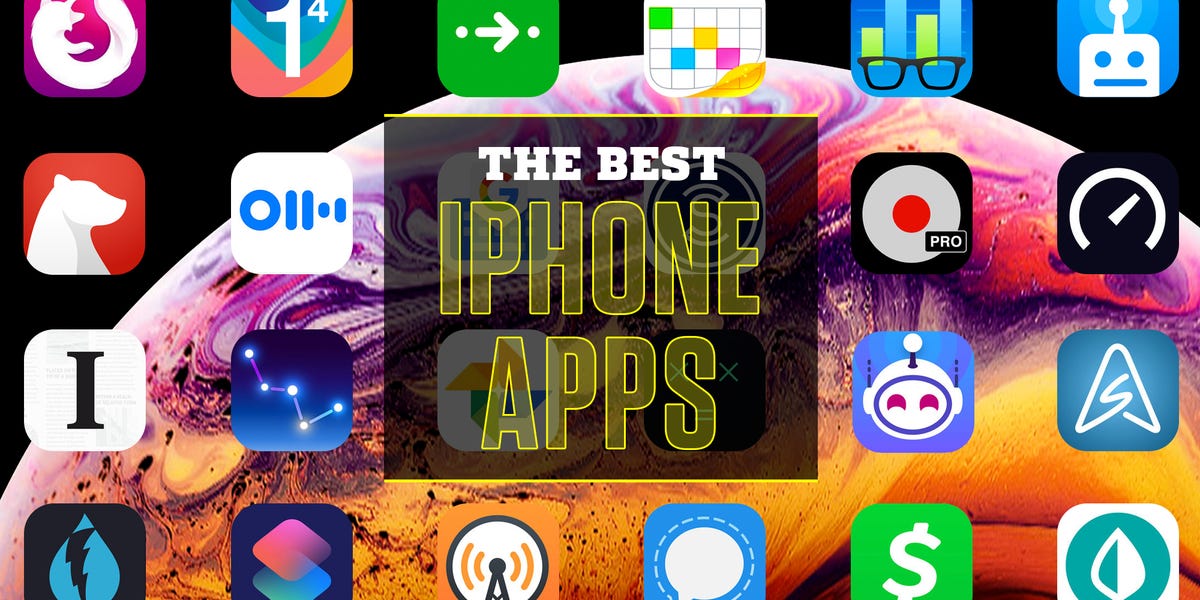
This guide rounds up the best iPhone apps worth your storage space (and your attention span). I’m keeping it practical:
apps that are genuinely useful, play nicely with iOS, and don’t require a PhD in Tapping Tiny Buttons. Expect a mix of big-name
essentials and a few “how did I live without this?” picksorganized by what you’re trying to do, not what the App Store feels
like promoting this week.
How I Picked These Apps (So You Don’t End Up with 83 “Maybe Someday” Downloads)
1) iPhone-first experience
The best iOS apps feel native: smooth animations, great widgets, lock screen support, Share Sheet integration, and
sensible notifications (no, a weather app does not need to ping you like a breaking-news desk).
2) Clear value in real life
Every app below answers at least one of these questions: Does this save time? Does it reduce stress? Does it help me create
something? Does it keep me safer? If it’s only “fun” but also a battery vampire, it didn’t make the cut.
3) Trust, privacy, and long-term usefulness
Many apps are free because you’re the product. I favored apps with strong reputations, clear privacy practices, and features that
won’t feel obsolete the moment iOS gets its next glow-up.
Best Productivity & Organization Apps
Tiimo (Planning that doesn’t feel like punishment)
If traditional to-do lists make you feel like you’re being audited by your own brain, Tiimo’s visual timeline approach can be a relief.
It’s built for routines, reminders, and breaking tasks into something your day can actually holdespecially if you think in pictures,
blocks of time, or “vibes” more than bullet points. It’s a strong pick among iPhone productivity apps because it keeps planning
calming instead of chaotic.
Notion (Your second brain, minus the creepy sci-fi)
Notion is the “everything bucket” that can become a notes app, project tracker, content calendar, recipe vault, or lightweight CRM.
The magic is flexibility: databases, templates, quick pages, and collaboration when you need it. If your life is a lot of moving parts,
Notion helps you stop duct-taping five apps together.
Microsoft OneNote (The underrated note powerhouse)
OneNote is great when you want structure without rigidity: notebooks, sections, pages, and quick capture. It’s especially handy if you
already use Microsoft 365 or want reliable syncing across devices. Think of it as a digital binder that doesn’t explode in your backpack.
Apple Shortcuts (Make your iPhone do the boring stuff)
Shortcuts is the app that turns “I should automate that” into “Wait… my phone can do that?” You can build tap-once actions like:
start a work timer, text your ETA, open your parking app, and queue your focus playlist. The best part is personal automation
actions triggered by time, location, or opening an appso your iPhone quietly becomes your assistant instead of your distraction machine.
Best Communication & Messaging Apps
Signal (Private messaging that means it)
Signal focuses on secure communication with end-to-end encryption by default for messages and calls. Translation: the point is privacy,
not ads, not “engagement,” not “we analyzed your vibes.” If you want a serious alternative to standard texting (especially for sensitive
conversations), Signal belongs on your home screen.
FaceTime (Still the easiest “tap and you’re there” video call)
For Apple-to-Apple video calls, FaceTime remains ridiculously convenient. It’s built-in, reliable, and doesn’t feel like you’re joining a
corporate meeting when you just want to see your friend’s new puppy.
WhatsApp (The group chat glue)
Whether it’s family threads, travel logistics, or that one group chat that sends 246 messages while you blink, WhatsApp stays popular
for a reason: it works across platforms and makes sharing photos, voice notes, and location easy. If your social circle is mixed iPhone
and Android, it’s often the default bridge.
Best Photo & Video Apps (Because the iPhone Camera Deserves Backup)
Google Photos (Search your memories like a search engine)
Google Photos is excellent if you want powerful search (“beach,” “dog,” “receipt,” “that pasta place”) and easy sharing across devices.
It’s especially useful for families who share albums and people who want smart organization without manually sorting 9,000 screenshots.
Snapseed (Serious edits without a subscription tantrum)
Snapseed remains a favorite for quick, high-quality photo editing: selective adjustments, perspective fixes, and enough polish to make
your lunch look like it had better lighting than your entire apartment.
Lightroom (When you want pro control)
Adobe Lightroom is the pick for photographers who care about color, detail, and consistent edits. If you shoot a lottravel, food,
portraitsand want your photos to feel intentional, Lightroom’s toolset is hard to beat.
Best Navigation & Travel Apps
Google Maps (The “don’t get lost” standard)
Google Maps is still the everyday champ for directions, traffic, transit, and place discovery. Features like Live View (AR walking
directions) can be a lifesaver in dense city blocks where every building looks like “Generic Glass Rectangle #7.” It’s one of the most
essential iPhone travel apps for anyone who leaves their house on purpose.
AllTrails (Your outdoors cheat code)
If you hike, walk, run trails, or just want “nature but with a plan,” AllTrails is a standout. It combines trail maps, community reviews,
and route info so you can pick something that matches your mood and skill level (and avoid the kind of “easy” trail that turns out to be
900 vertical feet of regret).
Flighty (For people who like knowing what’s happening)
Frequent flyers love Flighty because it focuses on the stuff that actually matters: delays, gates, aircraft, and timing signals that help
you plan your next move. If air travel stresses you out, having clearer visibility helps you feel less at the mercy of the departure board.
Best Money & Spending Apps
YNAB (Budgeting with fewer guilt spirals)
You Need A Budget (YNAB) is popular because it’s not just expense trackingit’s a system for giving your dollars a job. If you want to
stop wondering where your money went (spoiler: “little treats”), YNAB’s method is practical and surprisingly empowering once it clicks.
Apple Wallet (Boring in the best way)
Wallet is the unsung hero: payments, passes, tickets, and a growing set of everyday essentials. It’s not flashy, but it quietly reduces
frictionexactly what a good iPhone app should do.
Best Health & Fitness Apps
Strava (Track workouts, then get strangely motivated by strangers)
Strava is part tracker, part community, part “how did they run that fast?” It’s great for running, cycling, and walking, and it fits nicely
into the Apple ecosystem with Apple Watch support. If you like goals, challenges, and seeing progress over time, Strava can keep you consistent.
Apple Health + Fitness (The hub you should actually open)
Apple Health is where your iPhone quietly becomes useful: trends, activity, sleep, vitals (depending on devices), and health records where
available. Pair it with Fitness for activity tracking and workouts, and you get a solid baseline system without needing five separate apps.
Calm or Headspace (Pick your brain’s preferred flavor of chill)
Meditation apps can be a surprisingly practical upgradeespecially if your phone is also your stress source. Calm and Headspace both offer
guided sessions for sleep, anxiety, focus, and breathing. The “best” one is whichever voice doesn’t annoy you at 11:47 p.m.
Best Reading & Learning Apps
Libby (Your library card’s superpower)
Libby lets you borrow ebooks, audiobooks, and more from your local library for free. It’s one of the highest value apps you can put on an
iPhone because it replaces subscriptions with… a library. (Remember those? They’re still awesome.) If you read even a little, Libby is
an instant win.
Duolingo (Learning that feels like a gameon purpose)
Duolingo makes language learning approachable with short lessons, streaks, and just enough playful pressure to get you to practice.
Is it perfect? No. Is it effective for building consistency and basics? Absolutelyespecially for beginners who need momentum more than
textbooks.
Kindle (If you want ebooks everywhere)
Even if you don’t own a Kindle device, the Kindle iPhone app is a solid ebook reader with syncing and a comfortable reading experience.
It’s a good pick for people who like picking up a book in line, on the couch, and in bedwithout losing their spot.
Best Entertainment Apps
Spotify or Apple Music (Your soundtrack, your rules)
For streaming music, these two cover nearly everyone. Spotify is famous for discovery and playlists; Apple Music is tightly integrated with iOS.
Choose the one that best matches your habitsand the one your friends’ playlists live on, if you’re a social listener.
YouTube (The everything channel)
Tutorials, music, news, long-form essays, cooking, tech reviews, and the exact video you need to fix a weird noise your car is making.
YouTube is still the internet’s biggest “how-to” machine.
Netflix (The “just one episode” lie)
Netflix remains a go-to for streaming. The iPhone app is polished, downloads are handy for travel, and the only real danger is convincing
yourself that sleep is optional.
Best Security & Privacy Apps
Bitwarden (Passwords and passkeys, organized)
A password manager is one of the best “adulting” upgrades you can make. Bitwarden is widely trusted, works across devices, and makes it
easier to use strong, unique logins without needing to memorize anything besides your master password. If you’re serious about security,
this is a cornerstone app.
Firefox (A solid alternative browser)
Safari is great, but having a second browser can be usefulespecially if you prefer a different privacy approach, extensions on desktop,
or just want to separate “work tabs” from “I swear this is research” tabs.
Underrated Built-In Apple Apps Worth Using More
Notes + Reminders (Quietly excellent)
Apple Notes has matured into a dependable everyday tool: quick capture, organization, scanning, and easy sharing. Reminders is similarly
underratedespecially with lists, recurring tasks, and location-based nudges (“remind me when I get to the grocery store” is a life hack
that costs exactly $0).
Files (Your iPhone can handle documentsreally)
If you’ve ever emailed a file to yourself like it’s 2012, Files is your intervention. It’s a simple way to manage documents across iCloud,
third-party storage providers, and your device. Once you start using it, you’ll wonder why you ever suffered.
Pro Tips: Make These Apps Feel Even Better on iPhone
Use widgets and the lock screen for the “two-second rule”
The best iPhone setup reduces friction. Put your most-used actions one tap away: a calendar widget, a to-do widget, a fitness shortcut,
a music control. If it takes longer than two seconds, your brain will negotiate with you and lose.
Build 3–5 Shortcuts you actually use
Start small: “Start Work,” “I’m Driving,” “Gym Time,” “Bedtime,” “Weekend.” Tie them to focus modes, locations, or a home screen button.
When your phone does the setup for you, you keep the good habits.
Go on a notification diet
Keep notifications for messaging, calendar, and a few essentials. Everything else can earn its way back onto your lock screen.
Your attention is expensive; stop giving it away like free samples at the mall.
Conclusion
The best iPhone apps aren’t just popularthey’re the ones that make your day smoother: planning that sticks, photos that pop,
navigation that prevents accidental urban hiking, workouts you can track, and privacy tools that keep your data from becoming someone else’s business model.
Start with one category that matters most to you, install two or three apps, and actually use them for a week. Your future self will say thank you.
Your storage bar will also calm down.
Extra: Real-World iPhone App Experiences (500-ish Words of “What This Looks Like in Life”)
Here’s how the “best apps for iPhone” conversation usually plays out in the real world: you download a bunch of apps, feel powerful for an afternoon,
and then forget half of them exist because they’re buried on page six of your home screen next to “Air Horn Prank Deluxe” (no judgment).
The fix isn’t downloading more appsit’s building a small, repeatable rhythm with a few that actually reduce friction.
A typical weekday setup might start with a planning app like Tiimo or a system like Notion. The key is not turning your life into a spreadsheetunless
spreadsheets relax you, in which case, please teach the rest of us your wizardry. The best approach is picking one place to capture tasks (Tiimo, Reminders,
or Notion), one place for notes (Notes, OneNote, or Notion), and then letting everything else support that core. When tasks and notes scatter across five apps,
your brain becomes the “sync engine,” and it is underqualified for that job.
On the go, navigation apps become the quiet heroes. Google Maps is the obvious one, but the real upgrade is using features that lower stresslike Live View
for walking directions when you’re surrounded by identical buildings and your confidence drops to zero. If your weekends include trails, AllTrails can save you
from the classic mistake of trusting a vague “this path seems right” instinct. (That instinct has led many good people into very unnecessary bushes.)
For learning, Libby and Duolingo shine because they fit into tiny pockets of time. Waiting for coffee? Ten minutes of an audiobook. Sitting in a rideshare?
A quick language lesson. These apps work because they don’t demand you “find time”they let you steal time back in small, satisfying chunks.
The most noticeable quality-of-life improvement, though, usually comes from two unsexy moves: a password manager and a few Shortcuts. Bitwarden removes the
mental load of remembering logins and helps you avoid password reuse (which is basically leaving your front door key under a neon sign that says “KEY HERE”).
Shortcuts, meanwhile, is like hiring a tiny assistant who only does exactly what you tell them, but does it instantly. Make one shortcut that starts your day:
open your calendar, show today’s tasks, play your focus playlist. Make one that ends your day: set an alarm, turn on Do Not Disturb, open your reading app.
Now your phone is shaping your routine instead of interrupting it.
Finally, the “best app” is often the one you actually keep on your first home screen. Keep your setup honest: if you don’t use something weekly, bury it.
If you use something daily, promote it. Your iPhone is a tooljust one with an extremely persuasive talent for becoming a toy. The right apps, arranged well,
tip the balance back in your favor.