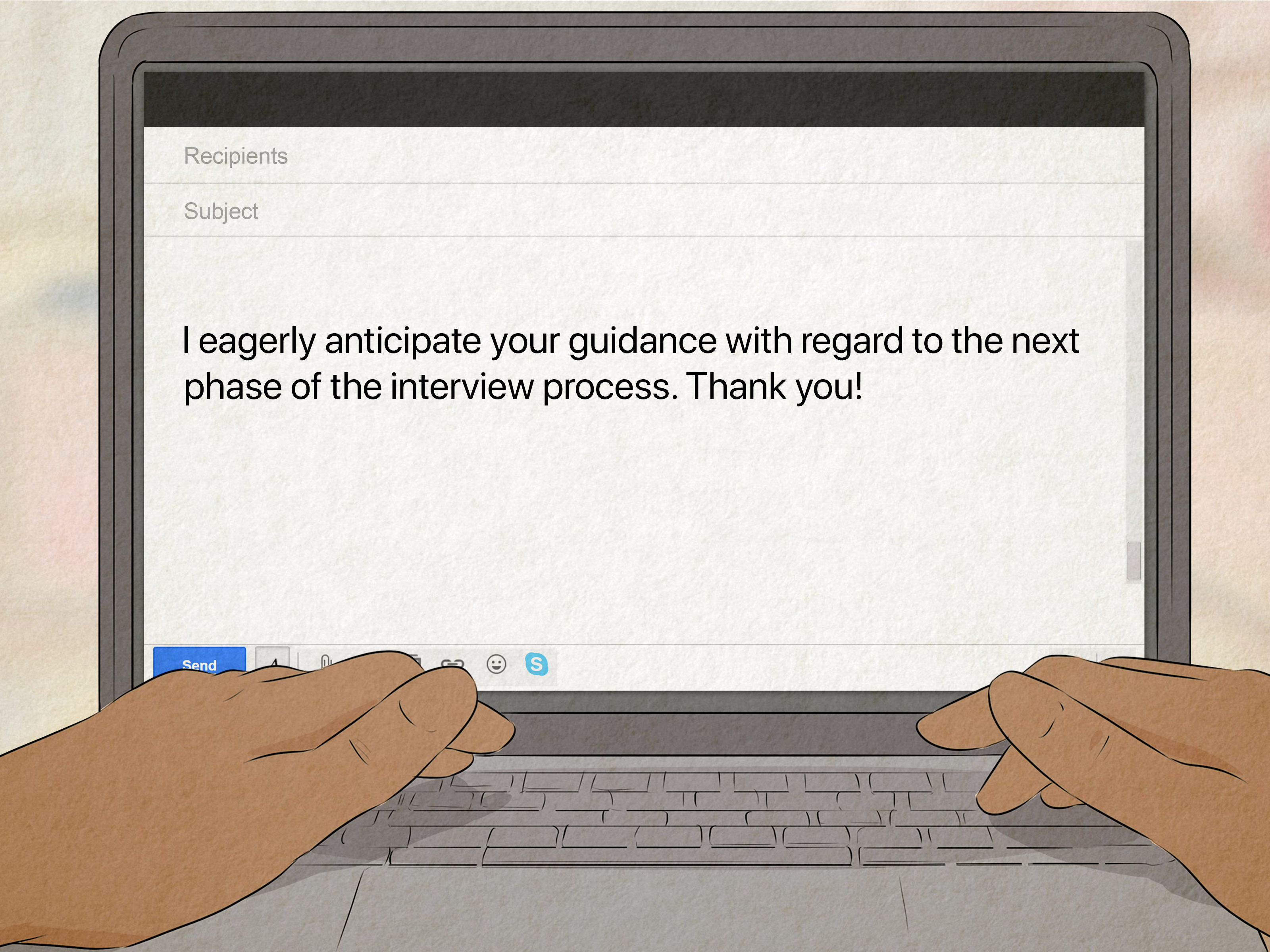
If you want to improve your writing skills, the good news is that you do not need a magical quill, a cabin in the woods, or a dramatic thunderstorm outside your window. You need the right tools, a little consistency, and enough self-awareness to admit that your “brilliant first draft” may, in fact, look like it was written during a caffeine emergency.
The best writing tools do more than catch typos. They help you organize ideas, sharpen clarity, fix rhythm, manage research, find better words, and actually finish what you start. Some are built for grammar. Some are made for long-form drafting. Others are excellent at note-taking, focus, citation management, or vocabulary support. Together, they can help students, bloggers, marketers, novelists, freelancers, and anyone else who works with words become stronger, faster, and more confident writers.
Below is a practical list of 34 of the best tools for improving your writing skills. This is not a random pile of apps wearing a fake mustache and pretending to be useful. It is a balanced writing stack, covering the full process from brainstorming to proofreading.
What Makes a Writing Tool Worth Using?
A useful writing tool should do at least one of four things well: help you think, help you draft, help you revise, or help you publish cleaner work. The best ones save time without flattening your voice. They do not turn every sentence into beige corporate oatmeal. They simply make it easier to say what you mean with more precision and less fuss.
The 34 Best Writing Tools
Editing, Clarity, and Style Tools
- Grammarly
Grammarly is one of the most familiar writing assistants for a reason. It checks grammar, spelling, punctuation, tone, and clarity in real time, which makes it especially helpful for emails, essays, blog posts, and business writing. If you tend to write fast and clean up later, Grammarly is like having a polite editor tapping you on the shoulder before you embarrass yourself in public. - ProWritingAid
ProWritingAid is ideal for writers who want deeper feedback than a basic grammar checker can offer. It looks at readability, overused words, pacing, style, sentence variety, and structure, making it a favorite for long-form writers and authors. Think of it as the coach who points out not only that you missed the shot, but also why your form keeps betraying you. - Hemingway Editor
Hemingway Editor is great for trimming bloated prose and making writing easier to read. It highlights hard-to-read sentences, passive voice, and unnecessary complexity. If your draft sounds like it swallowed a legal memo, Hemingway can bring it back down to earth. - LanguageTool
LanguageTool is a strong option for multilingual writers or anyone who wants grammar and style checking beyond standard English. It supports multiple languages and dialects, which makes it useful for international teams and writers switching between American and British English. It is especially handy when your sentence is technically correct but still sounds a little off. - QuillBot
QuillBot is widely used for paraphrasing, rewriting, summarizing, and citation-related tasks. It can help you rework clunky sentences or explore alternative phrasing when you are stuck. Used well, it supports revision; used badly, it turns writing into a weird game of telephone, so keep your hands on the wheel. - Wordtune
Wordtune focuses on rewriting and sentence-level refinement. It is especially useful when your idea is clear in your head but your sentence comes out looking like three half-finished thoughts in a trench coat. It helps with tone, flow, and rephrasing without demanding a full rewrite. - Slick Write
Slick Write is a free online tool that checks grammar and flags stylistic problems. It is not as polished as some premium tools, but it is fast, simple, and helpful for catching repetition or awkward phrasing. For budget-conscious writers, it punches above its weight. - Writer
Writer is especially useful for teams that need consistent brand voice, terminology, and style rules. It is less about fixing one sentence and more about helping an organization write with the same editorial standards across many people. If your team has ever argued over “e-commerce” versus “ecommerce” for forty minutes, Writer starts to look beautiful.
Drafting and Document Creation Tools
- Google Docs
Google Docs remains one of the most practical writing tools because it is easy to use, easy to share, and easy to access almost anywhere. Comments, suggestions, version history, and voice typing make it great for collaboration and first drafts. It is the digital equivalent of a notebook that somehow never gets lost under the couch. - Microsoft Word
Microsoft Word still deserves a place on this list because it handles serious writing projects well and offers strong editing, formatting, review, and AI-assisted drafting features. It is particularly useful for academic, business, and professional documents where formatting matters. Word is not flashy, but it is dependable, like that friend who always brings extra batteries. - Notion
Notion works well for writers who like to combine notes, outlines, research, and drafts in one workspace. It is excellent for planning content calendars, article briefs, interview notes, and modular writing projects. If your writing process includes ten tabs, seven half-finished outlines, and one existential crisis, Notion can help. - Scrivener
Scrivener is built for large writing projects such as novels, dissertations, screenplays, and nonfiction books. Its binder, corkboard, and scene-level organization features make it easy to move pieces around without wrecking the whole manuscript. It is less a word processor and more a command center for people writing something longer than a LinkedIn post. - Ulysses
Ulysses is a polished writing app for Apple users who want a clean, focused environment with strong organization and export tools. It is popular with writers who like minimalism but still need structure. In other words, it is tidy, elegant, and just smug enough to know it looks good doing its job. - Reedsy Studio
Reedsy Studio is especially useful for authors who want to plan, draft, edit, and format a book in one place. It is friendly for long-form writing and publishing workflows without feeling overly technical. If you are writing a book and your desktop is covered in digital sticky notes, Reedsy Studio can restore order. - LibreOffice Writer
LibreOffice Writer is a solid choice for writers who want a full-featured word processor without a subscription. It handles everything from simple drafts to large documents and gives budget-minded writers a capable offline option. Free does not always mean flimsy, and this is a good example. - iA Writer
iA Writer is known for its distraction-free interface and Focus Mode, which helps writers stay on the sentence or paragraph in front of them. It is ideal for people who write best when the screen stops yelling. Less clutter, fewer buttons, more words.
Idea Capture, Notes, and Knowledge Management
- Obsidian
Obsidian is excellent for writers who think in networks instead of neat little folders. Backlinks, graph view, templates, and linked notes help you connect themes, sources, and ideas over time. It is especially useful for researchers, essayists, and nonfiction writers building a long-term knowledge base. - Evernote
Evernote remains a useful option for collecting research, clipped articles, meeting notes, and writing references. Its search and organization features make it good for writers who gather a lot of material before drafting. If your process is part writing and part digital squirrel behavior, Evernote can help sort the acorns. - OneNote
OneNote is a flexible note-taking tool that works well for writers managing research, outlines, brainstorming pages, and scattered ideas. Its notebook structure is intuitive, especially for students and project-based writers. It feels like a giant binder, but without the torn tabs and mystery crumbs. - Google Keep
Google Keep is simple, fast, and perfect for capturing fleeting ideas before they vanish forever. It is not where most people write final drafts, but it is an excellent place to save titles, opening lines, quote ideas, or to-do lists. Sometimes the best writing tool is just the one you actually open. - Bear
Bear is a clean Markdown note app with elegant organization through tags. It works well for writers who want a minimal interface for capturing thoughts, drafting short pieces, or keeping personal idea archives. It is quiet, flexible, and refreshingly low-drama. - Otter
Otter is a useful writing support tool because it turns spoken conversations and ideas into searchable text. Writers can use it for interviews, brainstorming out loud, or transcribing meetings and voice notes. If your mouth works faster than your fingers, Otter is worth knowing. - Freedom
Freedom is not a writing app in the usual sense, but it may save more sentences than any grammar checker. It blocks distracting websites and apps across devices, which is extremely helpful when “I’ll just check one thing” becomes forty-seven minutes of nonsense. Focus is a writing skill too.
Research and Citation Tools
- Zotero
Zotero is one of the best tools for collecting, organizing, annotating, and citing research sources. It is especially valuable for academic writing, journalism, and evidence-heavy nonfiction. If your writing needs receipts, Zotero brings the receipts and color-codes them. - ZoteroBib
ZoteroBib is a quick bibliography tool that is perfect when you need clean citations without setting up a full reference manager. It is fast, simple, and useful for students or writers working on shorter assignments. Not every project needs a giant system; sometimes you just need the citation and a snack. - Mendeley Cite
Mendeley Cite works inside Word and helps writers insert citations and generate bibliographies more easily. It is particularly helpful for research papers and scholarly writing. If citation formatting makes your eye twitch, this tool can lower your blood pressure a little. - Purdue OWL
Purdue OWL is one of the most trusted online writing resources for grammar help, citation guidance, cover letters, and general writing instruction. It is not flashy, but it is incredibly useful. Many students meet it in panic and keep returning long after the deadline is gone. - APA Style
APA Style is essential for writers working in psychology, education, social sciences, and many academic settings. It helps with paper formatting, references, and clear scholarly communication. It is a style resource, yes, but also a sanity-saving tool when formatting rules start multiplying like rabbits. - MLA Style Center
MLA Style Center is an excellent resource for humanities writing, especially literature, language, and cultural studies. It helps writers format papers and document sources correctly. It is one of those tools you hope you will not need, right until you absolutely need it.
Word Choice, Vocabulary, and Fine-Tuning Tools
- OneLook
OneLook is brilliant when you know the idea you want but cannot remember the exact word. Its reverse dictionary and thesaurus features are especially helpful for breaking out of vocabulary ruts. It is basically a search party for missing words. - Merriam-Webster
Merriam-Webster is still one of the best everyday tools for checking definitions, usage, nuance, and word history. Strong writing depends on precision, and this is where precision lives. When in doubt, verify the word instead of bluffing with confidence. - Dictionary.com
Dictionary.com is useful for definitions, example usage, and quick vocabulary checks. It is a practical everyday companion when you need to confirm meaning or avoid using a word in a way that would make your old English teacher rise from the fog. - Thesaurus.com
Thesaurus.com helps writers find alternatives when a sentence is technically fine but painfully repetitive. The trick is to use it for nuance, not for showing off. Nobody needs “pulchritudinous” where “beautiful” will do. - Cliche Finder
Cliche Finder is wonderfully blunt. Paste in your text, and it highlights tired phrases and overused expressions that weaken originality. It is humbling, useful, and occasionally rude in the exact way a good editing tool should be.
How to Choose the Right Writing Stack
You do not need all 34 tools. In fact, using all 34 at once would feel less like a workflow and more like a hostage situation. A better approach is to build a small stack based on your needs.
For students, a strong combination might be Google Docs, Grammarly, Zotero, Purdue OWL, and OneLook. For content writers and marketers, Notion, Google Docs, Grammarly, Hemingway Editor, and Freedom make an efficient setup. For authors, Scrivener, ProWritingAid, Obsidian, Reedsy Studio, and Cliche Finder create a smart long-form workflow. Academic writers may prefer Word, Zotero, Mendeley Cite, APA Style or MLA Style Center, and LanguageTool.
The point is not to collect tools like trophies. The point is to remove friction from your writing process so that skill can grow through repetition, revision, and feedback.
What Using These Writing Tools Actually Feels Like
In real life, improving your writing with tools is rarely a dramatic movie montage where your keyboard catches fire and suddenly you become a genius. It feels more ordinary than that, and that is exactly why it works.
At first, the experience is mostly about awareness. A tool like Grammarly or LanguageTool shows you how often you repeat the same punctuation mistakes. Hemingway reveals that your “smart” sentences may actually be exhausting to read. Thesaurus tools remind you that you have been leaning on the same five adjectives like they are paying rent. It can be a little bruising at first, but in a productive way. You start to notice your habits instead of writing on autopilot.
Then comes the stage where tools help you move faster. Google Docs makes drafting easy. Notion or Obsidian helps you keep research from turning into digital spaghetti. Otter captures thoughts when typing feels too slow. Freedom blocks the websites that mysteriously become fascinating the second you sit down to write. You stop wasting energy looking for notes, citations, or the exact article you swore you saved somewhere. That saved energy goes back into the writing itself.
The most interesting part is how tools begin to change your instincts. After a while, you start catching weak transitions before the app flags them. You hear clunky rhythm sooner. You trim filler words faster. You become more deliberate about tone, structure, and word choice. The software is still there, but it slowly shifts from training wheels to a mirror. It reflects your patterns until you learn from them.
There is also a big emotional benefit. Writing can feel chaotic, especially when you are juggling ideas, deadlines, revisions, and research. The right tools make the process feel less slippery. A good note app reduces panic. A citation tool reduces dread. A focus app reduces temptation. And a strong editor reduces the classic late-night fear that your draft is held together with wishful thinking and commas.
Of course, tools do not replace judgment. They cannot decide what is truly original, what sounds human, or what argument is worth making. They can suggest, highlight, organize, and accelerate, but they cannot substitute for taste. The best experience comes when you treat these tools as assistants, not authors. You stay in charge. They simply make it easier for your best thinking to show up on the page.
That is why the best writing tools are not just about producing cleaner copy. They help you build better habits. They make revision less painful, drafting less intimidating, and practice more consistent. Over time, that is where real improvement happens. Not in one perfect draft, but in hundreds of smarter decisions made a little faster, a little more confidently, and with far fewer avoidable mistakes.
Final Thoughts
The best tools for improving your writing skills are the ones that support your process without hijacking your voice. Some help you think more clearly. Some help you draft faster. Some help you revise with more honesty. And some simply stop you from wandering into the internet wilderness when you were supposed to be writing paragraph three.
If you choose carefully, even a small toolkit can make a huge difference. Better writing is not about sounding fancier. It is about being clearer, sharper, and more intentional. The right tools make that easier, and over time, easier becomes better.