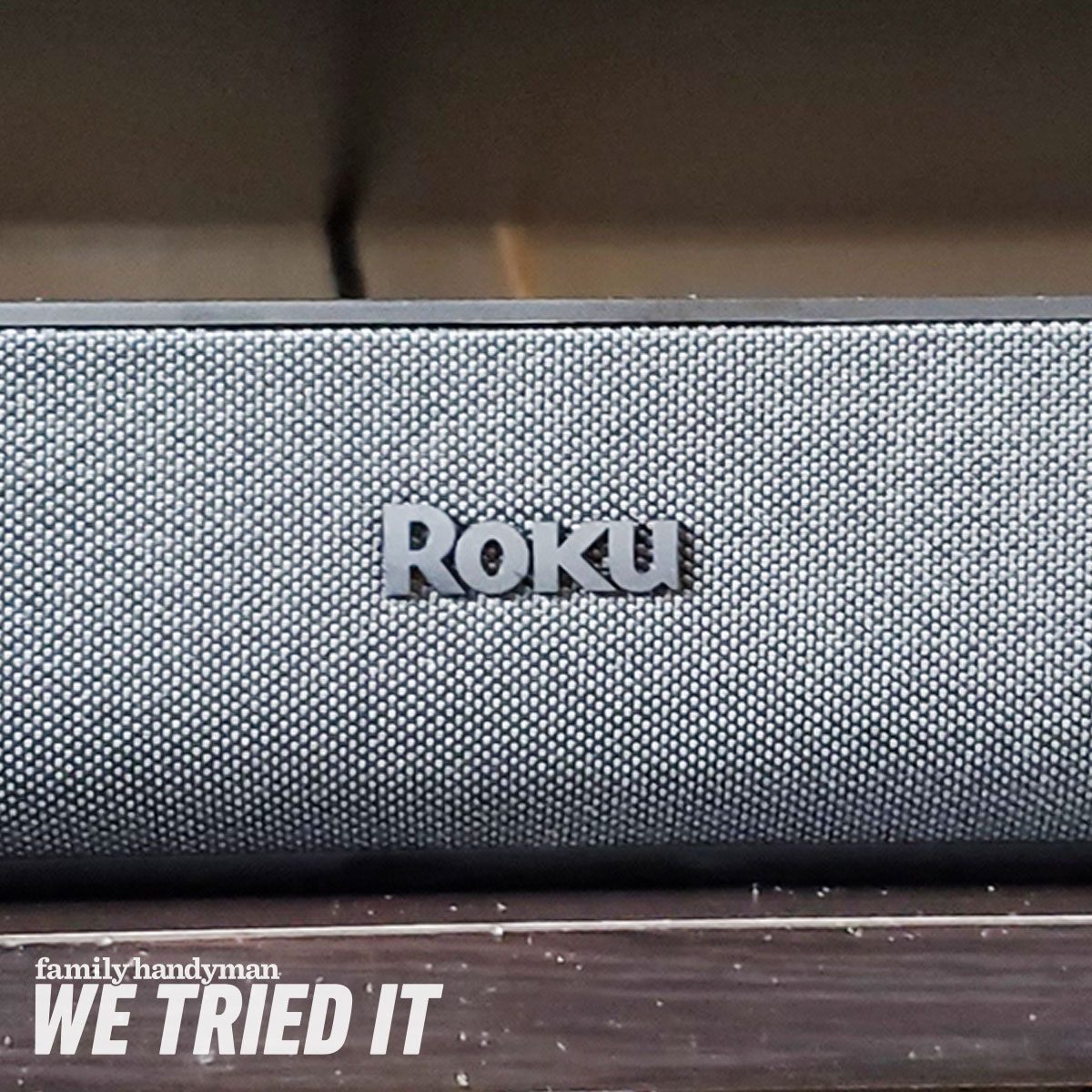
The Roku Streambar is what happens when a streaming box and a compact soundbar decide to split the rent. Instead of adding another dongle, another remote, and another mysterious cable to the entertainment center, this 14-inch device combines Roku’s familiar streaming platform with a four-driver speaker system.
Its mission is refreshingly practical: make an older or inexpensive television smarter, make thin TV speakers sound clearer, and do both without turning the living room into an electronics warehouse. It streams video at up to 4K resolution with HDR10 and HLG support, connects through HDMI ARC, and includes dialogue-enhancement tools that can rescue conversations from booming music and explosive action scenes.
The original Roku Streambar, model 9102R, is no longer manufactured, although Roku still lists it as an updatable device. That makes this review especially useful for shoppers considering clearance inventory, refurbished units, or a used Streambar. It also helps explain how the original model compares with Roku’s newer Streambar SE.
Roku Streambar Review: Quick Verdict
The Roku Streambar remains an appealing two-in-one upgrade for bedrooms, apartments, kitchens, dorm rooms, and other compact spaces. Its streaming performance is more impressive than its audio power, but the speaker system still delivers a noticeable improvement over the weak, downward-firing speakers built into many televisions.
Dialogue sounds clearer, the soundstage feels wider than the cabinet suggests, and Roku OS makes finding and launching services pleasantly straightforward. However, deep bass is limited, cinematic surround effects are modest, and serious home-theater fans will miss Dolby Vision, Dolby Atmos, and a dedicated center channel.
What We Like
- 4K streaming at up to 60 frames per second
- HDR10 and HLG support
- Compact, unobtrusive 14-inch design
- Clear dialogue and wider sound than most TV speakers
- Useful speech clarity, leveling, and night modes
- Easy-to-use Roku interface and voice remote
- Optional wireless bass and surround upgrades
What Could Be Better
- No Dolby Vision or HDR10+ support on the original model
- No Dolby Atmos playback
- Limited deep bass without an optional subwoofer
- No built-in Ethernet port
- No HDMI input for connecting and passing through another device
- Not powerful enough for a large home-theater room
Design: Small Enough to Disappear Beneath the TV
The Roku Streambar measures approximately 14 inches wide, 4.2 inches deep, and 2.4 inches high. It weighs about 2.4 pounds, so it is closer in size to a large loaf of bread than a traditional living-room soundbar. Fortunately, it produces considerably better audio than baked goods.
Black fabric covers the front and sides, while a soft-touch surface finishes the top. There are no buttons cluttering the cabinet. A small status light provides basic feedback without glowing brightly enough to distract you during a dark movie scene.
Two 1.9-inch drivers face forward, while two additional drivers are angled outward at the ends. That arrangement helps create a soundstage wider than the Streambar’s compact body. Each driver has its own amplification, giving the system enough energy for normal television viewing and casual music listening in a small or medium-size room.
The rear panel includes HDMI ARC, optical digital audio, USB 2.0, power, and a reset control. Threaded mounting points make wall installation possible with a compatible third-party bracket. Most owners, however, can simply place the Streambar beneath the screen without rearranging the furniture or negotiating a construction permit with the rest of the household.
Check the TV Stand Before Buying
Although the Streambar is short, its 4.2-inch depth can matter on a narrow stand. It may also block the infrared receiver or lower edge of a television with very little clearance. Measure the available space rather than relying on the time-honored technical method known as “that looks like it should fit.”
Setup and Connectivity
Setup is one of the Roku Streambar’s strongest qualities. Connect the included HDMI cable to the television’s HDMI ARC port, plug in the power adapter, connect the device to Wi-Fi, and follow the on-screen instructions. The system may download software updates and restart before it is ready.
HDMI ARC allows the Streambar to play audio from its built-in Roku apps and from other sources connected to the television, including a cable box, Blu-ray player, antenna tuner, or game console. When HDMI-CEC works correctly, the included remote can also control television power, volume, and mute functions.
An optical cable can be used with older televisions or when HDMI ARC is unavailable. Optical connectivity provides reliable audio, although it may not offer the same level of power and device control as HDMI-CEC.
Wi-Fi and Ethernet Options
The Streambar uses dual-band Wi-Fi for streaming. There is no dedicated Ethernet jack, but compatible 10/100 USB Ethernet adapters can provide a wired network connection. Because the USB port is also used for local media playback, owners may need to choose which function matters more in a particular setup.
Bluetooth, AirPlay, and Mobile Features
Bluetooth lets users play music and other audio from a phone or tablet through the Streambar. Apple AirPlay 2 support adds convenient streaming and screen-sharing options for compatible iPhones, iPads, and Macs.
The Roku mobile app can act as a remote, provide a keyboard for easier text entry, support voice searches, and enable private listening through headphones connected to a phone. The app also includes an audio-and-video synchronization tool for correcting noticeable lip-sync problems.
Streaming Performance and Roku OS
As a streaming device, the Roku Streambar is capable of delivering video at resolutions up to 3840 by 2160 pixels at 60 frames per second. It supports HDR10 and HLG but does not support Dolby Vision. Owners of a Dolby Vision television can still watch compatible content, but the Streambar will generally deliver it in standard HDR10 or SDR instead.
For everyday streaming, picture quality is sharp and stable when the Wi-Fi connection is strong. Apps typically open quickly enough, menus are easy to navigate, and the platform does not demand that users become experts in a particular technology ecosystem. Netflix viewers, sports fans, free-TV explorers, and people who simply want to rewatch the same comfort sitcom for the eighth time are all treated equally.
Roku OS organizes installed apps in a customizable grid. Users can move their favorite services to the top instead of scrolling through a recommendation maze every evening. Roku’s universal search can compare availability across multiple services, helping users discover whether a movie is included with a subscription, available free with advertisements, or waiting behind another rental fee.
The platform offers a broad selection of major streaming services, live-TV applications, music platforms, fitness channels, and free ad-supported content. App availability can change, but Roku remains one of the most widely supported streaming ecosystems in the United States.
Remote Control Experience
The included Roku Voice Remote has a straightforward directional pad, playback controls, voice search, television power, volume, mute, and several branded app shortcuts. Voice search is useful for locating actors, movies, genres, or streaming services without entering every letter with the on-screen keyboard.
The shortcut buttons are not normally programmable, and their assigned services can vary. Unlike some premium Roku remotes, the original Streambar remote does not include a built-in headphone jack, rechargeable battery, backlighting, or lost-remote alarm.
Sound Quality: A Clear Upgrade, Not a Miniature Movie Theater
The Roku Streambar is a 2.0-channel soundbar. It does not have a separate center speaker, built-in subwoofer, upward-firing Atmos drivers, or physical rear channels. Its greatest strength is not cinematic spectacle; it is making ordinary television easier and more enjoyable to hear.
Voices are generally clear because the midrange is balanced and present. News programs, documentaries, talk shows, sitcoms, and dialogue-heavy dramas benefit the most. Compared with thin television speakers, voices sound more substantial and less trapped inside a plastic cabinet.
The angled side drivers spread effects and music beyond the physical edges of the soundbar. This creates a convincing sense of width in a bedroom or modest living room. It cannot place sounds precisely behind the viewer, but it prevents the presentation from feeling like everything is squeezed into the center of the screen.
Bass Performance
Bass is the obvious compromise. The Streambar can give voices warmth and add a little punch to drums, engines, and action scenes, but it cannot reproduce the deep rumble of a dedicated subwoofer. Explosions sound more energetic than they do through most TV speakers, yet they will not shake the couch or persuade the neighbors that a dinosaur has moved into the building.
Electronic music, hip-hop, large orchestral scores, and effects-heavy movies expose the missing low-frequency extension. Increasing the bass control can add body, but it cannot manufacture frequencies the small enclosure is physically unable to produce.
Volume and Room Size
The Streambar becomes reasonably loud for near-field and small-room listening. At high volume, however, compression can reduce clarity and impact. A large open-plan living room may leave the device sounding undersized, especially when viewers sit far from the television.
For a bedroom, office, kitchen, dorm, or compact apartment, the balance is much more convincing. The device can fill those environments without occupying the space required by a full-width soundbar and subwoofer system.
Dialogue Enhancement and Sound Modes
Roku’s software tools are arguably more valuable than another inch of cabinet width. Speech Clarity boosts dialogue relative to background effects and music. The automatic option analyzes content dynamically, while adjustable settings let users choose how aggressively voices are emphasized.
Automatic Volume Leveling reduces abrupt changes between programs, streaming apps, and advertisements. Night mode lowers intense peaks while raising quieter sounds, making late-evening viewing less likely to wake family members or transform apartment neighbors into amateur noise-control officers.
Additional sound modes optimize playback for movies, music, speech, or nighttime listening. Bass and treble controls provide basic tonal adjustments. There is no microphone-based room correction system, so placement and manual settings still matter.
Best Settings for Everyday Use
For general television, moderate speech clarity with low or medium volume leveling provides a comfortable balance. Movie mode works well when dialogue is already clear, while night mode is useful at low listening levels. Heavy speech enhancement can make voices unnaturally sharp, so it is better treated as a helpful tool rather than a button that must remain permanently activated.
Movies, Television, Gaming, and Music
Movies
Movie soundtracks benefit from improved clarity and a wider front soundstage, but surround mixes must be reproduced through two channels. Dolby Digital content can be processed, yet there is no true 5.1 presentation and no Dolby Atmos experience. Viewers who prioritize cinematic immersion should consider a larger multichannel soundbar.
Television and Sports
Television is where the Streambar earns its keep. Commentators, news anchors, and quiet dramatic conversations remain understandable without constantly riding the volume buttons. Volume leveling is especially useful when moving between live programming, commercials, and streaming apps with inconsistent loudness.
Gaming
Game consoles connected to the television can send audio back through HDMI ARC. Dialogue, menu sounds, and directional effects become clearer than they are through typical TV speakers. Competitive players may prefer a headset or a more advanced system for precise positional cues, but casual gaming receives a satisfying upgrade.
Music
Music playback is balanced through the midrange, and vocals remain detailed. Acoustic tracks, podcasts, pop, and background playlists sound pleasant. Bass-heavy genres reveal the limitations of the compact cabinet, while high-volume listening can become less controlled. Bluetooth, AirPlay, and music apps nevertheless make the Streambar a convenient casual speaker.
Optional Roku Wireless Speakers and Subwoofer
The Streambar can serve as the center of a larger Roku wireless audio system. Roku Wireless Bass or Wireless Bass Pro adds the low-frequency depth that the compact bar lacks. Compatible Roku wireless speakers can add physical surround channels for a more immersive presentation.
This modular approach is attractive because owners can begin with an inexpensive all-in-one device and expand later. The drawback is cost. Once a subwoofer and multiple speakers are added, the total price can approach that of more powerful soundbar packages with Dolby Atmos, HDMI inputs, and broader hardware compatibility.
Expansion therefore makes the most sense for people who already enjoy Roku’s platform and want uncomplicated wireless pairing. Buyers starting from scratch with a generous budget should compare complete systems before building around a legacy Streambar.
Roku Streambar vs. Roku Streambar SE
The newer Roku Streambar SE is the current compact model in Roku’s lineup. It is smaller and uses two full-range drivers instead of the original Streambar’s four-driver arrangement. It adds HDR10+ support, while the original model is limited to HDR10 and HLG.
The original Streambar can still be the more appealing audio product when found in good condition. Its four-driver layout creates a broader presentation, and independent testing indicates that it can play louder with less compression than the SE. The SE is easier to find new and may receive a longer practical support life, but shoppers should not assume that “newer” automatically means “better sounding.”
Who Should Buy the Roku Streambar?
The Roku Streambar is a sensible choice for anyone with an older 4K television, slow smart-TV software, weak built-in speakers, and limited space. It is particularly well suited to bedrooms, apartments, guest rooms, dorms, kitchens, and secondary televisions.
It also works well for viewers who struggle to hear dialogue or who frequently watch at night. The combination of speech clarity, volume leveling, and a simple remote can be more useful in daily life than an impressive specification that appears only on the box.
Who Should Skip It?
Home-theater enthusiasts who want Dolby Vision, Dolby Atmos, HDMI 2.1 gaming features, deep bass, or convincing surround effects should look elsewhere. The same applies to owners who already have a fast smart-TV platform and a capable soundbar. In that situation, the Streambar duplicates functions without providing a major upgrade.
Because the original model is no longer manufactured, buyers should also avoid paying a collector’s price for old inventory. Its appeal depends heavily on value. A well-priced refurbished unit can be excellent; an overpriced unit loses its advantage against newer streaming players and soundbars.
Extended Real-World Ownership Experience
Imagine installing the Roku Streambar beneath a 43-inch television in a bedroom. The first improvement is not thunderous bass or a dramatic surround effect. It is the disappearance of several small annoyances. The television turns on with the Roku remote, the same remote adjusts volume, and streaming apps appear in a clean grid. The collection of mismatched controllers on the nightstand suddenly looks less like a technological archaeological dig.
During a dialogue-heavy drama, the difference from built-in TV speakers becomes obvious. Conversations no longer sound thin or buried beneath background music. Activating low speech clarity brings quieter lines forward without making every voice sound like a public-address announcement. When an action scene begins, the angled drivers widen the presentation enough to make movement across the screen feel more convincing.
Late at night, night mode proves more valuable than the product’s headline specifications. Whispered scenes remain audible, while gunshots and musical stings are reduced to reasonable levels. There is less need to keep one finger on the volume control, ready to react whenever a peaceful conversation is followed by a studio logo apparently mixed for an aircraft hangar.
The limitations also become familiar. A large science-fiction movie sounds cleaner than it did through the television, but the low end has little physical weight. Spaceships launch politely. Monsters enter the room without disturbing the furniture. The sound is enjoyable, yet nobody will mistake the Streambar for a full home-theater system.
Music listening follows the same pattern. Singer-songwriter tracks, podcasts, and casual playlists sound balanced and clear. A bass-heavy dance track reveals that the small enclosure is working hard. Adding a Roku wireless subwoofer would solve much of that problem, although the total system cost then deserves closer comparison with conventional soundbar packages.
Streaming remains the most dependable part of the experience. Apps are logically arranged, searches are easy, and the interface requires little explanation for visitors or family members. A modern premium streamer may open applications faster, but the Streambar generally feels responsive enough for ordinary viewing. Stable dual-band Wi-Fi is important; a weak router signal can make any streaming device look guilty of crimes committed by the network.
Over time, the Streambar’s greatest strength is convenience. It does not dominate the room or demand constant adjustment. It simply makes the television easier to use and easier to hear. That may sound less glamorous than object-based audio and room-shaking bass, but practical improvements are often the ones owners appreciate every day.
Final Verdict
The original Roku Streambar is a better streaming device than it is a serious soundbar, but that is not an insult. Roku successfully combined reliable 4K HDR streaming, a highly accessible interface, useful dialogue tools, and noticeably improved television audio in a compact package.
Its weak low bass, limited maximum volume, and lack of Dolby Vision or Dolby Atmos prevent it from becoming a true home-theater solution. For a small room, however, it remains a clever and enjoyable upgrade. Purchase it when the price reflects its legacy status, not when a seller treats discontinued inventory like a rare museum artifact.