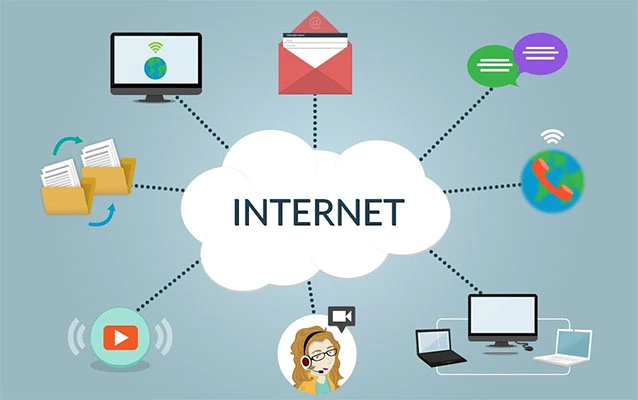
Choosing an Internet Service Provider, or ISP, used to feel simple: pick the company that could run a wire to your house, plug in the modem, and hope the loading bar did not become your new roommate. Today, the choice is more layered. A modern ISP is not just “the internet company.” It is the business that connects your home, office, phone, smart TV, security camera, cloud backups, video calls, online games, and late-night search history to the wider internet.
An Internet Service Provider gives customers access to the internet through technologies such as fiber, cable, DSL, fixed wireless, mobile broadband, and satellite. Some ISPs serve millions of homes nationwide. Others are local cooperatives, municipal networks, regional fiber builders, or business-only providers. Their job sounds straightforward, but behind that monthly bill is a huge system of cables, routers, radio towers, data centers, peering agreements, support teams, network policies, and enough blinking lights to make a Christmas tree feel underqualified.
This guide explains what an ISP does, how different internet connection types work, what speeds actually mean, how to compare plans, and what to watch for before signing up. Whether you are choosing home internet, upgrading a business connection, or trying to figure out why your video call freezes exactly when you start sounding intelligent, understanding ISPs can save money, frustration, and possibly a few dramatic sighs.
What Is an Internet Service Provider?
An Internet Service Provider is a company or organization that provides access to the internet. In practical terms, your ISP is the bridge between your device and the rest of the online world. When you open a website, stream a movie, send an email, or join a video meeting, your traffic travels through your home network, reaches your ISP’s network, and then moves across other networks until it finds the right destination.
ISPs may also offer related services, including Wi-Fi equipment, email accounts, web hosting, domain registration, security tools, static IP addresses, cloud phone service, managed business networking, or bundled TV and mobile plans. Residential customers usually care most about speed, price, reliability, and customer service. Businesses often add service-level agreements, uptime guarantees, dedicated bandwidth, backup connections, and technical support to the checklist.
How an ISP Connects You to the Internet
The internet is often described as a “network of networks,” which sounds poetic until you realize it also means your cat video may cross multiple companies’ infrastructure before arriving on your screen. Your ISP operates part of that network. It connects your home or business to local infrastructure, then routes traffic through regional and national backbones, exchange points, and other networks.
The Last Mile
The “last mile” is the final connection between the ISP’s network and your address. This is where internet service often succeeds or fails for everyday users. Fiber running directly to your home can deliver excellent speeds and low latency. Cable may offer very fast downloads but slower uploads. DSL depends heavily on distance from telephone infrastructure. Fixed wireless needs a strong radio signal. Satellite can reach remote areas, but latency and weather sensitivity may affect performance.
Modem, Router, and Wi-Fi
Your ISP connection usually enters through a modem, optical network terminal, gateway, or receiver. A router then shares that connection with devices in your home or office. Wi-Fi is not the same thing as internet service. Internet is the connection from your ISP; Wi-Fi is the local wireless network inside your space. That distinction matters because a slow connection may be caused by your ISP plan, your router, interference, thick walls, outdated devices, or a teenager downloading a 90-gigabyte game update during your Zoom meeting.
Common Types of Internet Service Providers
Not all ISPs use the same technology. The best choice depends on availability, budget, performance needs, and location. In many U.S. areas, customers still have limited options, which is why comparing plans carefully matters.
Fiber Internet
Fiber internet uses fiber-optic cables that transmit data as light. It is widely considered one of the best broadband technologies because it can deliver fast downloads, fast uploads, low latency, and strong reliability. Fiber is especially valuable for remote workers, gamers, content creators, households with many connected devices, and businesses using cloud software or video conferencing.
The main drawback is availability. Fiber networks are expensive to build, so coverage varies by city, neighborhood, and even street. One side of town may have gigabit fiber while the other side is still negotiating emotionally with DSL.
Cable Internet
Cable internet uses the same general coaxial cable infrastructure historically used for cable television. It is widely available and can deliver high download speeds. For many households, cable is a practical and fast option for streaming, browsing, gaming, and working from home.
The trade-off is that upload speeds are often lower than download speeds, and performance can vary during busy hours. If many people in the area are online at once, speeds may dip. Cable internet is still strong for most homes, but users who upload large files daily may prefer fiber if it is available.
DSL Internet
DSL, or Digital Subscriber Line, runs over telephone lines. It is older technology and usually slower than fiber or cable, but it can still serve areas where newer infrastructure has not arrived. DSL performance depends on distance from the provider’s equipment. The farther you are, the more the speed may drop.
DSL can be enough for basic browsing, email, and light streaming, but it may struggle with multiple users, high-definition video, large downloads, or modern work-from-home demands.
Fixed Wireless Internet
Fixed wireless uses radio signals between a provider’s tower and a receiver at the customer’s location. It is common in rural and suburban areas where running cable or fiber is difficult. Some fixed wireless services perform very well, especially when there is a clear line of sight to the tower.
However, signal quality, distance, weather, terrain, and network congestion can affect performance. Fixed wireless is a serious option, not a “last resort,” but the experience depends heavily on the provider’s local network.
Satellite Internet
Satellite internet connects users through satellites rather than ground-based cables. It can reach remote homes, farms, cabins, boats, and rural businesses where other broadband options are limited or unavailable.
Traditional satellite services often have higher latency, which can make real-time gaming and video calls less smooth. Newer low-earth-orbit satellite systems have improved latency and speed, but pricing, equipment costs, data policies, and weather-related interruptions should still be reviewed carefully.
Mobile Broadband and 5G Home Internet
Mobile broadband uses cellular networks, including 4G LTE and 5G. Some providers now offer 5G home internet that uses a wireless gateway instead of a wired line. It can be easy to install, competitively priced, and fast enough for many households.
The catch is that performance can vary based on signal strength, tower congestion, building materials, and location. It may work beautifully in one apartment and behave like a tired hamster in another building three blocks away.
Internet Speed: What the Numbers Actually Mean
Internet plans are usually advertised in megabits per second, or Mbps. Higher numbers can be better, but speed is not the only factor that determines whether a connection feels good. Download speed, upload speed, latency, data caps, equipment quality, and network reliability all matter.
Download Speed
Download speed affects how quickly you receive data from the internet. Streaming movies, loading websites, downloading apps, and viewing social media all rely heavily on downloads. A household that streams 4K video on multiple TVs needs more download capacity than someone who mostly checks email and reads news.
Upload Speed
Upload speed affects how quickly you send data. It matters for video calls, cloud backups, sending large files, livestreaming, online classes, security cameras, and remote work. Many cable plans advertise big download speeds but much smaller upload speeds. That may be fine for casual use, but not for creators, remote teams, or anyone regularly moving large files.
Latency
Latency is the delay between sending a request and receiving a response. It is usually measured in milliseconds. Low latency matters for online gaming, live video calls, remote desktop access, financial trading, and other real-time activities. A connection can have high download speed but still feel sluggish if latency is poor.
Reliability
Reliability is the part of internet service people rarely think about until it disappears. A plan with slightly lower speed but excellent uptime may be better than a faster plan that drops randomly. For businesses, reliability can directly affect revenue, customer service, and productivity. For homes, it can determine whether movie night is peaceful or becomes a family meeting about buffering.
How Much Internet Speed Do You Need?
The right internet speed depends on how many people use the connection and what they do online. A single-person household may be comfortable with a moderate plan. A family with remote work, online school, smart TVs, gaming consoles, phones, tablets, and smart home devices may need significantly more bandwidth.
For basic browsing, email, and standard-definition streaming, lower-speed plans may work. For HD or 4K streaming, video conferencing, cloud storage, and gaming, faster plans are more comfortable. For large households or businesses, gigabit-class service can help prevent bottlenecks, especially when upload speed is strong.
A practical rule: do not buy the biggest number just because it looks impressive. Buy the plan that supports your real usage. Gigabit internet is wonderful, but if your main online activity is checking the weather and occasionally arguing with a printer, you may not need the internet equivalent of a race car.
What to Look for When Choosing an ISP
Comparing Internet Service Providers requires more than looking at the advertised monthly price. The cheapest plan can become expensive after equipment fees, installation charges, taxes, promotional pricing changes, data overage fees, or contract penalties.
Availability at Your Exact Address
Internet availability is extremely local. A provider may serve your city but not your building. Always check service at your exact address. If possible, ask neighbors about their real experience. Official availability maps are useful, but local feedback can reveal performance issues that marketing pages politely forget to mention.
Clear Monthly Pricing
Look for the regular monthly price, not only the promotional rate. Many plans start low and increase after 12 or 24 months. Check whether autopay discounts are included in the advertised price and whether those discounts require a bank account, debit card, or paperless billing.
Equipment Fees
Some ISPs charge monthly rental fees for modems, routers, gateways, or mesh Wi-Fi systems. Others include equipment in the plan. Buying your own compatible equipment may save money over time, but it can also shift troubleshooting responsibility to you. Choose based on comfort level, cost, and the provider’s rules.
Data Caps and Overage Charges
A data cap limits how much data you can use in a billing cycle. Streaming, gaming downloads, cloud backups, smart cameras, and large software updates can use significant data. If your household is heavy online, unlimited data or a high cap may be worth paying for. Always check whether “unlimited” has restrictions, because marketing departments enjoy making simple words complicated.
Contracts and Cancellation Fees
Some plans require contracts; others are month-to-month. A contract may offer a lower price, but it can include early termination fees. If you are moving soon, renting temporarily, or testing a new service, a no-contract plan may be safer.
Customer Support
Customer service matters most when the internet goes down, which is also when your patience is already standing on a chair screaming. Look for support hours, repair appointment availability, online troubleshooting tools, outage alerts, and customer reviews. No ISP is perfect, but some handle problems faster than others.
Residential ISP vs. Business ISP
Residential internet is designed for homes. It is usually less expensive and may offer excellent speed, but it often comes with best-effort service rather than guaranteed uptime. Business internet typically costs more because it may include priority support, static IP addresses, service-level agreements, faster repair times, symmetrical speeds, and stronger reliability options.
Small businesses should think carefully before using residential service for mission-critical work. A bakery using internet only for music and occasional emails may be fine. A medical office, law firm, e-commerce warehouse, design studio, or call center needs a more dependable setup. When downtime costs money, business-class service or a backup connection can be a smart investment.
ISP Privacy and Security Considerations
Your ISP can see certain information about your connection, such as the IP addresses you connect to, data volumes, device activity patterns, and account details. Encrypted websites and apps protect the contents of much of your traffic, but privacy still matters.
Read the provider’s privacy policy, especially if you are concerned about data collection, advertising, location information, or sharing with partners. Use strong Wi-Fi passwords, update router firmware, change default admin credentials, and avoid leaving old networking equipment unsupported. A secure home network is not glamorous, but neither is explaining to your smart thermostat why it joined a botnet.
Net Neutrality and ISP Policies
Net neutrality is the idea that ISPs should treat lawful internet traffic fairly, without blocking, throttling, or prioritizing certain content for payment. The legal status of federal net neutrality rules in the United States has changed over time and has been shaped by courts, regulators, and Congress. Even when national rules shift, consumers should still understand provider policies on traffic management, throttling, paid prioritization, and network congestion.
Before choosing an ISP, review the terms of service. Look for language about acceptable use, network management, data limits, speed reductions, streaming quality, and business-use restrictions. The fine print may not be thrilling bedtime reading, but it is better than discovering a rule after your connection slows down.
How ISPs Make Money
Most ISPs earn revenue through monthly subscriptions. Many also make money from installation, equipment rentals, premium Wi-Fi, static IP addresses, security packages, TV bundles, mobile bundles, business services, late fees, and add-on features.
Some providers offer low introductory prices to attract customers, then raise rates later. Others keep pricing simpler but charge more upfront. The best value is not always the lowest first-month bill. A good comparison should include the full two-year cost, equipment, taxes, fees, contract rules, and expected price increases.
Common ISP Problems and How to Troubleshoot Them
Internet problems are not always the ISP’s fault, but the ISP is usually the first suspect because the router has no lawyer. Before calling support, try a few basic checks.
Slow Speeds
Run a speed test near the router and then again over Wi-Fi in different rooms. If wired speeds are fine but Wi-Fi is slow, the issue may be router placement, interference, old equipment, or weak coverage. If wired speeds are also poor, the problem may involve the modem, line signal, provider congestion, or the plan itself.
Frequent Disconnects
Check cable connections, restart the modem and router, inspect for damaged cords, and look for outage notices. If disconnects happen often, ask the ISP to check signal levels or line quality. For fiber, the provider may need to inspect the optical terminal. For wireless or satellite, signal alignment may be the issue.
Weak Wi-Fi
Move the router to a central, open location away from metal objects, thick walls, microwaves, and other interference sources. For larger homes, consider a mesh Wi-Fi system. Upgrading from an old router can make a major difference, especially if your plan is faster than your equipment can handle.
The Future of Internet Service Providers
The ISP industry is changing quickly. Fiber expansion, 5G home internet, satellite broadband, municipal networks, rural broadband funding, Wi-Fi 7 equipment, and smarter network management are reshaping how people connect. Consumers are also paying more attention to upload speed, latency, data caps, privacy, and transparent pricing.
Competition is one of the biggest forces improving internet service. When a neighborhood has only one provider, prices may be higher and service may stagnate. When fiber, cable, fixed wireless, and mobile broadband compete, customers often get better deals and faster upgrades. The best ISP market is one where providers have to earn loyalty instead of assuming customers have nowhere else to go.
Real-World Examples of ISP Choices
Example 1: The Remote Worker
A remote worker who spends the day on video calls should prioritize upload speed, low latency, and reliability. Fiber is ideal if available. Cable can work well if upload speed is sufficient. A backup mobile hotspot may be useful if meetings are mission-critical.
Example 2: The Streaming Family
A family with multiple TVs, tablets, phones, and game consoles needs strong download speed and generous data. Cable, fiber, or 5G home internet may work. The router is just as important as the plan because poor Wi-Fi can make a fast connection feel slow.
Example 3: The Rural Household
A rural home may have fewer choices. Fixed wireless, DSL, satellite, or mobile broadband might be the available options. The best plan depends on signal quality, data policies, latency, installation cost, and whether the provider can deliver stable service at that specific location.
Example 4: The Small Business
A small business should consider business-class internet, especially if it depends on cloud software, payment systems, VoIP phones, security cameras, or online customer service. A backup connection from a different provider can keep operations running during outages.
Experience-Based Tips for Dealing With an Internet Service Provider
After dealing with ISPs in homes, apartments, small offices, and shared spaces, one lesson becomes clear: the advertised speed is only the beginning of the story. A plan may promise fast downloads, but the real experience depends on installation quality, router placement, network congestion, customer support, and whether the provider’s billing system has been possessed by a mischievous spreadsheet demon.
The first practical experience is to test everything early. After installation, run speed tests at different times of day. Test near the router, far from the router, and with an Ethernet cable if possible. Save screenshots of results, especially if speeds are consistently below expectations. This gives you evidence when contacting support. Saying “my internet feels slow” is easy to dismiss. Saying “I am getting 85 Mbps on a 500 Mbps plan while wired directly to the gateway at 8 a.m., 2 p.m., and 9 p.m.” tends to get a more serious response.
The second lesson is to keep your billing documents. Save the order confirmation, promotional price, installation receipt, equipment return proof, and any chat transcripts. Many ISP problems are not technical; they are billing-related. A price may jump, a discount may vanish, or returned equipment may mysteriously reappear as a fee. Having records turns a frustrating call into a solvable case.
The third lesson is that equipment matters more than people think. Many customers upgrade to a faster plan when the real problem is an old router sitting behind a TV, under a shelf, next to a microwave, and possibly inside a small cave. A modern router or mesh system can dramatically improve Wi-Fi coverage. For apartments, changing Wi-Fi channels or using the 5 GHz and 6 GHz bands can reduce interference. For larger homes, one lonely router in a corner is not a network strategy; it is a cry for help.
The fourth lesson is to negotiate politely but firmly. ISPs often have retention offers, especially when competitors are available. Before calling, check current deals from other providers at your address. Ask whether there are loyalty discounts, autopay savings, lower-cost plans, free equipment upgrades, or promotional rates. You do not need to perform a dramatic breakup scene. A calm “I’m reviewing my options because my bill increased” can work surprisingly well.
The fifth lesson is to understand when to switch. If outages are frequent, support is poor, speeds are inconsistent, or the bill keeps rising without better service, it may be time to move on. Switching ISPs can be inconvenient, but staying with a bad provider forever is like keeping a leaky umbrella because you already know where the holes are.
Finally, always plan for important moments. If you work from home, keep a backup option such as mobile hotspot data. If your business relies on internet access, consider a secondary connection. If you are hosting an important livestream, exam, webinar, or client presentation, test the connection beforehand. The internet has a mischievous sense of timing, and it enjoys failing exactly when your reputation is wearing nice shoes.
Conclusion
An Internet Service Provider is more than the company that sends a monthly bill. It is the gateway between your home or business and the digital world. The right ISP can make streaming smooth, work reliable, gaming responsive, cloud tools practical, and smart devices actually smart. The wrong one can turn every loading icon into a tiny spinning monument to regret.
When comparing ISPs, look beyond the headline speed. Consider connection type, upload performance, latency, reliability, data caps, equipment fees, contract terms, customer service, privacy policies, and total cost after promotions expire. Fiber is often the gold standard, cable is widely useful, fixed wireless and 5G are increasingly competitive, DSL still fills gaps, and satellite can be essential where wired broadband is not available.
The smartest internet customer is not necessarily the one with the fastest plan. It is the one who understands their needs, reads the details, tests the service, keeps records, and knows when a better option is available. Choose carefully, and your ISP can become something rare and beautiful: a utility you barely have to think about.
Note: This article was synthesized from current U.S. broadband, telecom, consumer protection, cybersecurity, and digital access information. Source links and citation artifacts were intentionally not inserted into the HTML body for clean web publishing.