Splitting dinner should not feel like negotiating a peace treaty. Yet somehow, the moment the check arrives, everyone suddenly forgets how math works, one person has “no cash,” and another promises to “get you next time,” which is ancient roommate code for “never.” This is where knowing how to share your Venmo link becomes a tiny life skill with surprisingly big social benefits.
Whether you are collecting rent, getting reimbursed for concert tickets, accepting tips at a pop-up event, raising money for a group gift, or simply asking your friend to pay back the $14.73 taco debt that has haunted your friendship since Tuesday, Venmo makes the process much easier when people can find your profile quickly.
The good news: you have more than one way to share your Venmo profile. The best method depends on where you are, who is paying you, and whether you want a clean link, a scannable QR code, or a simple username people can search inside the app. In this guide, we will walk through the three best methods, explain when each one works best, and cover smart privacy and safety tips so you can get paid without turning your digital life into a public group chat.
What Is a Venmo Link?
A Venmo link is a quick way to direct someone to your Venmo profile so they can pay you or request money from you. In everyday use, people may say “Venmo link” when they mean one of several things: a direct profile URL, a QR code connected to your Venmo account, or your Venmo username that someone can search in the app.
The goal is the same in every case: reduce friction. Instead of making someone type your full name, guess which profile picture is yours, or accidentally send money to another “Alex-from-college-but-not-that-Alex,” you give them a clear path to the right account.
For personal payments, your Venmo profile is commonly shared with friends, family, roommates, classmates, coworkers, and people you already know. For businesses, vendors, creators, fundraisers, and service providers, Venmo also offers business profile tools, including QR code options that can make in-person payments smoother.
Before You Share: Check Your Username and Profile
Before sending your Venmo link into the world, take one minute to make sure your profile is easy to recognize. A clear username, accurate profile photo, and simple display name can prevent payment confusion. This matters because payment apps move quickly. A payer may tap, type, and send before they double-check every detail.
Make your username easy to type
Your Venmo username is one of the easiest ways people can identify you. If your username looks like a Wi-Fi password invented by a raccoon, consider simplifying it. A good username is short, readable, and close to your real name, brand name, or commonly used handle.
For example, @SarahMillerDesign is much easier to trust than @s4r4h_xx_92817. If you use Venmo for casual personal payments, your first and last name or a familiar nickname often works. If you use a business profile, choose something that matches your business name as closely as possible.
Add a recognizable profile picture
A profile photo helps people confirm they are paying the right person. For personal profiles, a clear headshot works. For business profiles, a logo or branded image is usually better. Think of your Venmo profile picture as a tiny bouncer at the door of your payment request. Its job is to say, “Yes, this is the right account.”
Review your privacy settings
Venmo includes privacy settings that let you control who can see your payment activity. Before you start sharing your Venmo link widely, review whether your payments are set to Public, Friends, or Private. Many users prefer Private for everyday transactions because nobody needs a front-row seat to your pizza reimbursements, utility splits, or suspiciously frequent coffee runs.
Method 1: Share Your Direct Venmo Profile Link
The simplest method is to send someone your direct Venmo profile link. This is especially useful when you are texting, emailing, posting in a group chat, adding payment instructions to an invoice, or including your Venmo on a digital invitation.
A commonly used Venmo profile URL format is:
Replace YourUsername with your actual Venmo username. For example, if your username is @MayaBakes, your link would usually look like:
This method is clean, fast, and easy to paste almost anywhere. It works especially well for digital communication because people can tap the link instead of manually searching. That one small difference can save you from the classic “I sent it to someone with the same name” disaster, which is funny only when it happens to someone else.
How to share your Venmo link by text or email
Open your preferred messaging app, paste your Venmo profile link, and add a short note explaining what the payment is for. Do not just send a naked link with no context unless you enjoy creating mild panic. A clear message helps the other person know why you are sending it.
Here are a few examples:
- For dinner: “Here’s my Venmo for last night’s dinner split: https://venmo.com/u/YourUsername”
- For rent: “Please send your part of rent here by Friday: https://venmo.com/u/YourUsername”
- For event tickets: “Concert ticket reimbursement can go here. Please include ‘tickets’ in the note: https://venmo.com/u/YourUsername”
- For small business payments: “Thanks for shopping with us! You can pay through our Venmo profile here: https://venmo.com/u/YourUsername”
Where direct Venmo links work best
Direct Venmo links are best for online situations. Use them in texts, emails, private messages, group chats, digital flyers, event pages, invoices, newsletters, and social media bios when appropriate. If you run a small side hustle, you can also save your link as a phone keyboard shortcut so typing something like “vmo” expands into your full Venmo profile URL.
However, be thoughtful about posting a personal payment link publicly. If you are sharing with friends, a group chat is fine. If you are posting on a public website, social profile, or event page, consider whether a business profile, charity profile, or dedicated payment setup is more appropriate.
Method 2: Share Your Venmo QR Code
If direct links are best for online sharing, Venmo QR codes are the champion of in-person payments. A Venmo QR code lets someone scan your code and land on your profile without typing anything. It is perfect for yard sales, pop-up booths, campus events, babysitting payments, food tables, fundraisers, art markets, group trips, and those “I’ll pay you right now” moments where everyone is standing around with phones in hand.
Venmo provides a personal QR code connected to your profile. In the app, this is typically found through your Me tab by tapping the QR code button near your profile picture and selecting the Venmo me option. From there, you can show the code on your screen, share it through text or email, or save it for later use.
How to use your Venmo QR code in person
Open your Venmo QR code, show it to the payer, and ask them to scan it using their Venmo app or device camera. Once they arrive at your profile, they can enter the amount, add a note, and send the payment.
For in-person payments, the QR code is often the easiest method because it avoids spelling mistakes. Nobody has to ask whether your username has an underscore, a hyphen, two middle initials, or the emotional remains of your first AOL screen name. They scan, confirm, and pay.
How to print or save your Venmo QR code
If you collect payments regularly, save your QR code as an image and print it. You can place it near a checkout table, on a laminated card, on a tip jar, or next to a sign that says “Venmo accepted.” Keep the design simple. A QR code needs enough blank space around it to scan properly, so do not bury it under glitter graphics, tiny fonts, and eleven inspirational quotes.
For a small business or casual vendor setup, add a short instruction line below the code, such as:
This helps you match payments to customers, especially when several people pay around the same time. If you sell items at fixed prices, a Venmo business profile may offer additional QR code tools, including options that can pre-fill a specific payment amount.
When QR codes are better than links
Use a Venmo QR code when the payer is physically nearby, when you are handling repeated in-person payments, or when typing would slow things down. QR codes are also helpful for groups because one person can display the code and several people can scan it one after another.
A QR code is less ideal if you are communicating only online. In that case, a direct link is usually easier because people can tap it immediately instead of scanning an image from the same phone they are using. Yes, there are ways around that. No, your group chat does not want a five-step QR workaround when a simple link would do.
Method 3: Share Your Venmo Username or Use Pay/Request
The third method is the old reliable: share your Venmo username or use Venmo’s Pay/Request feature directly. This is useful when you do not want to send a link, when someone is already inside the Venmo app, or when you are requesting money from a specific person.
Venmo allows users to send or request money by searching for a person by name, Venmo username, phone number, or email address. This makes username sharing flexible. You can simply say, “My Venmo is @YourUsername,” and the other person can search for you.
How to share your Venmo username clearly
When sharing your username, include the @ symbol and type it exactly as it appears. Capitalization usually is not the biggest issue, but punctuation matters. If your username includes a hyphen or underscore, make that obvious.
For example:
That extra sentence about the payment note is more useful than people realize. It creates a record that helps both sides remember what the payment was for. A note like “thanks” is polite but not very helpful three months later. A note like “June utilities” or “market table fee” is much better.
How to request money inside Venmo
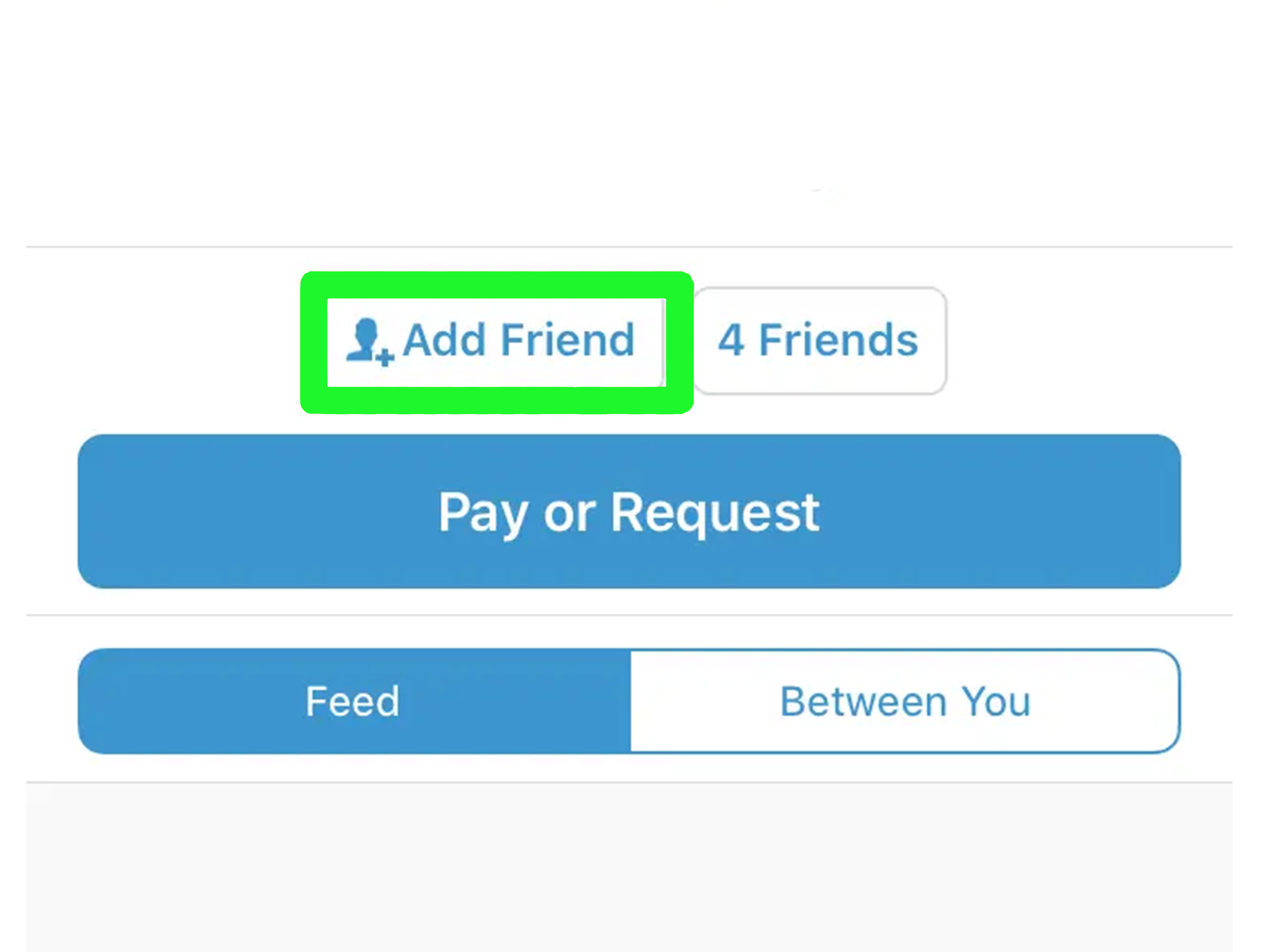
If the payer is already in your Venmo contacts or easy to find, you can request money from them instead of waiting for them to pay you. Open Venmo, tap Pay/Request, search for the person, enter the amount, add a note, and choose Request. This is great for splitting a bill because it removes the “how much do I owe?” step.
For example, after a group dinner, you could request $28.40 from each friend with the note “Dinner split.” It is direct, tidy, and less awkward than sending a paragraph that begins, “Heyyy, no rush, but whenever you get a chance…” We all know that paragraph. We have all written that paragraph. Venmo requests exist so we can retire that paragraph.
When username sharing is best
Username sharing is best when someone is already using Venmo, when you are talking in person and do not want to open your QR code, or when a direct link feels too formal. It also works well on printed material where a short username may look cleaner than a full URL.
The downside is that usernames can be mistyped. If your name is common, the payer may see several similar accounts. That is why a recognizable profile photo and display name are important. Encourage people to confirm your profile picture before sending money.
Which Venmo Sharing Method Should You Use?
The best method depends on the situation. For online sharing, use a direct Venmo profile link. For in-person payments, use your Venmo QR code. For quick casual exchanges or app-based requests, use your username or send a request directly through Venmo.
| Method | Best For | Main Advantage |
|---|---|---|
| Direct Venmo Link | Texts, emails, social bios, invoices, group chats | Fast tap-to-profile sharing |
| Venmo QR Code | In-person payments, pop-ups, events, tip jars | No typing required |
| Username or Pay/Request | Casual payments, known contacts, bill splitting | Simple and app-friendly |
Smart Safety Tips Before Sharing Your Venmo Link
Sharing your Venmo profile is convenient, but convenience should not cancel common sense. Treat payment apps like real money, because in practical terms, that is what they are. Once a payment is sent, fixing a mistake may be harder than everyone expects.
Only pay and request from people you trust
Venmo is great for friends, family, roommates, classmates, and known customers. Be more careful with strangers, especially for online marketplace deals, deposits, tickets, rentals, or anything that sounds urgent and emotional. Scammers love urgency because it makes people skip the boring but important step called “thinking.”
Do not share login codes or passwords
No legitimate payment app support agent should need your password or one-time verification code. If someone contacts you claiming they need a code to fix your account, stop. Open the official app or website yourself and contact support from there.
Set payments to private when appropriate
If you do not want others seeing your payment activity, change your default privacy settings. Private payments are often the best choice for ordinary reimbursements. Your friends do not need a public feed documenting every bagel, birthday chip-in, and mysterious “for last night” payment note.
Keep payment notes useful but not too personal
A good note explains the payment without oversharing. “May rent,” “soccer dues,” “birthday gift,” or “logo deposit” are useful. Avoid including sensitive personal details, private jokes that could be misunderstood, or anything you would not want attached to a financial record.
Common Mistakes to Avoid
The first mistake is sending only your display name. Display names are not unique, so someone may find the wrong person. Send your username, direct link, or QR code instead.
The second mistake is using an old screenshot of a QR code without checking whether it still points to the correct profile. If you changed usernames, updated account details, or switched to a business profile, confirm that the code still works before printing fifty flyers.
The third mistake is forgetting context. If you send a payment link with no explanation, people may ignore it or wonder whether your account was hacked. Add a short sentence: who you are, what the payment is for, and whether there is a deadline.
The fourth mistake is making your profile hard to recognize. If your profile photo is a sunset, your display name is “S,” and your username is a cryptic collection of numbers, your friends may hesitate before sending money. Make the account look like you.
Real-World Experience: What Actually Works Best
In real life, the best Venmo sharing method is usually the one that matches the moment. I have seen group payments go smoothly when one person sends a direct link immediately after making the reservation. Nobody has to ask for the username later, nobody forgets the amount, and nobody vanishes into the fog of “I’ll do it when I get home.” The link is right there in the chat, along with the amount and reason. Simple wins.
For in-person settings, QR codes feel almost magical when they are used correctly. At a garage sale, bake sale, craft table, or small community event, a printed Venmo QR code can prevent a long line from forming. People scan, pay, show confirmation, and move along. The key is placement. Put the code somewhere visible, keep it large enough to scan, and include a short label like “Scan to pay with Venmo.” If people have to ask where the code is, the code is not doing its job.
For roommates and recurring shared expenses, Venmo requests are often better than links. A request tells the person exactly how much to pay and what it is for. This helps avoid the classic shared-household accounting mystery where three people remember buying paper towels, nobody remembers who paid for trash bags, and the electric bill somehow becomes a philosophical debate. A clear request with a useful note keeps things calm.
For freelancers, creators, and small sellers, the experience is a little different. A direct Venmo link can be useful, but a business profile may look more professional when payments are tied to goods or services. It also helps separate personal payments from business transactions. That separation is not just about organization; it also makes you look more trustworthy. A buyer who sees a clear business name and logo is less likely to wonder whether they are paying your cousin’s roommate by mistake.
One small habit makes every method better: tell people what to put in the note. Payment notes are underrated. If five people send $25 in the same hour, notes like “ticket,” “booth fee,” “brunch,” or “deposit” can save you from detective work later. Without notes, you may end up scrolling through payments like a financial archaeologist, trying to decode who paid for what.
Another practical tip is to test your own link. Send it to yourself in a private note, open it, and make sure it lands on the right profile. Do the same with your QR code before printing it. This takes less than a minute and can save you from embarrassing payment confusion. A broken or outdated payment link is the digital version of writing the wrong phone number on a business card.
The biggest lesson is that sharing your Venmo link should make payment easier for the other person, not just easier for you. Give them the right link, code, or username. Add context. Make your profile recognizable. Keep your privacy settings intentional. When you do those things, Venmo becomes what it is supposed to be: a quick payment tool, not a group-chat drama generator.
Conclusion
Learning how to easily share your Venmo link is a small upgrade that can make everyday payments faster, cleaner, and far less awkward. Use a direct Venmo profile link when you are sharing online, use your Venmo QR code when you are collecting payments in person, and use your username or Pay/Request when you want a quick app-based option.
Before sharing, make sure your username is easy to recognize, your profile photo is clear, and your privacy settings match your comfort level. Add helpful payment notes, confirm the person is paying the right account, and be cautious with strangers or suspicious requests. Venmo is convenient, but the smartest users combine speed with a little digital street sense.
In short: send the right link, use the right method, and do not make people hunt for your profile like it is hidden treasure. Getting paid back should be easy. Your taco money deserves that much.