Choosing a listing management solution sounds about as glamorous as organizing a drawer full of mystery cables. But for local businesses, franchises, agencies, and multi-location brands, it can be the difference between customers finding youor finding your competitor, your old phone number, or a duplicate listing from 2018 that refuses to retire gracefully.
Today, business listings live everywhere: Google Search, Google Maps, Bing, Apple Maps, Yelp, Facebook, voice assistants, car navigation systems, industry directories, and increasingly, AI-powered search experiences. A listing management solution helps you control your business name, address, phone number, hours, website, services, photos, categories, and other location data across these platforms from one place.
The right software can save hours of manual updates, improve local SEO, protect customer trust, and help your business appear consistently wherever people search. The wrong one can become an expensive dashboard that mostly collects dust and sends you cheerful reports about problems it never actually fixes.
This guide explains how to choose a listing management solution with confidence, including what features matter, what red flags to avoid, and how to match the tool to your business size, goals, and budget.
What Is a Listing Management Solution?
A listing management solution is software that helps businesses create, update, monitor, and maintain their online business listings across search engines, maps, directories, social platforms, review sites, and data networks.
At its simplest, it keeps your NAP data consistent:
- Name: Your official business name
- Address: Your physical location or service-area details
- Phone: Your primary business phone number
Modern listing management tools go beyond NAP. They often manage business hours, holiday hours, categories, menus, services, photos, attributes, descriptions, appointment links, social links, review responses, local performance reports, and even AI-search visibility signals.
Think of it as the control room for your local presence. Instead of logging into 40 platforms individuallyan activity best reserved for people who also enjoy assembling furniture without instructionsyou update your information once and distribute it through connected publishers.
Why Listing Management Matters for Local SEO
Local search engines need confidence. When your business information appears consistently across reputable sources, search engines can better understand who you are, where you are, and whether your business is legitimate. When your data is messy, outdated, or contradictory, local visibility can suffer.
Google’s local results are influenced by relevance, distance, and prominence. Complete, accurate business information helps search engines match your business to the right searches. Accurate listings also help customers take action quickly, whether they want to call, get directions, book an appointment, or check your hours before driving across town.
Inconsistent listings create real-world problems. A restaurant with outdated holiday hours can lose hungry customers. A clinic with an old phone number can miss appointments. A service business with duplicate listings can split reviews across profiles. A retailer with the wrong address can send shoppers to a parking lot where dreams go to honk in frustration.
Start With Your Business Goals
Before comparing tools, define what you actually need the solution to do. Listing management software is not one-size-fits-all. A single-location bakery, a 20-location dental group, and a 900-location franchise network have very different problems.
For Single-Location Businesses
If you run one location, your priorities are usually accuracy, affordability, ease of use, and core directory coverage. You may not need enterprise workflows or advanced APIs. You need a tool that can clean up your listings, update major platforms, monitor duplicates, and help you stay visible in local search.
For Multi-Location Brands
Multi-location businesses need scale. Look for bulk editing, user permissions, approval workflows, location groups, analytics by location, automated duplicate suppression, brand-level reporting, and reliable integrations with major publishers. The larger your footprint, the more important governance becomes.
For Agencies
Agencies need client-friendly reporting, white-label options, flexible pricing, citation audits, review monitoring, and workflows that make managing many businesses less chaotic. If the platform creates more manual work than it removes, it is not a solution; it is a subscription-shaped paperweight.
Evaluate Publisher Network Coverage
The first major feature to examine is where the tool distributes your business data. Strong listing management platforms connect to major search engines, maps, directories, navigation systems, social platforms, and industry-specific sites.
At minimum, you should care about visibility on:
- Google Business Profile
- Bing Places
- Apple Maps or Apple Business
- Yelp
- Foursquare
- Map and navigation data providers
- High-quality local and industry directories
Do not be dazzled by a platform claiming “hundreds of directories” unless those directories matter to your market. Ten authoritative listings are more valuable than 80 obscure directories that look like they were designed during the dial-up era and never emotionally recovered.
Check Data Accuracy and Sync Quality
A listing management solution should not merely push data once and call it a day. Business data changes constantly. Customers suggest edits. Publishers modify layouts. Old listings resurface. Data aggregators may continue spreading outdated information.
Look for tools that monitor your listings continuously, detect inconsistencies, flag publisher overwrites, and provide clear correction workflows. Ask whether the platform has direct publisher integrations or relies heavily on manual submissions. Direct integrations often allow faster updates and better control, although exact capabilities vary by publisher.
You should also understand what happens when you stop paying. Some tools suppress or manage listings only while your subscription is active. Others create citations that remain live but may no longer be actively monitored. This detail matters because local SEO is a long-term asset, not a vending machine.
Prioritize Duplicate Listing Detection
Duplicate listings are one of the most common local SEO headaches. They can appear when a business moves, changes phone numbers, rebrands, merges locations, or accidentally creates multiple profiles. Duplicates can confuse customers, split reviews, and dilute local authority.
A good listing management solution should help you identify duplicate profiles and either suppress, merge, or remove them when possible. This is especially important for businesses with long histories, acquisitions, practitioner listings, or franchise locations.
For example, a dental office may have listings for the practice, individual dentists, old addresses, and previous business names. Without duplicate management, your local presence becomes a family reunion where nobody has matching name tags.
Review Management Should Be Includedor Integrate Well
Reviews are closely connected to local visibility and customer decision-making. Many listing management platforms include review monitoring, response tools, alerts, sentiment tracking, and performance reporting.
When comparing solutions, ask:
- Can I monitor reviews from multiple platforms in one dashboard?
- Can I respond directly from the platform?
- Can I assign reviews to team members?
- Can I use templates without sounding robotic?
- Can I track review volume, rating trends, and response time?
Be careful with tools that encourage questionable review practices. Your solution should support ethical review management, not shady shortcuts. Incentivized, fake, or filtered review tactics can damage trust and may violate platform policies. In local SEO, fake confidence has a way of becoming very real trouble.
Look for Strong Reporting and Local SEO Insights
A listing management solution should show progress clearly. You need reports that explain what changed, where your listings are accurate, where problems remain, and how local visibility is improving over time.
Useful reporting features include:
- Listing accuracy scores
- Missing listing opportunities
- Duplicate listing reports
- Review volume and rating trends
- Google Business Profile performance metrics
- Local rank tracking
- Location-by-location comparisons
- Exportable reports for clients or executives
Avoid dashboards that look impressive but answer nothing. If a report cannot help you make a decision, it is decoration. Pretty decoration, perhaps, but still decoration.
Consider Ease of Use
The best listing management solution is one your team will actually use. A powerful platform with a confusing interface can quickly become the software equivalent of a treadmill used as a laundry rack.
During a demo or trial, test common tasks:
- Updating holiday hours
- Changing a phone number
- Adding a new location
- Uploading photos
- Finding duplicate listings
- Responding to reviews
- Exporting a report
If basic actions require a support ticket, three help articles, and a motivational speech, keep looking.
Match Features to Business Size
Feature overload can be expensive. Choose a platform that fits your current needs while leaving room to grow.
Small Businesses
Small businesses should prioritize affordability, core directory coverage, Google Business Profile support, Bing and Apple visibility, duplicate cleanup, and review alerts. A simple dashboard is often better than an enterprise suite with 47 tabs and a learning curve shaped like a ski jump.
Growing Regional Brands
Regional brands should look for multi-location support, bulk updates, local rank tracking, review workflows, user roles, and stronger reporting. This is where time savings become very noticeable.
Enterprise Brands
Enterprise organizations need APIs, governance controls, approval workflows, integration with internal data systems, single sign-on, custom reporting, security documentation, and service-level expectations. They may also need support for complex entities such as departments, professionals, products, menus, and service areas.
Evaluate Integrations and APIs
Your listing management platform should fit into your existing marketing and operations stack. For larger organizations, integrations can be the difference between clean data and spreadsheet confetti.
Useful integrations may include:
- Google Business Profile
- CRM systems
- Marketing analytics platforms
- Customer service tools
- Reputation management systems
- Content management systems
- Data warehouses
- Franchise or location databases
If your company already has a central source of truth for location data, the listing management solution should sync with it instead of becoming yet another place where information goes to disagree.
Understand Pricing Clearly
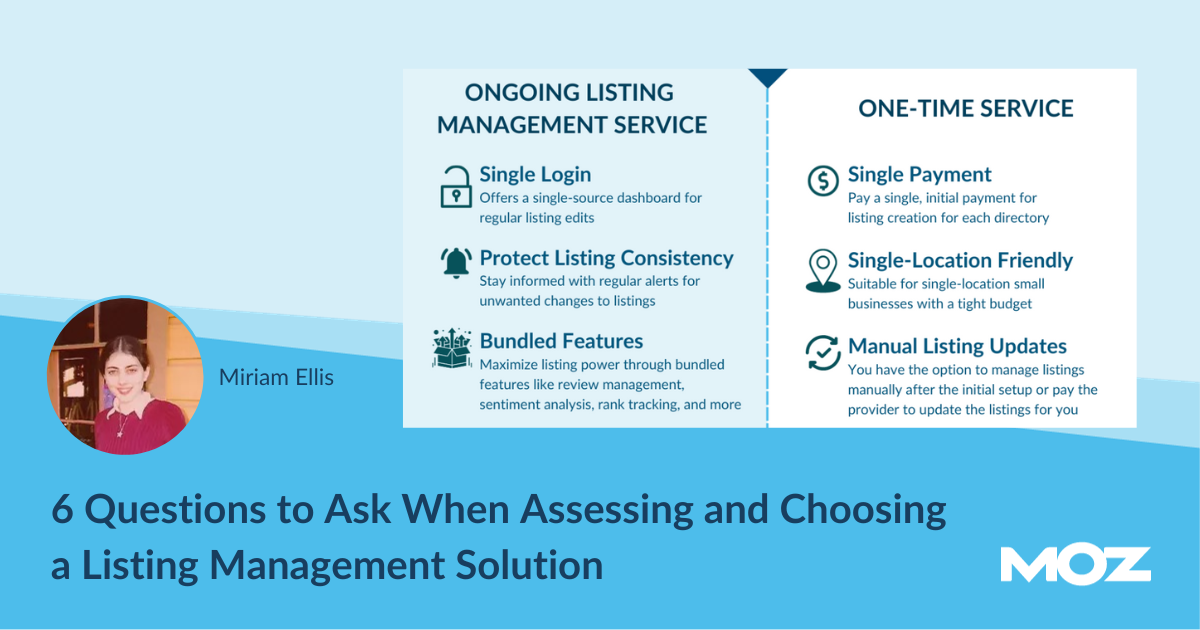
Listing management pricing can vary widely. Some platforms charge per location per month. Others offer citation-building services, bundled local SEO tools, or enterprise contracts. Some include review management, rank tracking, and analytics; others charge separately.
Before committing, ask:
- Is pricing per location?
- Are all directories included?
- Are updates ongoing or one-time?
- Is review management included?
- Is duplicate suppression included?
- Are reports included?
- Are there setup fees?
- What happens if I cancel?
The cheapest solution is not always the best value. But the most expensive one is not automatically the winner either. Choose based on coverage, control, support, and measurable business impact.
Test Customer Support Before You Need It
Support quality matters, especially when your business hours are wrong on a major platform and customers are calling to ask why your “open” store is darker than a movie theater during the previews.
During evaluation, contact support with a real question. Notice response time, clarity, and whether they understand local SEO. Strong support should help you solve problems, not simply send a link to a knowledge base article that almost answers your question if you squint.
Compare Popular Types of Listing Management Solutions
There are several categories of solutions. The best choice depends on your workflow.
All-in-One Local SEO Platforms
These tools combine listing management, local rank tracking, review monitoring, citation audits, and reporting. They are useful for agencies and businesses that want one dashboard for most local SEO tasks.
Enterprise Location Marketing Platforms
These platforms are built for multi-location brands that need scale, integrations, governance, and broad publisher networks. They often include advanced data management and structured content features.
Citation Building Services
These services manually or semi-automatically build listings on relevant directories. They can be useful for smaller businesses, niche industries, or one-time cleanup projects.
Manual Management
Manual management can work for very small businesses with limited listings. However, it becomes difficult as platforms multiply, data changes, and duplicate listings appear. Manual work is free only if your time has no value, which your calendar may strongly dispute.
Questions to Ask Before Choosing a Listing Management Solution
Use these questions as a practical checklist:
- Which publishers and directories are included?
- How often does the tool check for listing accuracy?
- Can it detect and suppress duplicates?
- Does it support Google, Bing, Apple, Yelp, and major navigation platforms?
- Can it manage service-area businesses?
- Does it support multi-location bulk updates?
- Can different users have different permissions?
- Does it include review monitoring and response features?
- What reports are available?
- Does it integrate with existing business systems?
- What happens to listings if you cancel?
- How responsive is customer support?
Common Mistakes to Avoid
Choosing Based Only on Directory Count
A huge directory count can sound impressive, but quality matters more than quantity. Focus on platforms that customers and search engines actually trust.
Ignoring Apple and Bing
Google is essential, but it is not the entire local ecosystem. Bing powers Microsoft search experiences, and Apple Maps is deeply integrated into iPhones, Siri, CarPlay, and other Apple environments. Smart local SEO does not put all its listings in one basket.
Forgetting Holiday Hours
Holiday hours are small details with big consequences. If your store is closed on Thanksgiving but your listing says open, expect disappointed customers and possibly reviews written with extra punctuation.
Not Auditing Before Buying
Always start with a listing audit. You need to know how many problems exist before selecting a tool. A business with clean listings may need monitoring. A business with years of duplicate data may need a more aggressive cleanup solution.
Overlooking Reviews
Listings help people find you. Reviews help them choose you. A strong solution should support both visibility and trust.
A Practical Decision Framework
To choose the right listing management solution, score each platform from 1 to 5 in these categories:
- Publisher coverage
- Data accuracy monitoring
- Duplicate management
- Review management
- Reporting quality
- Ease of use
- Integrations
- Customer support
- Pricing transparency
- Scalability
Then compare total scores against your actual business needs. A local plumber may value affordability and Google accuracy most. A national restaurant chain may care more about APIs, user roles, menu support, and location-level reporting.
Real-World Example: Choosing for a Small Business
Imagine a family-owned HVAC company with one office, a service area across several suburbs, and inconsistent listings on Google, Yelp, Bing, and old directories. The best solution would likely include citation auditing, NAP cleanup, service-area support, review monitoring, and affordable monthly management.
This business does not need enterprise workflows. It needs accuracy, trust, and a way to stop old phone numbers from haunting the internet like tiny digital ghosts.
Real-World Example: Choosing for a Multi-Location Brand
Now imagine a 75-location fitness brand. Each location has unique hours, photos, trainers, local promotions, and reviews. Corporate marketing needs control, but local managers need limited access to update timely information.
This brand should prioritize bulk editing, permission levels, review assignment, location grouping, analytics, approval workflows, and integrations with internal location data. A basic citation tool would not be enough.
Experience-Based Advice: What Actually Matters After You Buy
After working with listing management projects, one pattern becomes very clear: buying the software is the easy part. The harder part is building a clean process around it. A listing management solution will not magically fix messy internal data. If your website says “Suite 200,” your Google profile says “Ste. 2,” your invoices say “Building B,” and your receptionist answers the phone with a slightly different business name, the platform is going to inherit that confusion.
Before launching a tool, create a master location data sheet. Include the official business name, address format, phone number, website URL, categories, hours, holiday hours, services, descriptions, logos, photos, appointment links, and social profiles. Decide which version is correct before pushing data across the web. This sounds basic, but it prevents many headaches.
Another important lesson: do not ignore photos. Listings with accurate photos often feel more trustworthy to customers. For restaurants, salons, clinics, gyms, hotels, and retail stores, images can influence clicks, calls, and visits. A listing with no photos feels unfinished, like a store window covered in cardboard. Add high-quality exterior shots, interior shots, team photos, product images, menu photos, and service-related visuals where appropriate.
Also, assign ownership. Someone must be responsible for keeping business listings current. If hours change, who updates them? If a location moves, who verifies every platform? If a bad review arrives, who responds? Listing management fails when everyone assumes someone else is handling it. That mysterious someone is usually nobody, and nobody is famously bad at local SEO.
For agencies, the best experience comes from setting expectations early. Clients often think listing cleanup is instant. In reality, publisher updates can take time, duplicates may require verification, and some directories are slower than a sleepy turtle in a hammock. Explain the timeline clearly. Show before-and-after reports. Celebrate accuracy improvements, but also explain that listing management supports local SEO; it does not replace website optimization, review strategy, content, links, or great customer service.
For multi-location brands, governance is everything. Local managers should not be able to rewrite the brand name creatively every time they feel inspired. Create approved templates for descriptions, services, categories, and review responses. Allow local customization where it helps customers, but protect core brand data. The best systems balance central control with local flexibility.
Finally, review your listings at least monthly. Even with software, things change. Platforms update features. Customers suggest edits. New directories appear. Old duplicates crawl out of the basement. Treat listing management as ongoing maintenance, not a one-time cleanup. Like brushing your teeth, it works best when done consistentlyand it is much cheaper than dealing with the consequences later.
Conclusion
Choosing a listing management solution is really about choosing control. Your business information is already scattered across search engines, maps, directories, apps, review sites, navigation systems, and AI-driven discovery tools. The question is whether that information is accurate, consistent, and usefulor whether it is quietly confusing customers while you are busy running the business.
The best listing management solution should fit your business size, support the platforms that matter, monitor data accuracy, handle duplicate listings, help with reviews, provide clear reports, and scale with your growth. It should make local SEO easier, not turn your marketing team into full-time directory detectives.
Start with your goals. Audit your current listings. Compare tools based on real features, not shiny sales language. Ask hard questions about coverage, cancellation, support, and reporting. Then choose the solution that gives your customers the simplest path from search to action.
Because when someone nearby searches for what you offer, your business listing should not be a puzzle. It should be a welcome mat.