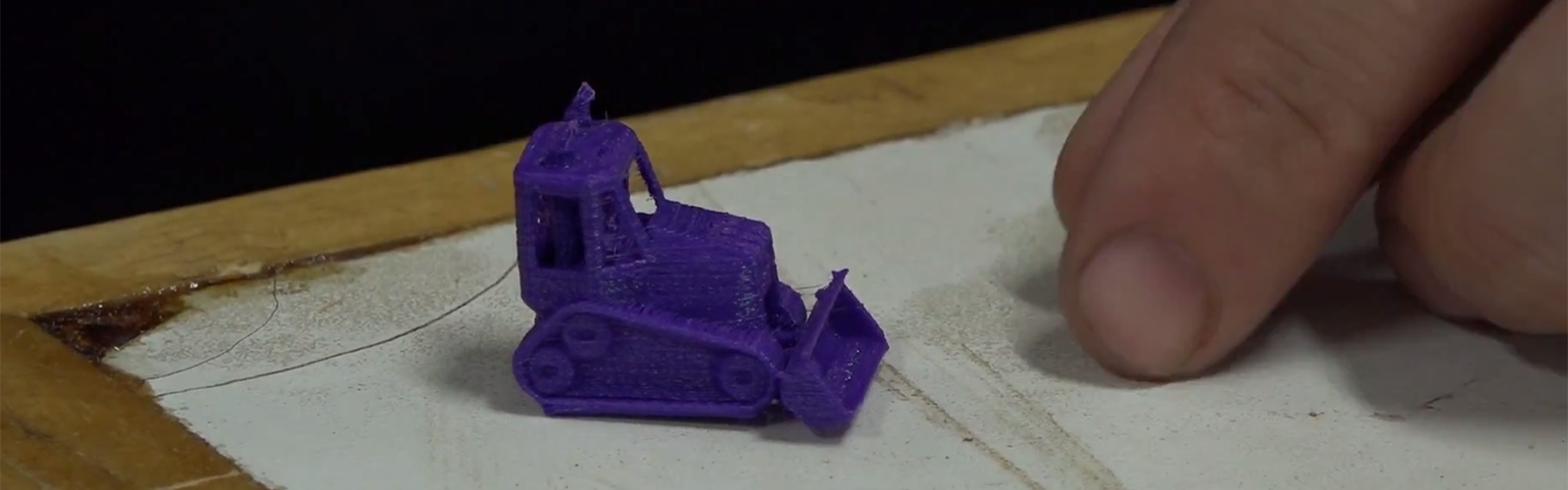
Desktop 3D printers are wonderful little machines. They can turn a spool of plastic into a phone stand, a replacement knob, a cosplay prop, or a mysterious failed blob that looks like a sea creature having a bad Tuesday. But once you move beyond one printer and one hobbyist, the magic gets messy fast. Files pile up. Print queues become guesswork. Finished parts sit on beds like tiny plastic tenants refusing to move out. Someone forgets which job belongs to whom. Someone else starts a six-hour print on the wrong machine. Congratulations: you now manage a miniature factory, except the factory is wearing flip-flops and asking where the SD card went.
That is why the Hackaday Prize Entry: A 3D Printer Management System is such an interesting idea. The original project, created by Mike and featured by Hackaday in 2017, tackled a very practical question: how can a desktop 3D printer work more like an automated production cell? The answer combined two key ideas: a web-based print queue and an automatic part removal system. Instead of treating each print as a lonely manual event, the system aimed to let jobs line up, finish, clear the bed, and move on to the next item.
That sounds simple, but in 3D printing, simple is often the fancy version of genius. Anyone can build a system with seventeen sensors, three cloud dashboards, and a login screen that makes users question their life choices. A great maker project solves a real problem with fewer moving parts, fewer excuses, and preferably fewer moments where the printer tries to impersonate modern art.
Why 3D Printer Management Matters
A single 3D printer is easy to babysit. You slice a model, send the G-code, watch the first layer like a hawk guarding a sandwich, then come back later and remove the part. But a makerspace, school, print farm, university lab, or small product studio has a different problem. It may have several printers, multiple users, different filaments, different nozzle sizes, and a steady flow of jobs that all feel urgent because every project is “just a quick print.” Spoiler: it is never just a quick print.
A strong 3D printer management system helps organize this chaos. It gives users a way to upload files, track jobs, assign printers, monitor progress, and preserve a history of what happened. Modern platforms such as OctoPrint, Prusa Connect, 3DPrinterOS, and newer print-farm tools all revolve around the same basic pain points: remote control, queue management, monitoring, diagnostics, and repeatability. These are not luxury features. They are the difference between a useful fabrication workflow and a room full of blinking machines quietly plotting against your schedule.
The Core Idea Behind the Hackaday Prize Entry
The Hackaday project stood out because it did not stop at software. Many printer control tools focus on sending jobs to the machine, watching temperature graphs, and pausing or canceling prints. That is useful, but it still leaves one awkward physical problem: when a print is done, the part is still sitting on the build plate. Until someone removes it, the printer cannot start the next job.
Mike’s concept attacked that bottleneck directly. The system used a web-based queue and slicing workflow to prepare jobs, then paired it with an automated build plate mechanism. The clever part was the trap-door print bed. At the beginning of a print, an inkjet-style paper feed placed a sheet onto the build area. After the print finished, a stepper motor opened the trap door beneath the part. The printed item dropped into a bin, the bed closed again, and the next queued job could begin.
In plain English: the printer learned how to clean up after itself. Parents everywhere are still waiting for this firmware update in teenagers.
How a Web-Based Print Queue Changes the Workflow
A web-based print queue may sound like basic software, but it is a major upgrade over the classic “walk over with an SD card and hope for the best” routine. In a shared environment, the queue becomes the traffic controller. It can show which prints are waiting, which printer is active, which jobs are complete, and which file belongs to which user.
For a makerspace, this prevents job collisions. For a school, it helps teachers manage student projects without becoming full-time plastic librarians. For a business, it provides accountability. If a customer part fails, the print history can help reveal whether the wrong filament, slicer setting, or printer profile was used. Good queue software also reduces idle time. A printer that waits three hours for someone to remove a finished part is not a machine; it is an expensive shelf with Wi-Fi ambitions.
The Trap-Door Bed: Low-Tech Brilliance With Real Constraints
The trap-door mechanism is the headline feature because it solves the physical handoff problem in a wonderfully direct way. Instead of using a robotic arm, scraper blade, conveyor belt, or complicated part ejector, the system opens the floor and lets gravity do the unpaid internship. Gravity is reliable, free, and rarely asks for firmware updates.
However, the idea also comes with engineering questions. Printing on paper works well only when the material, part geometry, bed temperature, and adhesion behavior cooperate. PLA may behave nicely on some surfaces, while ABS, PETG, nylon, and other materials can warp, stick too aggressively, or require heated beds and controlled environments. Larger prints may pull at corners. Thin parts may not release cleanly. Tall parts may tip when the bed opens. A bin under the printer must protect parts from damage, especially if the next print is not a friendly little calibration cube.
That does not weaken the concept. It makes the concept real. Every useful automation idea has a negotiation phase with physics, and physics is a very strict project manager.
How It Compares With OctoPrint-Style Control
OctoPrint became popular because it gives consumer 3D printers a browser-based control center. Users can monitor webcams, view print progress, control temperatures, move axes, pause prints, and extend functionality through plugins. It is one of the best-known examples of open-source 3D printer host software, and it changed expectations around remote printer control.
The Hackaday Prize entry overlapped with OctoPrint in spirit but pushed toward a different goal. OctoPrint is excellent for controlling and monitoring a printer. Mike’s system aimed at automation of the full print cycle. The key difference is bed clearing. A print queue can only do so much if the printer remains physically blocked after every job. By combining queue management with part ejection, the project moved closer to the dream of a small, low-cost, automated production station.
Modern Context: Klipper, Moonraker, Mainsail, and Fluidd
Today, the 3D printing control ecosystem is richer. Klipper firmware, often paired with Moonraker, Mainsail, or Fluidd, has become a favorite for users who want advanced control, fast motion, macros, and flexible web interfaces. Moonraker exposes APIs that let web clients interact with Klipper-based printers, while interfaces like Mainsail and Fluidd provide clean dashboards for monitoring and control.
This matters because a modern version of the Hackaday-style system could be even more capable. The queue could talk to printer APIs, check printer state, trigger macros, log results, and coordinate multiple machines. Instead of just asking “Is the printer done?” the system could ask better questions: Did the first layer look stable? Did the nozzle maintain temperature? Did the bed cool enough for release? Is the camera view clear? Is the filament sensor happy? Is the finished part actually gone, or is it clinging to the bed like it has emotional attachment issues?
Print Farm Management: From Hobby Desk to Mini Factory
The phrase print farm may sound dramatic, but it simply means multiple 3D printers working together. Print farms are used by Etsy sellers, prototyping labs, schools, engineering teams, and companies making low-volume production parts. The management challenge grows quickly. Ten printers do not create ten times the work; they create ten times the opportunity for things to be mislabeled, misqueued, misconfigured, or mysteriously “almost done” for four hours.
Modern print farm tools focus on routing jobs, monitoring printers, tracking history, managing files, and reducing downtime. Prusa Connect supports remote printer control, print queues, history, statistics, diagnostics, and multi-printer workflows. Bambu Farm Manager focuses on managing multiple printers on a local network with real-time status and batch operations. 3DPrinterOS targets organizations that need cloud-based user, printer, file, and queue management. The trend is clear: 3D printing is moving from isolated machines toward coordinated systems.
Why Automatic Part Removal Is Still Hard
Automatic part removal sounds easy until you try it. The printer has to release the part without damaging it, damaging the bed, dragging filament strings into the mechanism, or launching a tiny plastic bracket into another dimension. Different materials behave differently. Flexible TPU may flop. PETG may stick like it signed a lease. ABS may warp. Resin printing has its own cleaning and curing workflow, so it is a separate beast wearing gloves.
Several approaches exist. Conveyor-belt beds can move finished parts away, but they add cost and mechanical complexity. Scraper systems can push parts off, but they must avoid gouging the print surface. Flexible magnetic build plates make manual removal easier, but automating the flexing motion is not trivial. Robotic arms are cool, but they are often overkill unless the operation is already large enough to justify them.
The trap-door idea is appealing because it avoids many of these complications. It does not need to scrape under the part. It does not need to pull a belt continuously. It simply removes support from below. For small, light, compatible prints, that is beautifully efficient.
Important Features a 3D Printer Management System Should Include
1. User-Friendly Job Submission
Users should be able to upload STL, 3MF, or pre-sliced G-code files without needing a ritual involving USB drives, sticky notes, and prayer. A good system should validate files, capture job names, identify owners, and attach basic requirements such as material, color, nozzle size, layer height, and priority.
2. Slicing and Printer Profiles
For serious use, the system should connect jobs to reliable slicer profiles. A school may want student-safe defaults. A business may need production profiles. A makerspace may require different profiles for PLA, PETG, TPU, and specialty filaments. The goal is consistency. A print farm without standard profiles is just a choir where every printer sings in a different key.
3. Remote Monitoring
Webcams, temperature logs, progress tracking, and printer state reporting are essential. Remote monitoring does not mean ignoring safety; it means spotting problems earlier and avoiding unnecessary trips to the printer room. It also helps managers decide when a machine is ready for the next job.
4. Bed Clearing Confirmation
If the system automatically removes finished parts, it should confirm that removal worked. This might involve a camera, weight sensor, limit switch, optical sensor, or a simple workflow step requiring human approval for certain materials. Starting the next print on top of the previous print is a great way to manufacture disappointment.
5. Safety Rules and Failure Handling
Any automated 3D printer workflow should respect heat, motion, ventilation, electrical risk, and material emissions. The system should have pause, cancel, cooldown, and alert features. It should also fail safely. If the bed does not close, the printer should not start. If the temperature sensor behaves strangely, the system should stop. Automation should remove repetitive work, not remove common sense.
Safety Is Not Optional, Even When the Dashboard Looks Cool
Remote control and automation can make 3D printing more efficient, but they also demand better safety thinking. Fused filament fabrication printers use heated nozzles and beds. Some materials can release ultrafine particles and volatile compounds. Moving parts can pinch. Wires, connectors, and heatbed cables must be maintained. Real-world recalls and safety guidance remind us that even popular machines can have hardware risks.
A responsible 3D printer management system should include ventilation awareness, maintenance reminders, thermal runaway protection, camera monitoring, and clear rules about unattended printing. In schools, libraries, and makerspaces, managers should also think about access control. Not every user should be able to run every material, override every temperature, or start a 14-hour print moments before closing time. That is how a lab becomes a suspense movie with filament.
Best Use Cases for This Kind of System
The Hackaday-style approach is especially useful where many small parts need to be printed repeatedly. Examples include classroom projects, robotics teams, replacement clips, product prototypes, board game accessories, electronics enclosures, and small production runs. If parts are compact, easy to release, and made from cooperative materials, automatic bed clearing can save a surprising amount of time.
For a makerspace, it could mean students submit files during the day and collect finished parts later. For a small business, it could keep printers active overnight within a properly supervised and safety-controlled setup. For a lab, it could reduce the boring manual steps between prints. The point is not to replace skilled operators. The point is to let skilled operators stop doing the same tiny chore 37 times per day.
Limitations and Practical Improvements
A modern version of the system would benefit from stronger sensing, better material handling, and more flexible software integration. A camera could verify print completion and bed clearance. A load cell under the collection bin could confirm that a part dropped. A QR code or printed label could identify each job. The web dashboard could record job owner, filament usage, estimated cost, printer health, and completion time.
The bed surface would also deserve careful testing. Instead of plain paper, designers might experiment with coated sheets, replaceable flexible surfaces, textured films, or temperature-assisted release methods. For some materials, the system might wait for the bed to cool before opening. For fragile parts, the collection bin might use a soft liner or angled chute. For production use, the design should include jam detection because every automated machine eventually discovers a new and creative way to get stuck.
Why the Hackaday Spirit Still Matters
The most important lesson from the Hackaday Prize Entry: A 3D Printer Management System is not that every printer should have a trap door. The bigger lesson is that great hardware projects attack real bottlenecks. They look at a workflow and ask, “What is the annoying step everyone accepts as normal?” Then they remove it, simplify it, or make it funny enough that people pay attention.
That is the Hackaday spirit: practical invention with a bit of mischief. Instead of waiting for a commercial platform to solve everything, makers prototype, test, share, argue politely in comment sections, improve the mechanism, and try again. Sometimes the result becomes a product. Sometimes it becomes a lesson. Sometimes it becomes a glorious contraption that works just well enough to make everyone ask, “Why didn’t I think of that?”
Experience Notes: What Working With a 3D Printer Management System Teaches You
Managing 3D printers teaches patience first, humility second, and cable labeling third. The first time you run one printer remotely, it feels luxurious. You send a file from your desk, watch the webcam, and feel like you are operating mission control. The first time you manage several printers, you realize mission control probably has fewer people asking, “Which one is Printer 4?”
In real use, the value of a management system is not just convenience. It changes behavior. When users can see a queue, they stop interrupting each other as much. When a dashboard shows print progress, people stop opening the printer room door every twelve minutes to stare at a part that is still, shockingly, printing. When job history exists, failed prints become data instead of folklore. Instead of “the printer hates me,” you can discover that the nozzle was partially clogged, the bed temperature was wrong, or someone sliced PETG with a PLA profile because optimism is not a material setting.
The biggest practical lesson is that automation must be introduced gradually. Start with monitoring. Then add queues. Then add standardized profiles. Then add alerts. Only after the software workflow is stable should you automate physical actions like part removal. If the printer already has unreliable adhesion, inconsistent first layers, or mystery filament from a drawer labeled “probably fine,” automation will not save it. It will simply fail faster, with better logs.
Another lesson is that users need simple rules. A shared printer system should explain which materials are approved, which printers support which nozzles, how long jobs may run, and what happens when a print fails. Rules sound boring, but they are cheaper than replacing a build plate because someone printed an experimental material at “volcano mode” temperatures. Good systems make the right choice easy and the risky choice difficult.
Automatic part removal is especially exciting, but it should be treated as a workflow tool, not a magic trick. Small PLA parts are friendly. Large flat parts may warp. Tall parts may fall awkwardly. Delicate parts may break if dropped into a bin. A smart system might classify jobs by risk: safe for automatic removal, needs cooldown, needs human inspection, or absolutely-do-not-drop-this-unless-you-enjoy-sadness.
From an operator’s perspective, the best 3D printer management systems feel almost invisible. They do not bury users under buttons. They show what matters: printer status, queue order, material, estimated finish time, warnings, and next action. The dashboard should answer the human questions quickly: Is it printing? Is it healthy? Who owns this job? When will it finish? Can I start the next one? Where did my part go?
The Hackaday entry remains inspiring because it understood the boring part of 3D printing. The glamorous moment is watching an object appear layer by layer. The real productivity problem is everything around that moment: preparing files, choosing machines, waiting for beds to clear, tracking jobs, and preventing the same mistakes from repeating. A printer management system turns those hidden chores into a visible, manageable workflow. That is not just clever; it is useful. And in the maker world, useful is the highest form of cool.
Conclusion
The Hackaday Prize Entry: A 3D Printer Management System is a smart reminder that desktop fabrication is not only about better printers. It is about better systems. A printer that can receive jobs, manage a queue, clear its own bed, and prepare for the next print becomes more than a hobby machine. It becomes a tiny automated workshop.
Modern tools have expanded the possibilities with remote monitoring, cloud and local control, APIs, print farm dashboards, telemetry, and diagnostics. Yet the original insight still feels fresh: software alone is not enough if the finished part blocks the next job. By combining web-based management with simple mechanical automation, the project pointed toward a more efficient future for makerspaces, schools, labs, and small production teams.
Will every 3D printer eventually have a trap door? Probably not. But every serious 3D printing workflow needs the same mindset: reduce friction, track jobs, improve safety, automate carefully, and let humans spend less time scraping parts off beds like tiny archaeologists. That is the real promise of 3D printer management: not replacing makers, but giving them better tools, cleaner workflows, and fewer plastic spaghetti monsters to explain.