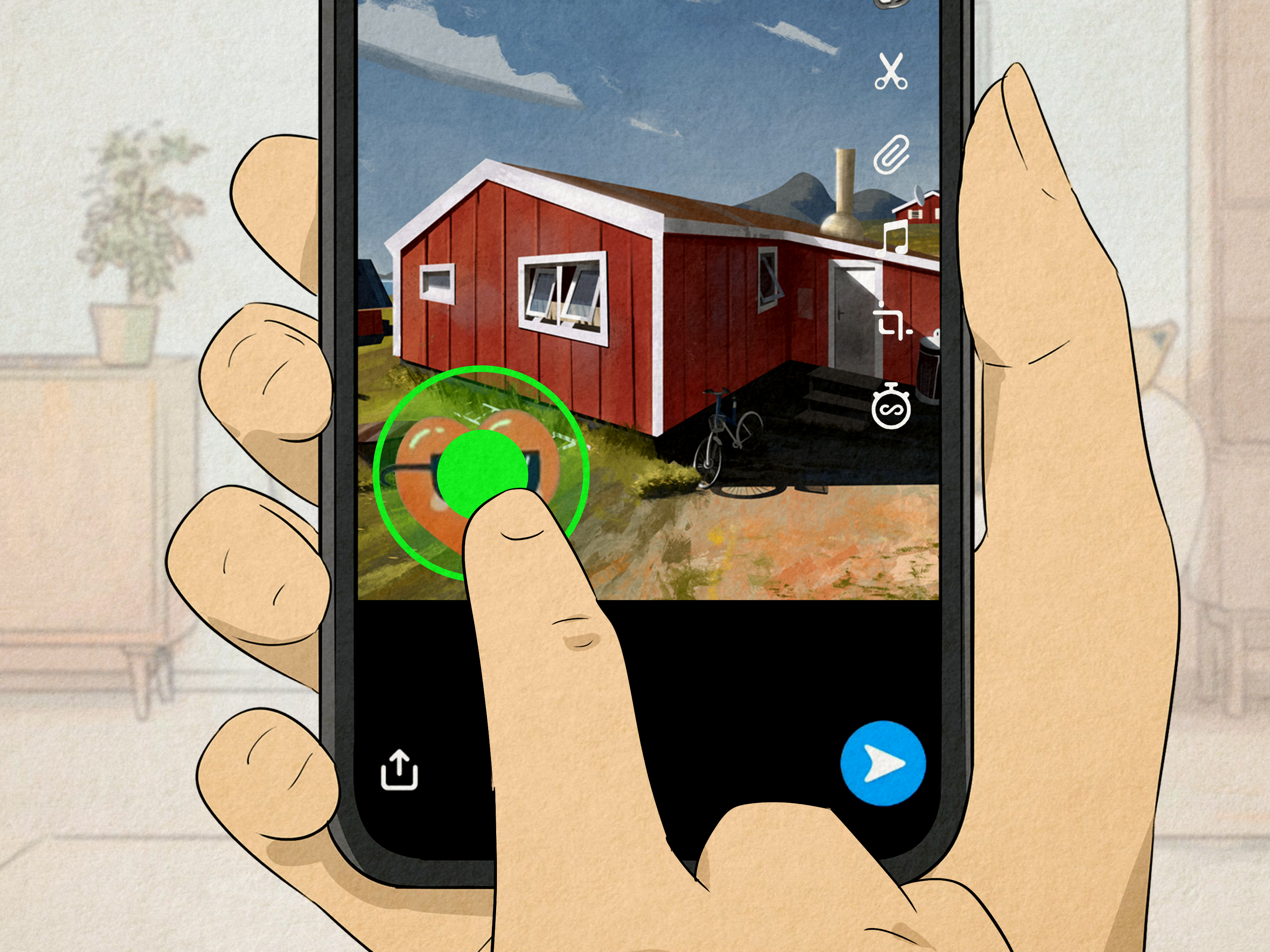
Snapchat without emojis is like a taco without salsa: technically functional, but emotionally suspicious. Whether you are replying to a friend, decorating a Snap, flirting with chaos in a group chat, or trying to keep a Snapstreak alive with more personality than “lol,” emojis can turn plain Snapchat texts into tiny digital performances.
The good news? Using emojis on Snapchat texts is extremely easy once you know where to tap, when to use your phone keyboard, and how Snapchat’s own sticker, Bitmoji, Friendmoji, and Friend Emoji features work. The better news? You do not need to be a social media wizard wearing a hoodie in a neon-lit room. You just need a phone, the Snapchat app, and a willingness to admit that the skull emoji does not always mean actual death.
This guide walks you through 12 practical steps for using emojis on Snapchat texts, from adding basic keyboard emojis to customizing Friend Emojis, decorating Snaps, using Bitmoji stickers, and avoiding the classic “accidentally sent the wrong face” disaster. Let’s make your Snapchat messages more expressive, less awkward, and approximately 73% more fun.
Why Emojis Matter on Snapchat
Snapchat is built around quick, visual communication. A message often disappears fast, a Snap may only be viewed briefly, and a casual reply can carry a lot of meaning. Emojis help fill in the emotional blanks. A simple “fine” can sound cold. “Fine 😌” feels calmer. “Fine 🙃” may mean someone should start apologizing immediately.
Emojis also help Snapchat users add tone, humor, warmth, and context. They can make short messages feel friendlier, soften jokes, highlight reactions, and give Snaps more personality. Because Snapchat includes regular text, stickers, Bitmoji, Friendmoji, custom stickers, and Friend Emojis, users have several ways to communicate visually beyond typing words.
Easy Ways to Use Emojis on Snapchat Texts: 12 Steps
1. Open Snapchat and Choose Where You Want to Type
Start by opening Snapchat and deciding whether you want to use emojis in a Chat message, on a photo Snap, on a video Snap, or inside a Story. This matters because the emoji tools available may look a little different depending on where you are.
For a private message, swipe to the Chat screen and open a conversation. For a Snap, take a photo or video first, then use the editing tools on the Preview screen. In both places, emojis can help you express mood, add emphasis, or create a visual punchline. Think of Snapchat as your tiny stage and emojis as the backup dancers.
2. Tap the Text Field and Open Your Emoji Keyboard
The easiest way to use emojis on Snapchat texts is through your phone’s built-in emoji keyboard. Tap inside the Chat text field or tap the text tool on a Snap. When the keyboard appears, tap the smiley face, globe, or emoji icon, depending on your device.
On iPhone, the emoji keyboard usually appears from the smiley face or globe key. If you do not see it, you may need to add the Emoji keyboard in your iPhone keyboard settings. On many Android phones, especially those using Gboard, the smiley face key opens emojis, stickers, GIFs, and related suggestions.
Once the emoji keyboard is open, tap any emoji to insert it into your Snapchat text. You can add one emoji, several emojis, or a full emotional weather report like “I’m awake 😵💫☕😭.”
3. Search for the Right Emoji Instead of Scrolling Forever
Scrolling through emojis can feel like wandering a mall looking for one specific sock. Instead, use emoji search when your keyboard supports it. Type a keyword like “laugh,” “heart,” “fire,” “cry,” “pizza,” or “dog,” and your keyboard may suggest matching emojis.
This is especially helpful when you know the feeling but not the exact emoji location. Want something dramatic? Search “skull,” “explosion,” or “shock.” Want something sweet? Search “heart,” “sparkle,” or “hug.” Want to say you are mentally unavailable until snacks arrive? Try “sleep,” “burger,” and “ghost.” Snapchat will not judge you. Probably.
4. Add Emojis Directly to Snapchat Chat Messages
To add emojis to a Snapchat Chat, open a friend’s conversation, tap the message box, switch to your emoji keyboard, and tap the emojis you want. Then send the message as usual.
For example:
- “That was hilarious 😂”
- “I’m on my way 🚗💨”
- “Movie night? 🍿👀”
- “You forgot again? Interesting 🙂”
The last one is legally classified as emotional thunder. Use responsibly.
In Snapchat texts, emojis work best when they support the message instead of replacing the entire message. “Meet at 7?” is clear. “🕖👟🏬?” may be clear to you, but your friend might think you are challenging them to a sneaker-themed escape room.
5. Use Emojis in Text on Photo and Video Snaps
Snapchat also lets you add text to a Snap after taking a photo or video. After capturing your Snap, tap the text icon, type your caption, and insert emojis from your keyboard. You can then move, resize, or style the text depending on the tools available in your version of the app.
This is useful for captions like:
- “Monday mood 😴”
- “Main character moment ✨”
- “Dinner was elite 🍜🔥”
- “Do not perceive me today 🫥”
When adding emojis to Snap text, place them where they do not cover important faces, food, pets, signs, or whatever mysterious object your friend is definitely going to zoom in on. Emojis should enhance the Snap, not become a tiny yellow traffic jam.
6. Resize, Move, and Rotate Text with Emojis
Once your text and emojis are on a Snap, you can usually drag the text around the screen. Depending on the text style, you may also be able to resize it by pinching with two fingers or rotate it for a more playful look.
This is where Snapchat emojis get creative. Put a crying laughing emoji next to your friend’s reaction. Add a sparkle emoji near a good outfit. Place a fire emoji beside your cooking attempt, unless the food is actually on fire, in which case maybe call someone first.
Keep readability in mind. A giant emoji can be funny, but if it covers the whole Snap, your audience may wonder whether they are looking at your vacation photo or being attacked by a smiling moon.
7. Use Snapchat Stickers When Regular Emojis Are Not Enough
Snapchat stickers are different from regular keyboard emojis. Stickers are larger, more decorative, and often more expressive. To add stickers to a Snap, tap the sticker icon on the Preview screen and choose from the sticker drawer.
Stickers can include decorative graphics, location-based options, time, temperature, Bitmoji, and other visual elements. They are perfect when a tiny emoji feels too subtle. For example, a single “🔥” says something is cool. A big animated-looking sticker says, “I have committed to this bit and I regret nothing.”
You can also use stickers in Chat. Open a conversation, tap the smiley face icon, browse the sticker drawer, and tap a sticker to send it. This is great for quick reactions when typing feels like too much labor for one thumb.
8. Favorite Stickers You Use Often
If you find a sticker you love, Snapchat allows you to favorite it from the sticker drawer. Press and hold the sticker, then add it to Favorites if that option appears. Later, you can find it more quickly from the heart or favorites section.
This is useful if you have a signature reaction. Maybe you always send the same shocked sticker when your friend says something unhinged. Maybe you have a favorite Bitmoji that perfectly says, “I am listening, but I am also eating chips.” Favoriting saves time and keeps your best reactions close.
Over time, your sticker favorites become your personal emotional toolkit. Some people have meditation apps. You have a raccoon-looking sticker and a dramatic crying face. Healing comes in many forms.
9. Create Custom Stickers for More Personal Emoji-Style Reactions
Snapchat lets you make custom stickers, which can be used in Snaps and Chats. Custom stickers are especially fun when you want reactions that standard emojis cannot provide. You can turn part of a photo into a sticker, save it, and reuse it later.
For example, you might create a sticker from your pet’s confused face, your own “I need coffee” expression, or a friend’s legendary side-eye. Used carefully, custom stickers can make Snapchat conversations feel more personal and hilarious. Used recklessly, they can become evidence in the group chat court of public opinion.
When making custom stickers, avoid using embarrassing images of other people without permission. A sticker is funny until someone’s face becomes the unofficial mascot of “bad decisions Tuesday.” Be kind, be funny, and do not turn your friendships into a sticker-based legal drama.
10. Use Bitmoji as Your Personal Emoji
Bitmoji is one of Snapchat’s most recognizable visual features. It works like a personalized cartoon avatar that can appear in stickers, Chats, Snaps, and other Snapchat areas. If you have created or linked a Bitmoji, you can use it to express reactions that regular emojis cannot quite capture.
To use Bitmoji in Chat, open a conversation and look in the sticker or Bitmoji area. You may see Bitmoji stickers showing your avatar laughing, waving, celebrating, sleeping, panicking, or doing something oddly specific, like holding coffee with the energy of a person who has seen the future and disliked it.
Bitmoji works well because it feels personal. A smiley emoji says “happy.” Your Bitmoji dancing in a taco costume says “happy, but with branding.”
11. Send Friendmoji for Two-Person Reactions
Friendmoji stickers feature you and a friend together in one Bitmoji-style sticker. They are useful for inside jokes, best friend energy, birthdays, celebrations, apologies, and “we survived that group project” moments.
To find Friendmoji, open a Snapchat Chat with a friend and use the sticker picker or Bitmoji area. If your friend has Bitmoji set up and the feature is available, you may see stickers starring both avatars. These can be more expressive than standard emojis because they show a shared reaction.
Friendmoji can make a simple message feel more personal. Instead of typing “we’re iconic,” you can send a two-person sticker that basically screams it in cartoon form.
12. Customize Friend Emojis to Match Your Style
Friend Emojis are the small symbols Snapchat displays next to friends based on how you interact with them. These can include hearts, smiley faces, fire symbols, birthday icons, and other status-style emojis. They are not the same as emojis you type in a message, but they are still a major part of Snapchat’s emoji culture.
Snapchat allows users to customize Friend Emojis in settings. Open your profile, tap the gear icon, and look for the Friend Emoji or Customize Emojis section. The exact path can vary depending on your device and app version, but the feature lets you replace some default friend status emojis with emojis you prefer.
This means you can turn traditional hearts into pizza, stars, frogs, aliens, or whatever symbol best represents your social ecosystem. Is it practical? Sometimes. Is it delightful? Absolutely. Nothing says “best friends” like replacing a heart with a tiny slice of pepperoni destiny.
Best Emoji Combinations for Snapchat Texts
Emoji combinations are where Snapchat texting becomes art. The right combination can turn a basic message into a full mood. Here are a few easy examples:
- For laughter: 😂😭💀
- For excitement: 🔥✨🙌
- For suspicion: 👀🤨
- For tired energy: 😴☕🫠
- For drama: 😭🎭💔
- For confidence: 😌💅✨
- For food plans: 🍕🍟🤝
The trick is to keep combinations readable. Three emojis can add flavor. Fifteen emojis can look like your keyboard sneezed confetti. Use enough to create personality, not enough to require a decoder ring.
Snapchat Emoji Meanings: Be Careful with Context
Emoji meanings can change depending on the friend, conversation, age group, and internet culture of the week. A thumbs-up can seem friendly to one person and passive-aggressive to another. A skull emoji often means something is hilarious, not that anyone has perished. The crying face can mean sadness, laughter, exhaustion, or “I just checked my bank account.”
When texting on Snapchat, match emojis to the relationship. With close friends, you can probably be chaotic. With classmates, coworkers, or someone you barely know, choose clearer emojis. A simple smile, laugh, heart, or thumbs-up is usually safer than sending an entire emotional opera.
Common Mistakes When Using Emojis on Snapchat
Using Too Many Emojis
Emoji overload can make a message hard to read. If every sentence ends with five symbols, the conversation starts feeling like a slot machine. Use emojis to support your message, not replace basic communication.
Sending the Wrong Emoji
Some emojis look similar when you are typing fast. A kissy face, smirk, and relieved smile can send very different signals. Before tapping send, glance at your message. This small habit can prevent big awkwardness.
Forgetting That Emojis Look Different on Different Devices
Emojis can look slightly different across iPhone, Android, and web platforms. The meaning usually stays close, but the mood can shift. What looks cute on your phone may look strangely intense on someone else’s screen. Technology is beautiful and occasionally rude.
Using Inside-Joke Emojis with the Wrong Person
Inside jokes are great when the other person is inside the joke. Otherwise, a random eggplant, clown, or ghost may cause confusion. Know your audience before you unleash your most advanced emoji comedy.
How to Make Snapchat Texts More Expressive Without Being Annoying
The best Snapchat emoji style is natural. Add emojis where they improve tone. Use them to show warmth, humor, excitement, sarcasm, or affection. Avoid forcing an emoji into every line just because you can. You can own a glitter cannon without firing it indoors.
A good rule is to write the message first, then add emojis where tone might be unclear. For example, “Sure” may sound cold. “Sure 😊” sounds friendly. “Sure 🙃” sounds like you are emotionally loading a cannon. Same word, different energy.
Also, pay attention to how your friends use emojis. If they send short messages with one or two emojis, match that rhythm. If they communicate like a carnival parade, feel free to join the parade. Snapchat is social, and good emoji use is partly about reading the room.
Extra Experience: What Using Emojis on Snapchat Texts Feels Like in Real Life
After using Snapchat emojis for a while, you start to notice that they are less about decoration and more about emotional speed. Snapchat conversations move quickly. Someone sends a selfie, a food photo, a reaction video, or a random “guess what” message, and you often want to respond fast without writing a paragraph. Emojis make that possible.
For example, when a friend sends a Snap of a new haircut, “nice” is acceptable, but “NICE 🔥🔥🔥” feels more enthusiastic. When someone sends a photo of their coffee after sleeping three hours, “good luck 😭☕” says more than a plain sentence. When a group chat becomes chaotic, “👀” can communicate that you are watching the drama without officially participating. That is not silence. That is strategic emoji diplomacy.
One of the best experiences with Snapchat emojis is building shared meanings with friends. Over time, certain emojis become part of your friendship language. Maybe you and a friend always use the frog emoji when gossip appears. Maybe the clown emoji is reserved for bad decisions. Maybe the sparkle emoji means something is iconic, suspicious, or both. These small patterns make conversations feel more personal.
Bitmoji and Friendmoji add another layer because they make reactions feel custom. A regular laughing emoji is funny, but a Bitmoji version of you dramatically collapsing from laughter feels more specific. Friendmoji is even better for close friends because it turns the conversation into a tiny cartoon scene. It is silly, but that silliness is exactly why people like it.
Another useful lesson is that emojis can soften messages. If you need to remind someone about plans, “Are we still meeting at 6?” is clear, but “Are we still meeting at 6? 😊” feels warmer. If you are joking, adding “😂” or “😭” can prevent the message from sounding too serious. Snapchat is casual, but tone can still get misunderstood. Emojis act like little emotional seat belts.
However, experience also teaches restraint. Not every message needs fireworks. If someone is sharing serious news, a simple heart or supportive face may be better than a chaotic sticker. If you are texting someone new, start with familiar emojis before sending highly specific meme combinations. Emoji confidence is good. Emoji mystery crimes are not.
The most practical habit is to create your own “emoji style.” Maybe you use clean, minimal emojis. Maybe you love expressive combinations. Maybe you mostly use Bitmoji and stickers. There is no single correct way to use emojis on Snapchat texts. The goal is to make your messages feel more like you: clearer, warmer, funnier, and easier to understand.
In everyday Snapchat use, emojis are not just cute icons. They are tone, timing, personality, and sometimes the entire joke. Used well, they make quick messages feel human. Used badly, they make everyone ask, “What does this mean?” So tap carefully, laugh freely, and remember: the right emoji can save a conversation, but the wrong emoji can start a group chat investigation.
Conclusion
Using emojis on Snapchat texts is simple, but using them well is a tiny social skill. Start with your phone’s emoji keyboard, add emojis to Chat messages, decorate Snap captions, explore Snapchat stickers, create custom stickers, try Bitmoji and Friendmoji, and customize Friend Emojis if you want your Snapchat world to feel more personal.
The best Snapchat emoji use is clear, expressive, and fun. Do not overthink every tiny face, but do pay attention to context. A good emoji can make your message warmer, funnier, or easier to understand. A great emoji can become part of an inside joke that lasts for years. And a badly chosen emoji? Well, that is character development.
So the next time you open Snapchat, do not settle for plain text when your message needs personality. Add a laugh, a sparkle, a dramatic skull, a Bitmoji meltdown, or a perfectly timed sticker. Your thumbs already know what to do.