If you have ever reread one of your Yelp reviews and thought, “Wow, I wrote that with the emotional restraint of a microwave burrito exploding at 2 a.m.,” you are not alone. Reviews are written in real life, and real life is messy. Sometimes the service was terrible, then the manager fixed it. Sometimes you posted too fast. Sometimes you reviewed the wrong place. And sometimes you simply want your words back from the internet before they grow legs and haunt Thanksgiving dinner.
The good news is that Yelp does give users ways to change course. Depending on when you posted the review and what you want to do, you may be able to edit it, update it, or remove it entirely. The slightly less sparkly news is that Yelp also has rules about what businesses can and cannot do when a review goes live. So if you are a reviewer trying to fix your own post, or a business owner hoping to make a bad review disappear like a magic trick, it helps to understand how the platform actually works.
This guide breaks it all down in plain English: how to edit a Yelp review, how to delete a Yelp review, when to update instead of remove, what happens if a business asks you to change your post, and what Yelp may remove on its own. No tech jargon avalanche. No robotic fluff. Just the practical stuff you came for.
Can You Edit a Yelp Review After Posting It?
Yes, but there is an important wrinkle. Yelp treats editing and updating as slightly different things. In simple terms, an edit is usually a change to the review you recently posted, while an update is more like adding a newer version of your experience later on.
If your review is still fresh, you may see an option to edit it directly. If the review is older, Yelp may handle your change more like an update to your experience rather than a tiny surgical rewrite of the original. That distinction matters because Yelp has indicated that direct edits are limited to a 30-day window after the original post. After that, the platform may treat changes differently behind the scenes.
Translation: yes, you can often revise what you said, but the exact experience may depend on the age of the review, your device, and the version of the app or website you are using. In other words, the buttons may move around like socks in a dryer, but the goal stays the same.
How to Edit a Posted Review on Yelp
On Desktop
If you are using Yelp in a web browser, start by logging into your account and heading to your profile. From there, open the Reviews section and find the review you want to change. If Yelp offers an edit option for that post, click it, revise the star rating, wording, or photos as needed, and save the updated version.
This is the best option when your original review is basically correct but needs cleanup. Maybe you wrote “worst haircut of my life,” then calmed down and realized it was more like “aggressively uneven bangs with emotional consequences.” Editing lets you make the review more accurate without wiping out the entire record.
On Mobile
In the Yelp app, open your profile area and go to your posted reviews. Tap the review you want to change. Depending on your app version, you may see an edit option directly, or you may need to open the review and look for an overflow menu, action button, or similar control. Once you are in, update the text, rating, or photos and save.
What Should You Change?
When editing, aim for accuracy, not drama. Good Yelp reviews are usually clearer when they answer questions like these:
- What happened?
- When did it happen?
- How did staff respond?
- Was the issue resolved later?
- Would you return?
That approach helps your review sound more useful and less like a live broadcast from the Department of Personal Outrage. It also makes the review stronger if anyone questions whether it reflects a real firsthand experience.
How to Remove a Yelp Review You Posted
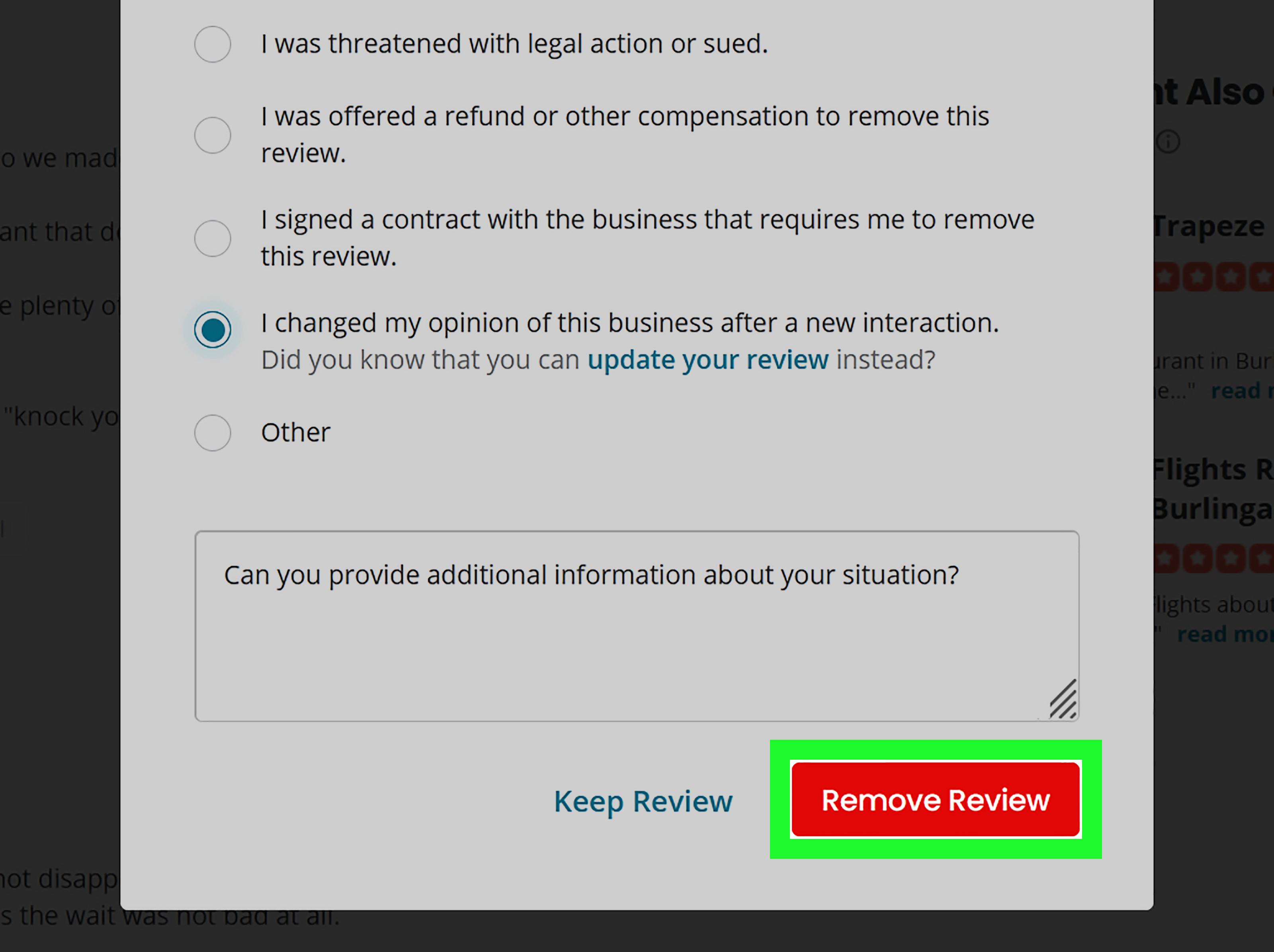
If you would rather pull the plug completely, Yelp also lets users remove their own reviews. On desktop, that usually means going to your profile, opening your list of reviews, finding the one you want gone, and clicking the remove or trash-can icon. Yelp may ask why you want to delete it, and then you confirm the removal.
On mobile, the process is similar: open the Yelp app, go to your profile or personal account area, find your reviews, tap the one you want to remove, then scroll until you see the option to delete or remove it. Confirm, and the review should come down from your profile.
Deletion makes sense when the review is no longer fair, no longer relevant, or simply should not be there in the first place. Common examples include:
- You reviewed the wrong business.
- You posted while angry and no longer stand by the wording.
- The issue was fully resolved and you would rather start fresh.
- The review contains personal details you now regret sharing.
- You posted from the wrong account.
One practical question comes up a lot: should you edit or delete? If the original experience still happened, editing is usually the more honest and helpful option. If the post is flat-out wrong, overly personal, or no longer reflects your actual view, deleting may be smarter.
Edit vs. Delete: Which One Is Better?
Think of editing as using a red pen. Think of deleting as using a shredder. Both have their place.
Edit Your Review If:
- You want to correct facts.
- You want to soften language without changing the core experience.
- The business fixed the issue and you want to acknowledge that.
- You want your review to stay visible but more balanced.
Delete Your Review If:
- You posted it by mistake.
- The review belongs to the wrong business page.
- You shared too much personal information.
- You no longer want the review public at all.
For many people, the smartest move is to revise rather than erase. A thoughtful update can tell future customers something genuinely useful: not just that a problem happened, but whether the business handled it well afterward. That kind of nuance is gold online, where too many reviews act like every bad latte is a federal crime.
What If a Business Wants Your Review Changed or Removed?
This is where things get spicy. A business owner may absolutely respond to your review. Yelp gives businesses ways to comment publicly, send a direct message, or thank reviewers for positive feedback. That part is normal and often helpful.
What they cannot do is quietly delete your review from their page just because they dislike it. Yelp makes that pretty clear. Businesses do not get a magic “erase criticism” button, and Yelp says it generally will not remove a review unless it violates the platform’s content rules.
So if a business contacts you after you post, ask yourself: are they trying to resolve the issue, or are they trying to pressure you?
Reasonable Request
A manager replies politely, apologizes, offers a refund, and asks whether you would consider updating the review to reflect the resolution. That is not automatically shady. If the problem was genuinely fixed, you may decide to revise your post. Your review belongs to you.
Unreasonable Request
A business threatens legal action, pressures you to remove the review, or offers a gift card only if you delete the post. That is a very different story. Yelp warns against incentives tied to reviews, including attempts to influence removal, and federal rules now also target deceptive review suppression and fake or paid sentiment-driven reviews.
Bottom line: do not change your review because you feel bullied. Change it only if your view has honestly changed.
When Will Yelp Remove a Review on Its Own?
Yelp does not remove reviews just because they are harsh, awkward, blunt, or deeply annoying to the business owner reading them over breakfast. Critical reviews are allowed. Yelp says it generally lets users stand behind their own experiences.
However, Yelp may remove a review if it appears to violate content rules. The most common reasons include:
- Conflict of interest: the reviewer is a competitor, employee, relative, or otherwise biased.
- No firsthand experience: the review is hearsay, copied from somewhere else, or not based on the reviewer’s own consumer experience.
- Inappropriate content: threats, hate speech, lewd commentary, or private personal information.
Yelp also says that reporting a review does not guarantee removal. Moderators review the content, compare it with policy, and make a decision. So if you are a business owner hoping to remove a bad review, “I hate this” is not enough. You need an actual policy issue, not wounded feelings in a cardigan.
How to Report a Yelp Review Instead of Deleting Yours
If the issue is not your own review, but someone else’s suspicious or abusive post, Yelp offers reporting tools. On desktop, users can typically click the flag icon on the review and choose a reason. On mobile, reporting usually lives inside the review menu. Yelp then asks for context and sends the report to moderators.
This matters for two groups:
- Consumers who see fake or abusive content
- Business owners who believe a review violates Yelp’s rules
Report the review if there is a real guideline issue. Do not report it just because it is negative. Yelp has heard that one before. Probably before coffee.
Best Practices Before You Hit Save
1. Re-read your review like a stranger would
Ask whether the review sounds helpful, fair, and specific. “They ruined my birthday” is memorable, sure, but “the reservation was lost, we waited 40 minutes, and the staff did not communicate clearly” is much more useful.
2. Remove anything too personal
Skip private contact details, home addresses, or information that does not belong in a public review. A Yelp review is not a diary, a subpoena, or a revenge scrapbook.
3. Add the resolution if one happened
If the owner fixed the problem, say so. Updated reviews often help readers more than permanently angry ones.
4. Do not trade honesty for freebies
If someone offers you compensation specifically to delete or rewrite a review, step back. That should raise an eyebrow, then the other eyebrow, then maybe a screenshot folder.
5. Consider whether the review still serves a purpose
Some reviews deserve a careful edit. Some deserve a clean exit. Be honest about which camp yours belongs in.
Common Questions About Editing or Removing Yelp Reviews
Will deleting my Yelp review notify the business?
Yelp’s public guidance focuses more on the action itself than on a formal notification flow, so the safest assumption is this: the review disappears from public view, and the business may notice the change if they had seen it before.
Can a business owner force Yelp to remove my review?
No. They can report it, respond to it, or contact you, but Yelp says owners cannot remove reviews from their own pages themselves.
Can I delete a review and post a new one later?
In many cases, yes. But if what you really want is to reflect a changed experience, updating or revising the original review may be cleaner and more transparent.
What if I was pressured to change my review?
Document the interaction. If the pressure includes threats or incentives tied to review removal, take it seriously. Review manipulation is getting more scrutiny from both platforms and regulators.
Real-World Experiences With Editing or Removing a Yelp Review
One of the most common experiences people have with Yelp is posting a review in the heat of the moment and then revisiting it later with a cooler head. That does not mean the original complaint was fake. It usually means the first version was powered by adrenaline, hunger, or the uniquely dangerous mix of both. A diner gets terrible service, writes a blazing one-star review from the parking lot, and feels triumphant for about seven minutes. The next morning, they reread it and realize half the review is helpful, while the other half sounds like a courtroom closing argument written by a sleep-deprived raccoon. In that situation, editing makes a lot of sense. The facts stay. The unnecessary fireworks go.
Another very normal experience is when a business actually fixes the problem. Maybe a hotel double-charged a guest, a salon corrected a botched appointment, or a restaurant manager called to apologize and made things right. People in that situation often do not want to delete their review entirely, because the bad experience still happened. But they also do not want the review frozen in time as if nothing improved. Updating the review becomes the fairest move. It tells future readers, “Yes, this went sideways, but here is how the business responded.” That kind of follow-up is often more valuable than the original rant.
Then there is the mistaken-review scenario, which is more common than many people admit. Similar business names, multiple locations, old addresses, and fast scrolling can lead someone to review the wrong place. Once that happens, removal is usually the cleanest fix. Leaving the post up would be unfair to the business and embarrassing for the reviewer, which is not a combo anyone puts on a vision board.
Some users also describe a more awkward experience: a business reaches out after a review is posted. Sometimes the message is courteous and constructive. Sometimes it feels like a soft negotiation wrapped in customer service language. A polite request to revisit your review after an issue is resolved is one thing. Pressure, guilt, or incentives are another. People who handle this well usually ask themselves a simple question: has my honest opinion changed? If yes, edit it. If no, leave it alone. That mindset keeps the review grounded in reality instead of emotion or pressure.
In the end, the best Yelp reviews are not the loudest ones. They are the clearest, fairest, and most current. Editing or removing a posted review is not about hiding your opinion. It is about making sure the opinion on the screen still matches the truth in your head.
Conclusion
If you want to edit or remove a posted review on Yelp, the smartest move is to start with one question: What outcome actually reflects the truth now? If your experience has changed, update the review. If the review is inaccurate or no longer belongs online, remove it. If a business is trying to push you around, remember that your review is yours, not theirs. And if you are a business owner reading this while stress-eating almonds over a one-star review, remember that Yelp gives you response tools, not a delete wand.
Online reviews matter because they shape decisions in the real world. That is exactly why it is worth taking five extra minutes to make yours clear, factual, and current. The internet may never be perfect, but your Yelp review can at least stop sounding like it was written during a fire drill.