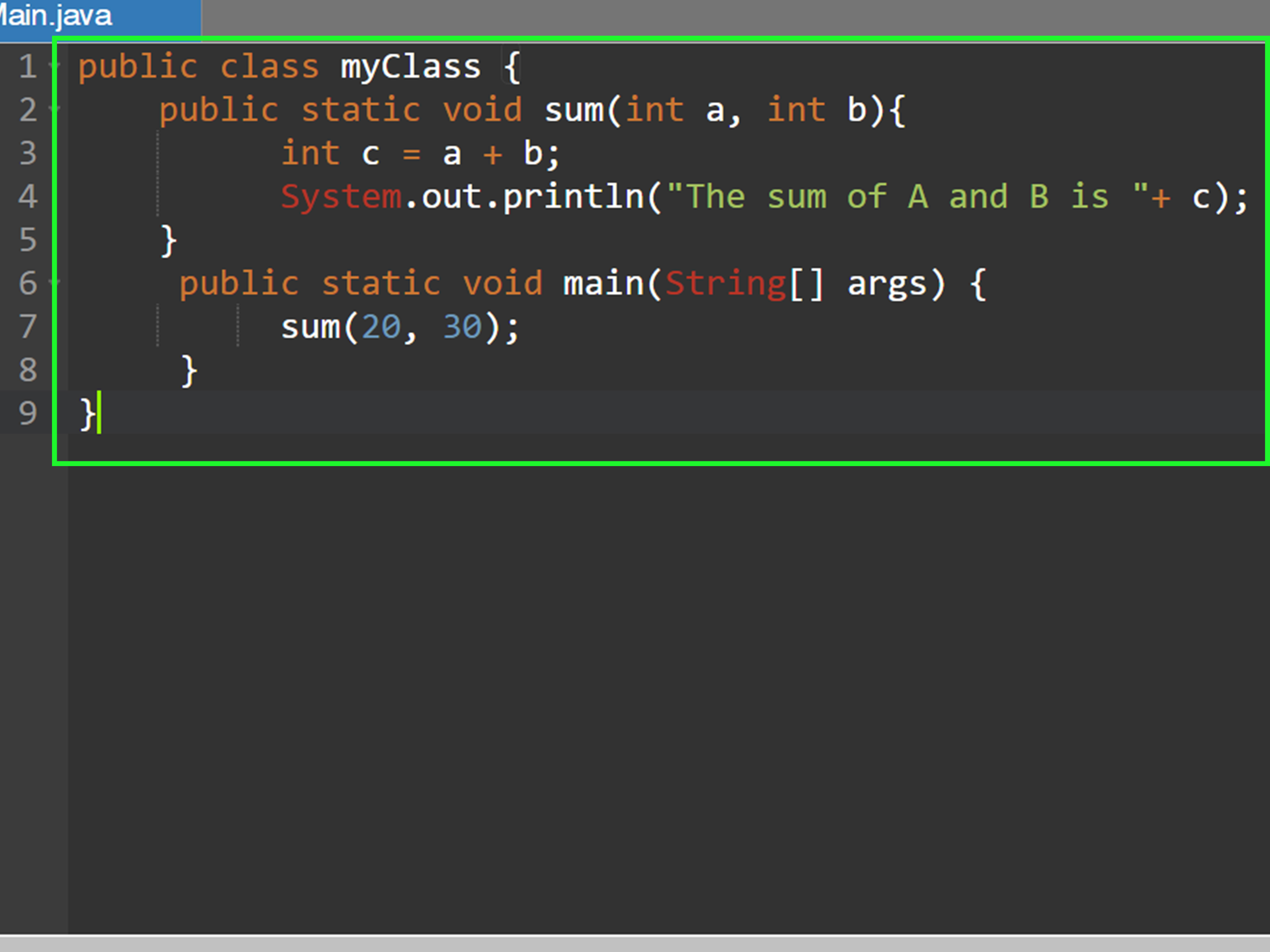
Calling a method in Java is one of those beginner skills that looks tiny at first, like learning where the light switch is in a new apartment. Then, two weeks later, you realize the entire house depends on it. Methods are how Java programs organize actions, reuse logic, pass information around, and keep code from turning into a spaghetti dinner with semicolons.
In simple terms, a method is a block of code that performs a task. To call a method in Java, you write the method name, add parentheses, provide any required arguments, and finish with a semicolon when the call is a statement. Depending on the method, you may call it directly, through an object, through a class name, or even through an interface or inherited superclass behavior.
This guide walks through the practical, real-world way to understand Java method calls: what they are, how syntax works, how static and instance methods differ, how parameters and return values behave, and why Java sometimes yells at you with errors that sound like a robot having a bad Monday.
What Is a Method in Java?
A method in Java is a named block of code inside a class, interface, enum, or record. It usually represents one action or one calculation. For example, a method might print a greeting, calculate sales tax, validate an email address, or return the name of a user.
Here is a basic Java method:
This method is named sayHello. It does not take parameters, and it does not return a value. The keyword void tells Java, “This method does something, but it does not hand anything back.” Think of it like pressing a doorbell: the bell rings, but it does not give you a sandwich. Tragic, but clear.
Basic Syntax: How to Call a Method in Java
The simplest method call looks like this:
That line tells Java to find the method named sayHello and run its code. The parentheses are required, even when the method takes no arguments. Without them, Java does not see a method call. It sees confusion wearing a hoodie.
Full Example
When the program runs, the main method starts first. Inside main, the line sayHello(); calls the sayHello method. Java jumps into that method, prints the message, then returns to where it left off.
Calling a Static Method in Java
A static method belongs to the class itself, not to a specific object created from the class. You can call a static method from the same class by using only its name, or from another class by using the class name.
Calling a Static Method from the Same Class
The method call add(5, 3) passes two arguments into the method. Java assigns 5 to a and 3 to b, then returns 8.
Calling a Static Method from Another Class
Here, MathHelper.multiply(4, 6) is the method call. The class name MathHelper tells Java where to find the static method. This is the preferred style for calling static methods because it makes the code clear and avoids pretending an object is involved when it is not.
Calling an Instance Method in Java
An instance method belongs to an object. That means you need to create an object first, then call the method using dot notation.
The line Dog myDog = new Dog(); creates an object. The line myDog.bark(); calls the instance method on that object. The dot operator is Java’s way of saying, “Use this specific thing to do this specific action.”
Static vs. Instance Method Calls
Use a static method when the behavior does not depend on object-specific data. Use an instance method when the behavior depends on the state of an object.
In this example, deposit and getBalance should be instance methods because each bank account has its own balance. Making them static would be like giving every customer the same wallet. Banks have tried many creative fees, but thankfully not that one.
Calling a Method with Parameters
Parameters are variables listed in a method declaration. Arguments are the actual values you pass when calling the method. Programmers sometimes use the words casually, but the distinction is useful.
In greetUser(String name), name is the parameter. In greetUser("Maya"), "Maya" is the argument.
Calling a Method with Multiple Arguments
The order of arguments matters. Java matches arguments to parameters by position and type. If the method expects a String, then an int, then a double, you must pass values in that order unless you enjoy compiler errors as a lifestyle choice.
Calling a Method That Returns a Value
Some methods return a value. When calling them, you usually store the result in a variable, use it in an expression, return it from another method, or pass it into another method call.
The method calculateTax returns a double. The call calculateTax(100.00) produces a value, which is stored in the variable tax.
Using a Return Value Directly
This calls the method and immediately prints the returned value. No variable is required, although using one can make code easier to read when the calculation is important.
Calling a Void Method
A void method performs an action but does not return a value. You call it as a standalone statement.
You cannot assign the result of a void method to a variable because there is no result. This will not work:
Java is strict about this, and honestly, it has a point. You cannot pour “nothing” into a coffee mug, no matter how elegant your mug is.
Calling Methods from Inside Other Methods
Methods can call other methods. This is one of the best reasons to use methods in the first place: you break a larger task into smaller steps.
The printReport method calls three smaller methods. This keeps the program readable. Instead of one giant method stomping through your codebase like a confused dinosaur, each method has a clean job.
Calling Overloaded Methods
Java supports method overloading, which means a class can have multiple methods with the same name as long as their parameter lists are different. Java decides which method to call based on the arguments you provide.
The first call uses the String version. The second call uses the int version. The third call uses the version with both a String and an int. Overloading is useful, but do not overdo it. If your method list looks like a restaurant menu with twelve versions of “print,” future you may send present you a strongly worded email.
Calling Methods with Objects as Arguments
Java methods can accept objects as arguments. This is common in object-oriented programming.
The method welcome receives a User object. Inside the method, it can access the object’s fields or call its methods, depending on access modifiers and design.
Calling Getter and Setter Methods
Getter and setter methods are common in Java because fields are often marked private. This protects data and gives the class control over how values are read or changed.
The call product.setName("Desk Lamp") changes the value. The call product.getName() returns it. This pattern is everywhere in Java, especially in older enterprise code, JavaBeans-style classes, and frameworks.
Calling Inherited Methods
When a class inherits from another class, it can call accessible methods from the parent class.
The Cat object can call eat because Cat extends Animal. It can also call its own method, meow. Java method calls become especially powerful when combined with inheritance and polymorphism.
Calling a Parent Method with super
The keyword super calls the parent class version of the method. This is useful when you override a method but still want part of the original behavior.
Calling Interface Default and Static Methods
Modern Java interfaces can include default methods and static methods. A default method can be called through an object of a class that implements the interface. A static interface method is called through the interface name.
The default method call uses the object: logger.logInfo("App started"). The static method call uses the interface name: Logger.logError("Something went wrong").
Common Errors When Calling Methods in Java
1. Calling an Instance Method Without an Object
The start method is not static, so it requires an object:
2. Passing the Wrong Argument Type
The method expects an int, not a String. Java checks this at compile time.
3. Forgetting Parentheses
Parentheses are part of the method call syntax. Even if no arguments are needed, the parentheses stay.
4. Ignoring Access Modifiers
A method marked private can only be called inside its own class. A public method can be called from other classes. A protected method has special inheritance and package access rules. Access modifiers are Java’s bouncers; they decide who gets into the club.
Best Practices for Calling Methods in Java
First, give methods clear names. A method named calculateInvoiceTotal is much better than doStuff. Code is read more often than it is written, and vague method names age like milk in a hot car.
Second, keep methods focused. A method should usually do one main thing. If a method validates input, saves data, sends an email, updates a dashboard, and makes toast, it is probably doing too much.
Third, avoid unnecessary static methods. Static methods are useful for utility behavior, but instance methods are better when working with object state. Choosing correctly makes your code easier to test, extend, and maintain.
Fourth, use return values intentionally. If a method calculates something, return the result. If it performs an action, void may be appropriate. Do not make methods mysterious. Java already has enough punctuation.
Finally, watch for null references. Calling a method on a null object causes a NullPointerException. Before calling an instance method, make sure the object actually exists.
A safer approach is to initialize the object properly, validate input, or use modern Java techniques such as Optional where appropriate.
Real-World Experience: What Calling Methods in Java Teaches You Over Time
When you first learn how to call a method in Java, it feels like memorizing syntax: object, dot, method name, parentheses, semicolon. That is the beginner stage, and everyone goes through it. At that point, the biggest victory is getting the program to run without the compiler turning your screen into a red-text crime scene.
After some practice, you start to notice that method calls are not just instructions. They are conversations between parts of your program. One object asks another object to do something. A service asks a repository to fetch data. A controller asks a validator to check input. A utility method formats a string so nobody has to copy and paste the same logic twenty times. Good Java code often feels like a well-organized workplace: everyone has a job, nobody is shouting, and the coffee machine only explodes occasionally.
One helpful experience is learning when not to call a method directly. For example, beginners sometimes put everything inside the main method because it is visible and easy. That works for tiny demos, but it quickly becomes messy. A better habit is to move repeated or meaningful actions into named methods, then call those methods from main. This makes your code easier to test and easier to explain. If you cannot describe what a method does in one sentence, it may need to be split into smaller methods.
Another practical lesson is that method calls reveal design problems. If you constantly need five or six arguments to call a method, your data may belong in an object. If you keep calling static methods everywhere, your program may become harder to mock in tests. If every method call requires checking for null first, your object creation flow may need improvement. In other words, method calls are not only syntax; they are little clues about the health of your codebase.
Debugging also teaches you a lot about Java method calls. When something breaks, stepping through method calls in an IDE shows the program’s actual path. You can watch arguments enter a method, see local variables change, and inspect return values. This is where Java starts to feel less abstract. The code is no longer a wall of text. It becomes a sequence of events, like following footprints through fresh snow, except the footprints are variables and the snow is your slowly fading patience.
Professional Java projects also show why naming matters. A method call such as paymentService.processRefund(orderId) tells a story. A call like manager.handle(data) tells you almost nothing. Clear method names reduce comments, prevent mistakes, and help new developers understand the system faster. In large applications, readable method calls are not a luxury. They are survival equipment.
The final experience-based tip is to practice with small examples, then connect them to real tasks. Write a method that converts Fahrenheit to Celsius. Then write one that validates a password. Then write a class with instance methods that manage a shopping cart. Each example teaches a slightly different part of calling methods: parameters, return values, object state, static utilities, and error handling. Over time, the syntax becomes automatic, and your attention shifts to design, clarity, and maintainability.
Learning how to call a method in Java is not just a beginner checkbox. It is a foundation for nearly everything else in Java programming: object-oriented design, APIs, collections, streams, frameworks, testing, and enterprise applications. Once you understand method calls deeply, Java becomes less like a strict teacher with a red pen and more like a toolbox. Still strict, yes. But at least now you know which wrench to grab.
Conclusion
Calling a method in Java means invoking a named block of code so it can perform a task or return a value. The basic syntax depends on the method type. Static methods are usually called with the class name, such as ClassName.methodName(). Instance methods are called through an object, such as objectName.methodName(). Methods can accept arguments, return values, call other methods, be overloaded, be inherited, and participate in larger object-oriented designs.
The key is to understand what the method belongs to, what arguments it requires, and what it returns. Once those pieces are clear, Java method calls become straightforward. And once method calls become straightforward, you can build cleaner, smarter, more reusable Java programs without feeling like the compiler is personally judging your life choices.
SEO Tags
Note: This article is written in original American English for web publishing and is based on established Java programming concepts, official Java documentation, and reputable educational references.