Lost your W-2? Didn’t get one? Or did it vanish into that mysterious black hole where missing socks and TV remotes go? You’re not alone. The good news: the IRS can often help you recover the wage information you need. The “real” news: the IRS usually doesn’t keep a pretty, printable W-2 the same way your employer does.
This guide breaks down three legitimate ways to get W-2 information from the IRS, when each option makes sense, what you’ll actually receive, and how to avoid the common “why is this taking forever?” traps.
Reality check: what the IRS can (and can’t) give you
When people say “get my W-2 from the IRS,” they usually mean one of two things: (1) “I need my wage numbers to file taxes,” or (2) “I need an official document for a loan, school, or paperwork.” Those are different problems, and the IRS solves them in different ways.
The IRS usually provides a transcript, not a duplicate W-2
In most cases, what you can get is a Wage and Income Transcript. It’s essentially a report of the wage/tax data the IRS received from information returns (including W-2s) for a given year. It’s often enough to confirm wages and withholding, or to reconstruct tax return entries when the original W-2 is missing.
When can the IRS provide an “actual copy” of a W-2?
The IRS only has an actual W-2 copy if it was attached to a paper-filed tax return. If you e-filed (which most people do), your W-2 generally wasn’t attached as a photocopy. Translation: the IRS can typically give you the wage data, but not the exact W-2 form layout with all the state/local boxes.
One more thing: timing matters
Employers send W-2 information to the Social Security Administration (SSA) and it eventually makes its way to the IRS. Early in filing season, transcripts for the “current” year may be incomplete. So if you’re searching in January and expecting everything to be there, your transcript may politely respond, “lol, no.”
Way 1: Use your IRS Online Account to download a Wage & Income Transcript (fastest)
If you want the quickest path to W-2 wage data, the IRS Individual Online Account is usually it. Once you’re logged in, you can view, print, or download your transcriptsoften immediately.
What you’ll get
- Wage and Income Transcript (includes federal wage/tax data from W-2s and other forms like 1099s)
- Usually available for up to about 10 tax years (depending on IRS records and availability)
What you won’t get (important)
- State and local tax details from the W-2 often won’t appear on the Wage & Income Transcript
- A “photocopy-style” W-2 (unless it was attached to a paper return)
Step-by-step: how to pull it
- Sign in to your IRS Individual Online Account. If you don’t have one yet, you’ll go through identity verification (commonly via ID.me). Have a government-issued photo ID ready, plus access to your email and phone.
- Go to your Tax Records / Transcripts area. Look for the option to view or download transcripts.
- Select “Wage and Income Transcript.” Choose the tax year you need (example: 2024 wages for a 2025 filing season).
- Download and save a copy. Pro tip: name it something you’ll recognize later, like “WageTranscript_2024.pdf” instead of “final_final_REALLYfinal.pdf.”
Pro tips to avoid common headaches
- Be patient early in the year: If it’s January/early February, your transcript may be missing some documents. Check again later if it looks incomplete.
- Have a lot of income documents? If you have a very large number of reported documents, the online transcript may fail to generate. In that case, the IRS often directs you to request it using Form 4506-T instead.
- Moved recently? Online access is typically easiest because it doesn’t depend on mail delivery to an old address.
A quick example
Let’s say Jordan worked two jobs in 2024 and one employer changed payroll providers mid-year. Jordan never received the second W-2. By logging into an IRS Online Account, Jordan can download a Wage & Income Transcript and confirm the federal wages and withholding reported for both employersenough to prepare a return (or to validate figures before filing).
Way 2: Request a Wage & Income Transcript with Form 4506-T (mail or fax)
If you can’t (or don’t want to) use the IRS online account, Form 4506-T is the classic paper route. This form lets you request different transcript types, including the one you care about here: the Wage and Income Transcript.
Best for
- People who can’t complete online identity verification
- Situations where the online Wage & Income Transcript won’t generate (for example, too many documents)
- Those who prefer a paper trail (or have a love of fax machines… no judgment)
What you’ll need before you start
- Your name, SSN (or ITIN), and current address
- Your prior address (if you moved recently and the IRS may have the old one on file)
- The tax year(s) requested (example: “12/31/2024” for tax year 2024)
- A printer and a way to mail or fax the form
How to fill it out (high-level)
- Download Form 4506-T from the IRS and open the instructions. (Use the official IRS form versionrandom templates from the internet can be outdated.)
- Check the box for “Wage and Income Transcript.” That’s the option that pulls the W-2-related wage data reported to the IRS.
- Enter the year(s) you need. If you need 2024 wages, you’ll request the year ending 12/31/2024.
- Sign and date the form. Unsigned forms are like unsigned checks: they do nothing except waste everyone’s time.
- Mail or fax it to the correct IRS address/fax number listed in the form instructions for your location.
Timeline and expectations
Transcript requests are typically processed relatively quickly once received, but delivery depends on mail/fax processing and IRS workload. If your goal is “I need it today,” Form 4506-T is not your best friend. If your goal is “I need it reliably,” it’s a solid option.
Limitations to remember
- The Wage & Income Transcript may not show state/local W-2 details.
- If the employer/SSA reporting hasn’t fully posted yet for the year you requested, the transcript can be incomplete.
- If your name or SSN doesn’t match IRS records, processing may stall.
Way 3: Order a copy of your tax return with Form 4506 (this is how you might get an actual W-2 copy)
If you truly need an actual copy of the W-2 (not just the transcript), the IRS route is narrow: it generally only works if you paper-filed and attached your W-2 to that return. When that’s the case, ordering a full copy of the return can include the W-2 attachment(s).
What you’ll get
- A photocopy of your tax return for the year requested (including attachments that were submitted with it)
- Potentially an actual W-2 copy if it was attached to the paper return
What it costs and how long it takes
This option typically involves a fee per return and a significantly longer processing time. It’s a “big hammer” solutionuse it when you truly need the full return copy, not just the wage numbers.
When this option makes sense
- You paper-filed and know your W-2 was attached
- You need a complete return copy for legal, administrative, or disaster-related documentation
- You tried transcripts but the situation requires the actual attachment (rare, but it happens)
How to do it
- Get Form 4506 (Request for Copy of Tax Return) from the IRS.
- Complete it carefullythe year, SSN, and address must match IRS records.
- Include payment if required (unless a fee waiver applies for certain federally declared disasters).
- Mail it to the IRS address shown in the instructions.
Reality check (again)
If you e-filed, Form 4506 usually won’t magically produce a photocopy W-2 that never existed in your submitted return packet. In those cases, the transcript methods (Way 1 or Way 2) are typically the right IRS-based approach.
If you need the W-2 info to file right now (because deadlines don’t care about your feelings)
Sometimes the urgent problem isn’t “I want a record,” it’s “I have to file and my W-2 is missing.” Here’s the practical playbook people use when time is short.
Step 1: Ask your employer first (yes, really)
It’s the fastest way to get an actual W-2 copy. Employers can reissue W-2s, and many payroll systems let you download it instantly. If you moved, confirm the mailing address and email on file.
Step 2: If it’s late (end of February) and you still don’t have it
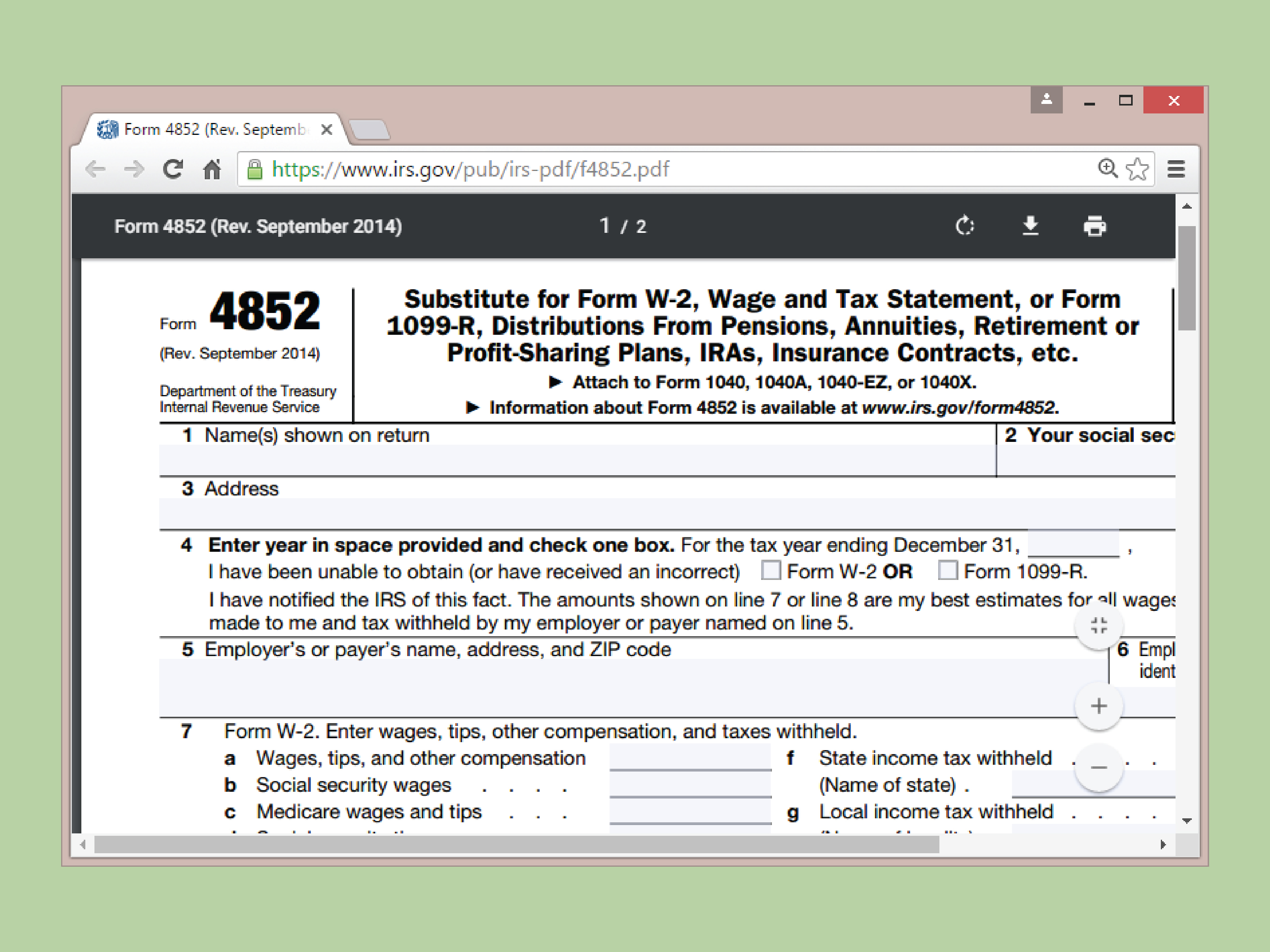
The IRS may contact your employer and can provide instructions for using a substitute form to file. This is especially helpful when an employer is unresponsive or out of business.
Step 3: Use pay stubs + a substitute form if you must file without the W-2
If the W-2 truly can’t be obtained in time, taxpayers sometimes estimate wages and withholding using final pay stubs and file with a substitute form. This is not the “fun” option, but it can get you across the filing finish line. If you later receive the real W-2 and it differs, you may need to amend.
FAQ: Common questions about getting a W-2 from the IRS
Is an IRS Wage & Income Transcript the same as a W-2?
Not exactly. It’s a transcript of the wage/tax information the IRS received (including W-2 data). It may not include every box you see on the printed W-2, and state/local details can be missing.
Why is my transcript missing information?
The most common reasons: it’s early in the season, the employer’s reporting hasn’t posted fully, or there’s a processing lag. Check again later, or use Form 4506-T if the online method doesn’t work.
Can I get transcripts by phone or mail without forms?
In some cases, the IRS offers transcript requests by automated phone and by mail for certain transcript types. If you specifically need the Wage & Income Transcript and can’t access it online, Form 4506-T is often the cleanest non-online route.
What if I need an old W-2 from decades ago?
The IRS transcript availability is typically limited to recent years. For older wage statements, the Social Security Administration may be the better route. (And yes, “decades ago” is a real thingno judgment if you’re doing a deep-life paperwork excavation.)
Real-world experiences & lessons (so you don’t relive someone else’s tax season chaos)
Below are common “this totally happens” scenarios taxpayers run into when trying to get a copy of their W-2 information from the IRS. They’re not meant to scare youthink of them as trail markers on the “I just need one document” hiking route. (Spoiler: the hike is shorter when you know where the bears are.)
Experience #1: “I logged in and my Wage & Income Transcript was empty. The IRS hates me, right?”
This one shows up every year. A taxpayer creates an IRS Online Account in January, downloads the Wage & Income Transcript, and it looks like the year’s wages never happened. Cue dramatic music.
What’s usually going on: timing. Employers submit W-2 info to SSA first, and the IRS transcript for the “current processing year” may not be complete early on. The fix is often boring-but-effective: check back later, especially after early February. If it’s still missing weeks later, confirm your employer’s W-2 was filed and your SSN/name match what they reported.
Experience #2: “My address changed and now nothing arrives, including my will to live.”
People move. Paper mail does not move itself. When your IRS records and employer records aren’t aligned, documents can get lost in transit. This is where online transcripts can be a lifesaver because they don’t depend on the postal system delivering to the correct place.
If you must use mailed options (like Form 4506-T), double-check the address the IRS has on file and include any prior address if required. Also, don’t wait until the week before the deadline to discover that “old address” you forgot existed. Future-you will thank present-you.
Experience #3: The “too many forms” surprise (aka: when the IRS portal taps out)
Some taxpayers have a lot of income documentsmultiple jobs, side gigs, brokerage forms, retirement rollovers, the whole buffet. In certain cases, the online Wage & Income Transcript may not generate because the transcript is limited in how many documents it can display. That’s not you being punished for productivity; it’s just a system constraint.
The workaround is simple: request the Wage & Income Transcript using Form 4506-T. It feels like stepping back into 1997, but it’s reliable when the online route refuses to cooperate.
Experience #4: “I don’t need a W-2, I need proof of income for a lender… and they’re picky.”
Sometimes the request isn’t truly “Give me a W-2.” It’s “My lender wants official IRS documentation.” In those situations, a Wage & Income Transcript can help, but lenders sometimes prefer a tax return transcript or a specific year’s tax return documentation depending on the loan type.
The lesson: ask exactly what document they want (W-2, Wage & Income Transcript, return transcript, full return copy), because “proof of income” is a phrase that means different things to different institutions. The right IRS document depends on the requirement, not the frustration level.
Experience #5: The “I filed without my W-2 and now I’m nervous” moment
When a W-2 is missing close to the deadline, some taxpayers estimate wages/withholding using final pay stubs and file with a substitute form. This can be legitimate in certain circumstances, but it’s also where mistakes happen: maybe a bonus was taxed differently, or a benefit was reported in a way pay stubs didn’t make obvious.
If you file this way and later receive the W-2, compare it carefully to what you estimated. If the numbers differ meaningfully, you may need to amend your return. The emotional takeaway: filing “something” can reduce penalty risk, but accuracy still mattersso keep your paperwork and be ready to clean up differences later.
Experience #6: The “I want an actual W-2 copy from the IRS” dead end
This is the toughest one. People assume the IRS stores a printable W-2 for everyone. Often it does not. If you e-filed and didn’t attach a W-2 to a paper return, ordering a full return copy won’t conjure the original W-2 form layout. In that case, the IRS transcript methods are the real solution for federal wage data, and your employer (or SSA) is the real solution for an actual W-2 copy.
The practical lesson: start with Way 1 or Way 2 for federal wage details. Use Way 3 only when you know the W-2 was attached to a paper return and you truly need the full-return photocopy route.